— 18 —
Operation
Using the LINE IN Jack (Continued)
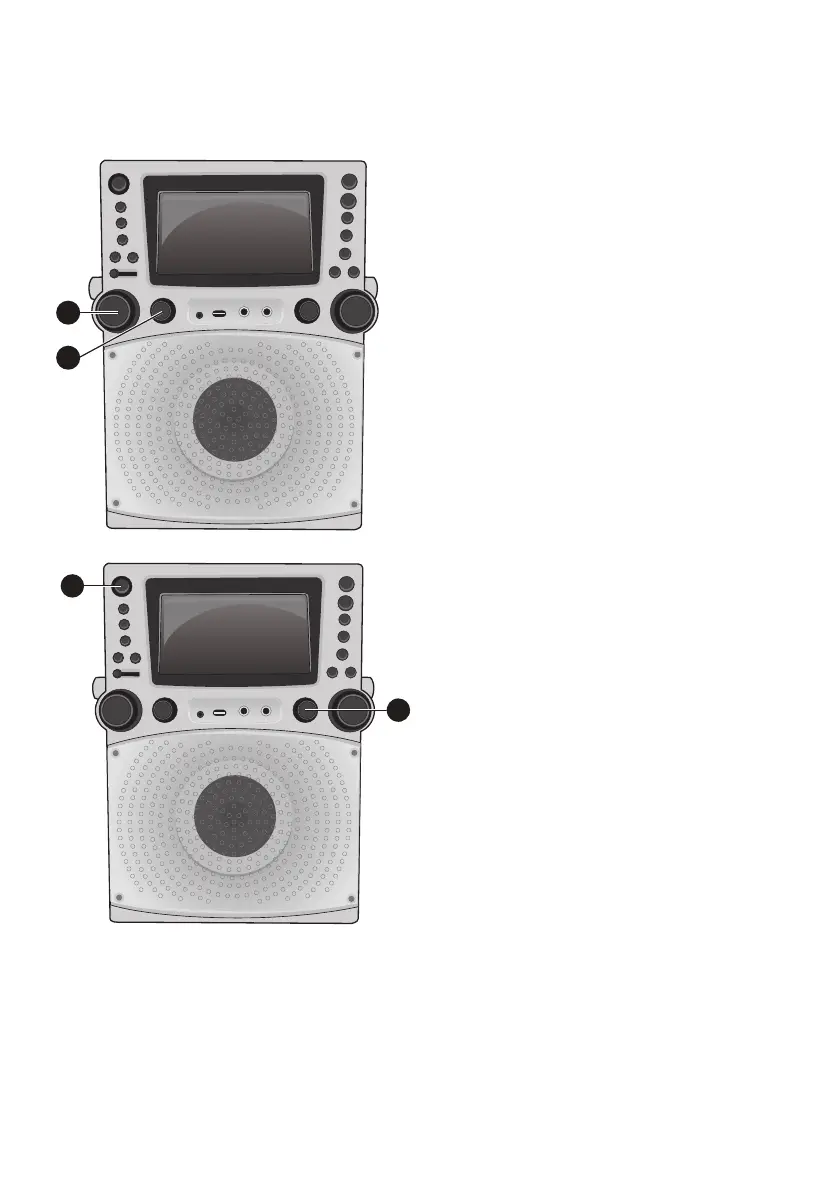
6
Adjust the MIC VOLUME control
as desired. Increasing this control
will increase the volume of both
microphones.
7
Rotate the ECHO control to add an echo
effect to your voice. Rotate towards MAX
to increase the echo effect.
8
Adjust the BALANCE control to move
the audio from the left to right speaker
or vice-versa.
9
Press the
ON/STANDBY
button to
turn the unit off.
Note: You cannot record from the LINE IN,
only from a CD.
6
7
9
8







 To Next Page