Manual 0-2888 4-5 OPERATION
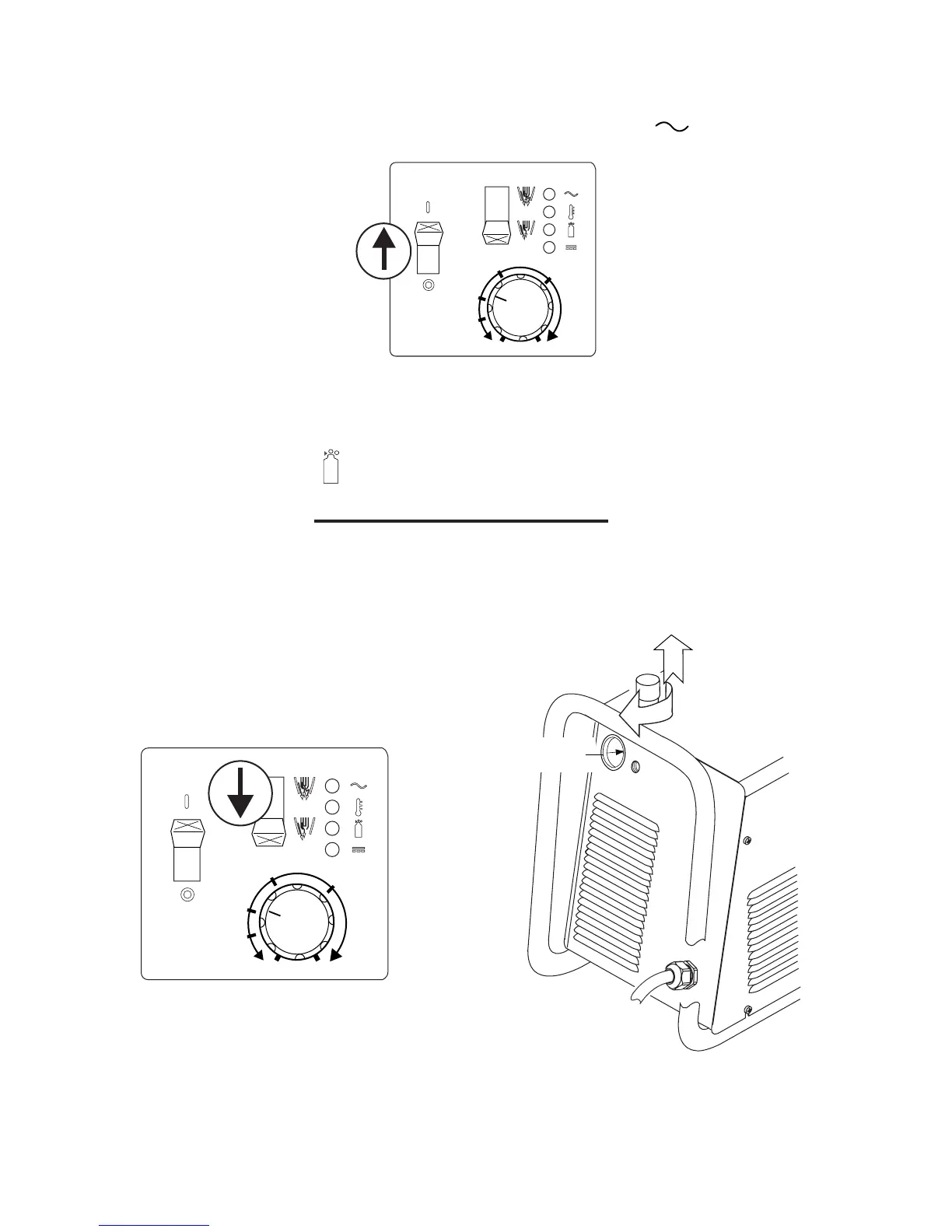
F. Power On
Place the Power Supply ON / OFF switch to the ON (up) position. AC indicator turns on.
A-03384
A
3020
26
28
24
22
G. Set Operating Pressure
Place the Power Supply RUN / SET switch to the SET (down) position. Gas will flow. Adjust gas pressure to 65
psi / 4.5 bar. Gas indicator turns on.
NOTE
If gas regulator leaks, reset gas pressure to 0 psi,
then reset to 65 psi / 4.5 bar.
A-03385
A
3020
26
28
24
22
A-03389
1
2
65 psi / 4.5 bar










 To Next Page