EasyManua.ls Logo

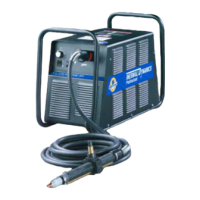
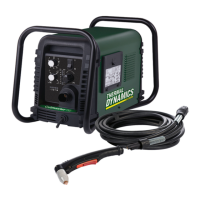
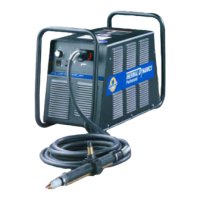
Thermal Dynamics CutMaster 40MM - User Manual

Thermal Dynamics CutMaster 40MM
84 pages
Print Icon
To Next Page IconTo Next Page
Loading...
VictorThermalDynamics.com
120
380/400V
CUTMASTER
®
40mm
PLASMA CUTTING SYSTEM
Operating
Manual
Revision: AK Issue Date: February 17, 2014 Manual No.: 0-5084

Table of Contents

Questions and Answers

  • A
    andersonrebeccaAug 1, 2025
    What to do if GAS LED is OFF and FAULT and MIN pressure indicators are flashing on my Thermal Dynamics Welding System?
    • B
      Brian WhiteAug 1, 2025
      If the GAS LED is OFF, and the FAULT and MIN pressure indicators are flashing, it could be due to several reasons: * The gas supply might not be connected, so ensure it is properly connected to the unit. * The gas supply might not be turned ON, so turn it ON. * The gas supply pressure might be too low, so set the air supply inlet pressure to 120 psi.
  • H
    Heather CopelandAug 6, 2025
    How to troubleshoot Thermal Dynamics CutMaster 40MM Welding System if ON/OFF switch is ON but A/C indicator doesn't light?
    • W
      williamsonjillAug 6, 2025
      If the ON/OFF switch is ON, but the A/C indicator does not light, consider these potential causes: 1. The primary power disconnect might be in the OFF position. If so, turn the primary power disconnect switch to the ON position. 2. The primary fuses or breakers might be blown or tripped. Have a qualified person check the primary fuses or breakers and connect the unit to a known good primary power receptacle. 3. The unit's internal fuse might be blown. Replace the fuse. If it blows again, the unit may need professional attention.
  • J
    John WangAug 11, 2025
    What should I do if FAULT and 75 PSI indicators are flashing on my Thermal Dynamics CutMaster 40MM?
    • P
      Patrick MoraAug 11, 2025
      If the FAULT and 75 PSI indicators are flashing, it could mean that the start signal is active when the ON/OFF switch is turned to the ON position. This can happen if the hand torch switch or hand pendant switch is held closed, or if the CNC START signal is active low. Release the START signal source.
  • C
    Courtney GonzalezAug 16, 2025
    Why are the Fault and 65 PSI indicators flashing on my Thermal Dynamics CutMaster 40MM?
    • M
      Michael ArroyoAug 16, 2025
      If the Fault indicator and the 65 PSI indicator are flashing, it could be due to improper input voltage. Check for proper primary input voltage. Also, have a qualified person check the primary voltage to ensure it meets the unit requirements.
  • C
    Crystal HowardAug 20, 2025
    How to fix FAULT and 70 PSI indicators flashing on Thermal Dynamics CutMaster 40MM?
    • S
      Stephanie ShannonAug 21, 2025
      If the FAULT and 70 PSI indicators are flashing, here are some things to check: * Make sure the shield cup is snug, hand tighten it. * Ensure the torch ATC is securely fastened to the unit.
  • J
    Jennifer JonesAug 27, 2025
    What does it mean when TEMPERATURE indicator is ON and FAULT indicator is flashing on Thermal Dynamics CutMaster 40MM?
    • C
      Colleen AndrewsAug 27, 2025
      If the TEMPERATURE indicator is ON and the FAULT indicator is flashing, it could be due to: 1. Obstructed airflow through or around the unit. 2. Exceeding the unit's duty cycle. If this is the case, allow the unit to cool.

Summary

General Information

Safety Notes, Cautions, and Warnings

Important notes, cautions, warnings, and safety information for proper system operation.

Important Safety Precautions

Critical safety measures for operating plasma cutting equipment, covering electrical hazards, gases, and fumes.

Referenced Publications and Standards

Lists relevant industry standards and safety documents for additional reference.

Declaration of Conformity

Official statement confirming compliance with EU directives and harmonized standards for electrical safety and EMC.

Statement of Warranty

Details the limited warranty terms, coverage periods, exclusions, and liability limitations for the product.

System Introduction

Manual Usage and Equipment Identification

Guidance on how to use the manual and identify the equipment's model and serial numbers.

Power Supply Specifications

Comprehensive technical specifications for the power supply, including electrical, duty cycle, and physical data.

Power Supply Features

Overview and illustration of the power supply's key features and components.

Torch Introduction

Torch Scope, Description, and Specifications

Details the manual's scope for torches, provides a general description, and lists technical specifications.

Plasma Gas Flow and Arc Operation

Explains the principles of plasma gas flow and the mechanics of pilot and cutting arcs.

System Installation

Unpacking, Lifting, and Power Connections

Procedures for unpacking, safely lifting the unit, and making primary input power connections.

Gas Connections and Filter Installation

Instructions for connecting the gas supply and installing optional air filter kits.

Torch Installation

Torch Connections and Air Quality Check

Steps to connect the torch to the power supply and verify air quality for optimal performance.

Setting Up Mechanical Torch

Guidance on mounting and aligning the mechanical torch for precise cutting operations.

System Operation

Front Panel Controls and Indicators

Detailed explanation of all front panel controls, switches, and indicators for system operation.

Operation Preparations and Settings

Steps for preparing the system, selecting torch parts, connecting power, and setting operating pressure.

Torch Operation

Torch Parts, Cut Quality, and General Cutting

Guidance on torch part selection, achieving desired cut quality, and general cutting best practices.

Hand Torch and Gouging Operations

Step-by-step instructions for performing standoff cutting, drag cutting, and gouging with a hand torch.

Mechanized Torch Operation

Procedures for mechanized torch operation, including travel speed and piercing techniques.

Cutting Speed Recommendations

Cutting Speeds for Exposed Tip Torches

Tables providing recommended cutting speeds for various materials and thicknesses using exposed tip torches.

Cutting Speeds for Shielded Tip Torches

Tables providing recommended cutting speeds for various materials and thicknesses using shielded tip torches.

Patent Information

System Service

General Maintenance Schedule

Recommended maintenance tasks and their frequencies for the power supply unit.

Fault Diagnosis and Troubleshooting

Information on common faults, indicators, and troubleshooting procedures to resolve issues.

Power Supply Parts Replacement

Guides for replacing basic power supply components like covers and filter elements.

Torch Service

Torch Cleaning and O-Ring Lubrication

Procedures for cleaning the torch and lubricating O-rings to ensure proper function and longevity.

Consumable Torch Parts Inspection

Instructions for inspecting and replacing worn torch consumables like tips, electrodes, and starter cartridges.

Parts Lists

Power Supply and Accessory Parts

Lists replacement parts for the power supply, and available options and accessories.

Torch Component Parts

Details replacement parts for hand and machine torches, including leads and consumables.

Appendices

Sequence of Operation and Data Tag Information

Provides an operational flow diagram and explains the details found on the equipment's data tag.

Torch Connection and System Schematics

Illustrates torch pinouts, connection diagrams, and detailed system schematics for troubleshooting.

Publication History

Record of the manual's revisions, including dates, revision letters, and summary of changes.

Thermal Dynamics CutMaster 40MM Specifications

General IconGeneral
Output Current Range10 - 40 A
Duty Cycle60% at 40 A
Rated Output Current40 A
Max Cutting Thickness1/2 in
Severance Cut1/2 in
TorchSL40 Torch

Related product manuals