EasyManua.ls Logo

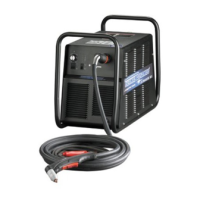
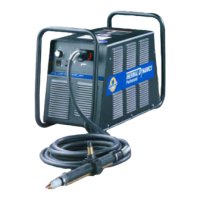
Thermal Dynamics CUTMASTER 102 - Service Manual

Thermal Dynamics CUTMASTER 102
120 pages
Print Icon
To Next Page IconTo Next Page
Loading...
PLASMA CUTTING SYSTEM
102
CUTMASTER
Rev. AA Date: September 25, 2008 Manual # 0-4998
Operating Features:
Service Manual

Table of Contents

Questions and Answers

  • J
    James MartinAug 17, 2025
    What to do if FAULT and 75 PSI indicators are flashing on Thermal Dynamics CUTMASTER 102?
    • S
      sarahmoonAug 18, 2025
      If the FAULT and 75 PSI indicators are flashing on your Thermal Dynamics Welding System, it means that the start signal is active when the ON/OFF SWITCH is turned to ON position. This can happen if the hand torch switch or hand pendant switch is held closed, or if the CNC START signal is active low. Release the START signal source. Alternatively, there may be a problem in the torch and leads switch circuit, which would require replacing the torch and leads or returning them to an authorized service center. If neither of these resolves the issue, there may be failed components in the unit, necessitating a return to an authorized service center for repair or replacement.
  • T
    Thomas SinghAug 20, 2025
    Why are FAULT and 65 PSI indicators flashing on my Thermal Dynamics Welding System?
    • A
      Abigail SchneiderAug 20, 2025
      If the FAULT indicator is flashing along with the 65 PSI indicator, and the fan MOT1 is running on your Thermal Dynamics Welding System, the INPUT VOLTAGE SELECTION SWITCH might be set for the incorrect voltage. Turn off the power to the unit and set the INPUT VOLTAGE SELECTION SWITCH to match the primary input voltage. Also, have a qualified person check the primary voltage to ensure it meets the unit's requirements. If these steps don't resolve the issue, there may be faulty components in the unit, requiring a return to an authorized service center for repair or replacement.
  • C
    Claire ColemanAug 26, 2025
    Why are FAULT and 85 PSI indicators flashing at 5 cycles per second on my Thermal Dynamics Welding System?
    • D
      Donald AlvaradoAug 26, 2025
      If the FAULT indicator is flashing and the 85 PSI indicators are flashing at 5 cycles per second on your Thermal Dynamics Welding System, first check the torch consumable parts for wear or foreign debris. If you are using an automation torch, ensure that the tip did not contact the workpiece during the cut, especially if the output current is set above 45 amps; adjust your cutting process to keep the tip off the plate.
  • A
    anthonymurphyAug 30, 2025
    What to do if GAS indicator is off and FAULT and MIN pressure indicators are flashing on Thermal Dynamics CUTMASTER 102 Welding System?
    • C
      Caitlin GrantAug 30, 2025
      If the GAS indicator is off, and the FAULT and MIN pressure indicators are flashing on your Thermal Dynamics Welding System, first ensure that the gas supply is properly connected to the unit and that the gas supply is turned on. If the gas supply pressure is too low, set the air supply inlet pressure to the unit to 120 psi. Also, check the AIR PRESSURE CONTROL regulator and adjust it to set the air pressure. If the problem persists, there may be failed components in the unit, requiring a return to an authorized service center for repair or replacement.
  • S
    Steven Mueller MDSep 1, 2025
    How to troubleshoot Thermal Dynamics CUTMASTER 102 Welding System when the A/C indicator doesn't light?
    • D
      david93Sep 2, 2025
      If the ON/OFF switch is activated but the A/C Indicator doesn't illuminate on your Thermal Dynamics Welding System, first ensure the primary power disconnect switch is in the ON position. Next, have a qualified person check the primary fuses or breakers. Also, ensure the unit is connected to a known good primary power receptacle. If the issue persists, it could be due to faulty components, requiring a return to an authorized service center for repair or replacement.
  • E
    elizabeth52Sep 4, 2025
    Why is the TEMPERATURE indicator on and FAULT indicator flashing on my Thermal Dynamics Welding System?
    • M
      mccartyjoshuaSep 4, 2025
      If the TEMPERATURE indicator is on and the FAULT indicator is flashing on your Thermal Dynamics Welding System, it could be due to obstructed airflow through or around the unit, so refer to the clearance information. Alternatively, the unit's duty cycle may have been exceeded, in which case you should allow the unit to cool. If the problem persists, there may be failed components in the unit, requiring a return to an authorized service center for repair or replacement.
  • B
    Blake PerezSep 7, 2025
    What to do if nothing happens when the torch switch is closed on Thermal Dynamics CUTMASTER 102?
    • B
      Benjamin MillerSep 7, 2025
      If nothing happens when the torch switch or remote switch is closed (or the CNC START signal is active), there is no gas flow, and the DC LED is OFF on your Thermal Dynamics Welding System, the torch and leads switch circuit (or remote pendant switch circuit) may have a problem. In this case, take the Torch and Leads (Remote Pendant) to an Authorized Repair Facility. Alternatively, the CNC Controller device may not be providing a Start signal, requiring you to contact the controller manufacturer. If neither of these is the issue, there may be failed components in the unit, necessitating a return to an authorized service center for repair or replacement.
  • G
    Gail JonesSep 9, 2025
    Why won't the cutting arc establish on my Thermal Dynamics Welding System?
    • J
      Jason LongSep 9, 2025
      If the pilot arc is on but the cutting arc will not establish on your Thermal Dynamics Welding System, ensure the work cable is securely connected to the workpiece. If the work cable or connector is broken, replace the work cable. If the issue persists, there may be failed components in the unit, requiring a return to an authorized service center for repair.
  • K
    Kristin DavisSep 12, 2025
    How to troubleshoot diminished torch cutting on Thermal Dynamics CUTMASTER 102?
    • T
      thomas81Sep 12, 2025
      If the torch cutting is diminished on your Thermal Dynamics Welding System, first check and adjust the current setting to the proper level. Inspect the torch consumables for wear and replace them as needed. Ensure a good work cable connection to the workpiece. Reduce cutting speed if the torch is being moved too fast. For excessive oil or water in the torch, refer to "Check air quality". If the problem persists, there may be failed components in the unit, requiring a return to an authorized service center for repair.
  • Z
    zramosSep 14, 2025
    Why is there no arc in torch and no fault lights on Thermal Dynamics Welding System?
    • M
      matthew24Sep 14, 2025
      If there are no Fault lights on, and there is no arc in torch of your Thermal Dynamics Welding System, this could be due to failed components in the unit. Return to an authorized service center for repair.

Summary

Section 1: General Information

Notes, Cautions, and Warnings

Explains how notes, cautions, and warnings highlight important information in the manual.

Important Safety Precautions

Details critical safety measures regarding gases, fumes, electric shock, fire, noise, and plasma arc rays.

Publications

Lists relevant safety standards and publications for further reference.

Declaration of Conformity

States the equipment's compliance with applicable directives and regulations.

Statement of Warranty

Outlines the limited warranty period, terms, conditions, and exclusions for the product.

Section 2: System Introduction

How To Use This Manual

Guides users on how to effectively use the owner's manual, including understanding annotations.

Equipment Identification

Explains how to identify the unit's specification, model, and serial number for reference.

Power Supply Specifications

Provides detailed technical specifications for the power supply unit.

Input Wiring Specifications

Details the input voltage, frequency, power input, and cable requirements for the unit.

Power Supply Features

Identifies and illustrates the key features of the power supply unit.

Section 2: Torch Introduction

Scope of Manual

Defines the scope of the manual, covering operating instructions and maintenance for specific torch models.

General Description

Provides a general overview of plasma torch design and operation principles.

Specifications

Details torch configurations, lead lengths, parts, and cooling types.

Introduction to Plasma

Explains the process of plasma gas flow and its role in cutting and gouging.

Section 3: System Installation

Unpacking

Provides instructions for unpacking the equipment and inspecting for damage.

Lifting Options

Details safe procedures for lifting and handling the power supply unit.

Primary Input Power Connections

Guides on connecting the primary input power, including phase changes.

Gas Connections

Explains how to connect the compressed air supply to the unit.

Section 3: Torch Installation

Torch Connections

Describes how to connect the torch to the power supply unit.

Setting Up Mechanical Torch

Provides instructions for setting up the mechanical torch for operation.

Section 4: System Operation

Front Panel Controls; Features

Identifies and explains the functions of the front panel controls and indicators.

Preparations for Operation

Outlines the necessary steps before starting operation, including connections and settings.

Section 4: Torch Operation

Torch Parts Selection

Guides on selecting the correct torch parts based on the type of operation.

Cut Quality

Explains factors affecting cut quality and defines key characteristics.

General Cutting Information

Provides general information and safety advice for cutting operations.

Hand Torch Operation

Details how to perform cutting operations using a hand torch.

Section 4: Torch Operation (Continued)

Gouging

Explains gouging parameters, lead angle, standoff, and slag buildup.

Mechanized Torch Operation

Covers cutting and piercing operations using a mechanized torch.

Parts Selection for Manual and Mechanized Torch Cutting

Illustrates consumable parts selection for manual and mechanized cutting.

Recommended Cutting Speeds for Mechanized Torch With Exposed Tip

Provides recommended cutting speeds for various materials with an exposed tip.

Recommended Cutting Speeds for Mechanized Torch With Shielded Tip

Provides recommended cutting speeds for various materials with a shielded tip.

Patent Information

Section 5: System Service

General Maintenance

Outlines general maintenance tasks to be performed on the system.

Maintenance Schedule

Provides a schedule for daily, weekly, and six-month maintenance checks.

Common Faults

Lists common problems, their symptoms, and potential causes.

Fault Indicator

Explains the fault indicators and their meanings.

Basic Troubleshooting Guide

Offers a guide to diagnose and resolve common operational problems.

Circuit Fault Isolation

Provides procedures for isolating circuit faults and performing pre-power up tests.

Main Input and Internal Power Problems

Addresses issues related to primary input power and internal power supply problems.

Pilot Arc Problems

Troubleshoots issues related to the pilot arc function.

CNC Interface Problems

Addresses problems specific to CNC interface connectivity and signals.

Test Procedures

Details specific test procedures for various components and circuits.

Section 5: Torch Service

General Maintenance

Covers cleaning procedures and O-ring lubrication for the torch.

Inspection and Replacement of Consumable Torch Parts

Guides on inspecting and replacing consumable parts of the torch.

Section 6: Parts Lists

Introduction

Introduces the parts list breakdown and ordering information.

Power Supply Replacement

Lists items included with a replacement power supply unit.

Major External Replacement Parts

Identifies major external replaceable parts of the power supply.

Front Panel Replacement Parts

Lists replaceable parts for the front panel assembly.

Left Side Replacement Parts

Identifies replaceable components located on the left side of the unit.

Right Side Replacement Parts

Lists replaceable components located on the right side of the unit.

Replacement Power Supply Parts

Lists replacement parts specific to the power supply unit.

Options and Accessories

Details available options and accessories for the system.

Replacement Parts for Hand Torch

Lists replacement parts for the hand torch assembly.

Replacement Parts - for Machine Torches with Unshielded Leads

Lists replacement parts for machine torches with unshielded leads.

Torch Consumable Parts (SL100 SV)

Details consumable parts for the SL100 SV torch, categorized by cutting type.

Section 7: Replacement Procedures

Scope

Defines the scope of replacement procedures covered in this section.

Anti-Static Handling Procedures

Provides essential procedures for safely handling electronic components.

Parts Replacement - General Information

Offers general information regarding parts replacement and disassembly.

Major External Parts

Details procedures for replacing major external parts of the unit.

Front Panel Parts Replacement

Provides step-by-step instructions for replacing front panel components.

Left Side Internal Parts Replacement

Covers procedures for replacing internal parts on the left side of the unit.

Right Side Internal Parts Replacement

Details procedures for replacing internal parts on the right side of the unit.

Appendix 1: Sequence of Operation (Block Diagram)

Appendix 2: Data Tag Information

Appendix 3: Torch Pin - Out Diagrams

Appendix 4: Torch Connection Diagrams

Appendix 5: System Schematic, 208;460 V Units

Appendix 6: Publication History

Global Customer Service Contact

Thermal Dynamics CUTMASTER 102 Specifications

General IconGeneral
Input Frequency50/60 Hz
Output Current Range20-100 A
Rated Output Current100 A
Duty Cycle60% @ 100 A
Input Phase1 or 3-Phase
Rated Output Voltage120 V
Cutting Capacity (Maximum)1-1/2" (38 mm)
Max Cutting Thickness1.5 in (38 mm)
Pierce Capacity0.75 in (19 mm)
Gas TypeAir
Dimensions18 x 10 x 14 in

Related product manuals