
 Need help?
Do you have a question about the Thermal Dynamics CUTMASTER 151 and is the answer not in the manual?
Instructions for correct use and safe operation.
Highlights important information using notes, cautions, and warnings.
Details dangers and necessary precautions for operation and maintenance.
Lists relevant standards and reference documents for more information.
Explains the usage of "note", "attention", and "warning" terms in the manual.
Outlines critical safety measures regarding fumes, gases, and electric shock.
Lists references for further safety and operational guidance.
States conformity to applicable European directives and national legislation.
Details the limited warranty terms, conditions, and exclusions for the product.
Defines the manual's purpose, scope, and servicing restrictions.
Provides detailed technical specifications for the power supply unit.
Details input voltage, frequency, current, and wiring requirements.
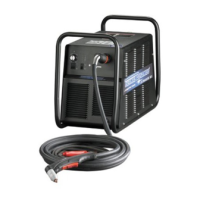
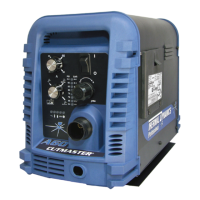
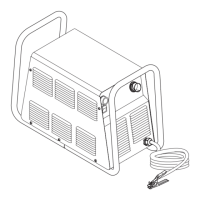
Identifies and illustrates the main components and features of the power supply.
Lists available options and accessories to enhance system performance or portability.
Provides technical specifications for the SL100SV machine torch.
Lists optional items for torch customization and performance enhancement.
Explains the basic principles of plasma gas flow and distribution in cutting.
Instructions for unpacking the equipment and recording serial numbers.
Guidelines and warnings for safely lifting and handling the power supply unit.
Details how to connect the power supply to different voltage and phase power sources.
Instructions for connecting the compressed air supply to the power unit.
Steps for connecting the SL100 torch to the power supply correctly.
Guidance on mounting the machine torch assembly and ensuring proper alignment.
Information on selecting appropriate consumable torch parts for different operations.
Instructions for connecting the power supply to the SC-11 standoff control.
Steps for connecting the power supply to alternative CNC controls.
How to set switches on the Automation Interface PC Board for system compatibility.
Procedure for installing the optional remote current control harness.
Overview of the power supply's front panel controls and indicators.
Step-by-step guide for preparing the system before each operating session.
Instructions for setting the correct gas pressure for optimal cutting performance.
How to set the desired output current level for the cutting operation.
Details on performing cutting operations with different switch settings.
Guides on choosing, inspecting, and replacing torch consumable parts.
Explains factors affecting cut quality and characteristics of a good cut.
Provides essential information on piloting, torch standoff, and cut direction.
Step-by-step instructions for operating the torch for cutting.
Discusses the importance of proper travel speed for cut quality.
Guidance on how to properly pierce material using a machine torch.
Defines cut quality for various materials and thicknesses.
Provides recommended cutting speeds for mild steel with an exposed tip torch.
Provides recommended cutting speeds for stainless steel with an exposed tip torch.
Provides recommended cutting speeds for aluminum with an exposed tip torch.
Provides recommended cutting speeds for mild steel with a shielded tip torch.
Provides recommended cutting speeds for stainless steel with a shielded tip torch.
Provides recommended cutting speeds for aluminum with a shielded tip torch.
Blank charts for operators to record their own cutting parameters and speeds.
Routine maintenance procedures for ensuring optimal system performance.
Instructions for replacing the filter element in a single-stage air filter system.
Steps for replacing filter elements in an optional two-stage air filter assembly.
Lists common operational issues and their potential causes.
Guide for diagnosing and resolving common symptoms and problems.
Overview of advanced troubleshooting requiring disassembly and live measurements.
Procedures for testing main input power and internal system operations.
Steps to verify the establishment and function of the pilot arc.
Procedure to test the main cutting arc initiation and transfer.
Troubleshooting guide for issues related to main power input and internal components.
Addresses issues where main power fuses blow upon closing the disconnect switch.
Troubleshooting steps when AC and TEMP indicators are on, but fans are not running.
Diagnosing and resolving issues related to pilot arc initiation and function.
Troubleshooting guide for problems affecting the main cutting arc.
Instructions for replacing the tube handle assembly on the power supply.
Procedures for replacing components on the front panel of the power supply.
Guides for replacing internal components located on the left side of the unit.
Steps for replacing the main input contactor assembly.
Procedure for replacing the logic PC board.
Instructions for replacing the input diode bridge component.
Steps for safely removing and replacing IGBT modules.
Procedure for replacing the main PC board.
Instructions for replacing the unit's input power cable.
Guides for replacing internal components located on the right side of the unit.
Steps for removing and replacing the unit's cooling fans.
Procedure for replacing the pilot PC board.
Steps for replacing the pressure switch and solenoid valve assembly.
Instructions for replacing the output diode PC board.
Procedure for removing the heatsink shroud for component access.
Steps for removing and replacing the main transformer.
Procedure for removing and replacing the output inductor assembly.
Explains the breakdown and arrangement of the parts lists within the manual.
Guidance on how to order replacement parts and necessary information to provide.
Lists items included with a complete replacement power supply unit.
Lists available options and accessories for the power supply.
Identifies major external parts available for power supply replacement.
Lists replacement parts specifically for the front panel of the power supply.
Lists replacement parts for the rear panel of the power supply.
Lists internal replacement parts for the left side of the power supply.
Lists internal replacement parts for the right side of the power supply.
Details replacement parts specifically for the SL100 Torch.
Details replacement parts for the SL100SV Torch with solenoid.
Illustrates and lists consumable parts for the SL100 torch.
Lists contents of spare parts kits for automation torches.
Lists complete torch assemblies for replacement.
Lists optional accessories for the torch.
Pin-out diagram for SL100 torch connection without solenoid.
Pin-out diagram for SL100SV torch connection with solenoid.
Wiring diagram for connecting SL100 torch without solenoid.
Wiring diagram for connecting SL100SV torch with solenoid.
 General
| Input Frequency | 50/60 Hz |
|---|---|
| Open Circuit Voltage (OCV) | 300 VDC |
| Input Phase | 1 or 3-Phase |
| Output Current Range | 20 - 150 A |
| Rated Output Current | 150 Amps |
| Output Voltage | 120 VDC |
| Duty Cycle | 60% @ 150 Amps |
| Gas Type | Air or Nitrogen |
| Pilot Arc Current | 20 Amps |










 To Next Page
