EasyManua.ls Logo

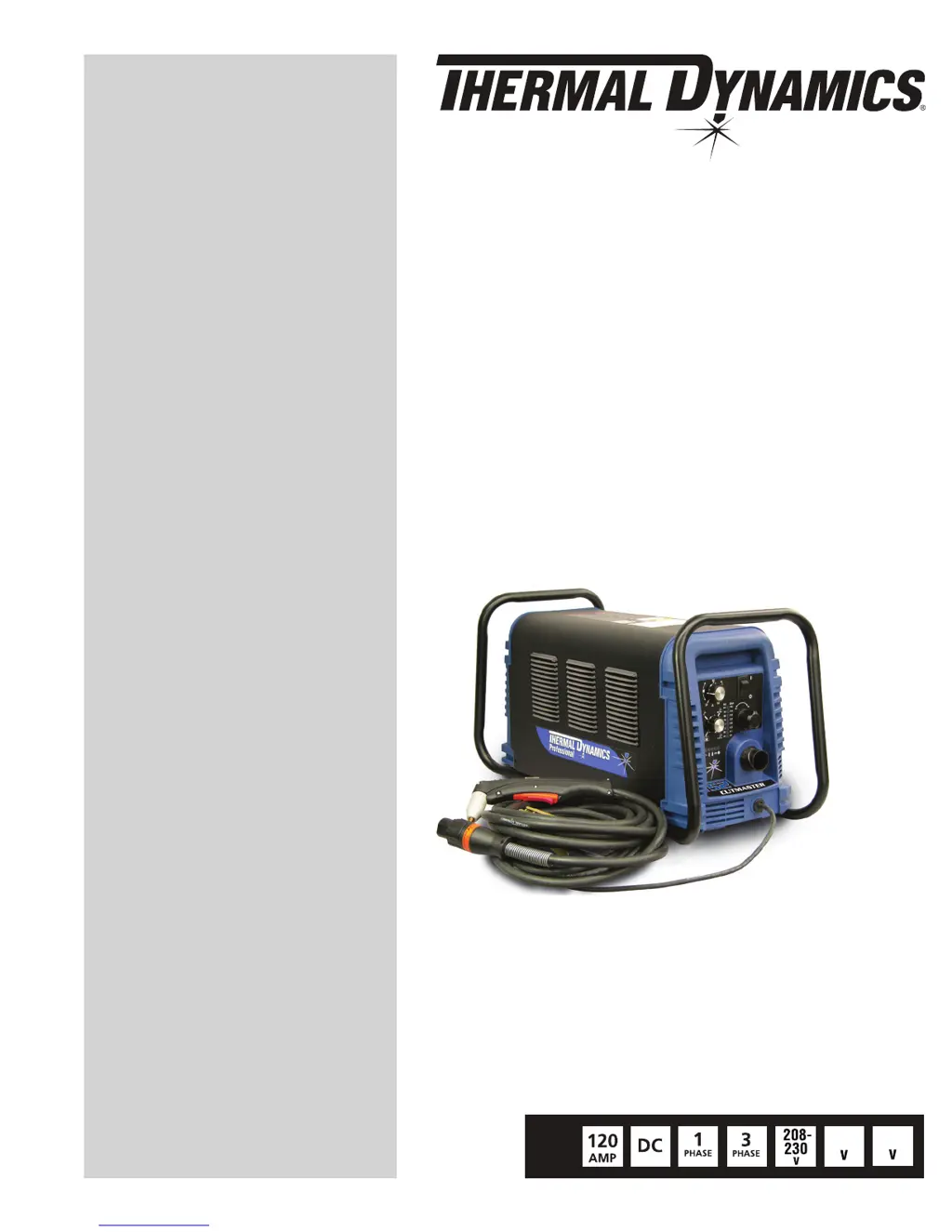
Thermal Dynamics 152 CUTMASTER - User Manual

Thermal Dynamics 152 CUTMASTER
84 pages
Print Icon
To Next Page IconTo Next Page
Loading...
460
Art # A-08619_AB
600
PLASMA CUTTING SYSTEM
152
CUTMASTER
Rev. AK Date: April 25, 2012 Manual # 0-4987
Operating Features:
Operating Manual

Table of Contents

Questions and Answers

  • S
    samuelsmithAug 18, 2025
    What to do if GAS LED is OFF, FAULT and MIN pressure indicators are flashing on Thermal Dynamics Welding System?
    • R
      roberthudsonAug 19, 2025
      If the GAS LED is OFF and the FAULT and MIN pressure indicators are flashing on your Thermal Dynamics Welding System, it could be due to several reasons: * The gas supply might not be connected. Ensure the gas supply is connected to the unit. * The gas supply might not be turned ON. Turn the gas supply ON. * The gas supply pressure may be too low. Set the air supply inlet pressure to 120 psi. Also, the AIR PRESSURE CONTROL regulator might be set too low. In that case you should adjust regulator to set air pressure. If none of these steps resolve the issue, the unit may have failed components.
  • J
    Jeffery BakerAug 21, 2025
    What does it mean when FAULT and 75 PSI indicators are flashing on Thermal Dynamics 152 CUTMASTER?
    • B
      Bradley YoungAug 21, 2025
      If the FAULT and 75 PSI indicators are flashing on your Thermal Dynamics Welding System, it could be due to: the start signal being active when the ON/OFF switch is turned ON. In that case release the START signal source. Another reason could be a problem in the torch and leads switch circuit, or failed components in the unit. In these cases replace torch and leads or return to authorized service center for repair or replacement.
  • A
    Alyssa MooreAug 23, 2025
    How to fix FAULT and 80 PSI indicators flashing and gas flow cycling ON and OFF on Thermal Dynamics 152 CUTMASTER Welding System?
    • S
      Susan ChambersAug 23, 2025
      If the FAULT and 80 PSI indicators are flashing and the gas flow is cycling ON and OFF on your Thermal Dynamics Welding System, try the following: * Tighten the torch shield cup by hand, but do not overtighten. * Turn OFF the power supply and install any missing torch tip, electrode, or starter cartridge. * Check the starter cartridge for free movement and replace if necessary. Other reasons might be: open conductor in torch leads or problem in the torch and leads switch circuit. If the problem persists, the unit may have failed components.
  • E
    Elizabeth CobbAug 26, 2025
    What does it mean when FAULT and 70 PSI indicators are flashing on Thermal Dynamics 152 CUTMASTER?
    • C
      Caroline WilsonAug 26, 2025
      If the FAULT and 70 PSI indicators are flashing on your Thermal Dynamics Welding System, ensure the shield cup is snug. Also, check that the torch ATC is securely fastened to the unit. If the problem persists, there may be an issue in the torch and leads PIP circuit, or the unit may have failed components.
  • S
    Stephanie Tyler MDAug 27, 2025
    What to do if FAULT and 85 PSI indicators are flashing on Thermal Dynamics 152 CUTMASTER Welding System?
    • J
      Julie MorrisAug 27, 2025
      If the FAULT and 85 PSI indicators are flashing on your Thermal Dynamics Welding System, check the upper O-Ring position on the torch head and correct if necessary. Also, the torch starter cartridge might be stuck, so turn OFF the power supply, bleed down system pressure, and check the starter cartridge for free movement, replacing it if necessary. Other potential causes include worn or faulty torch parts, a shorted torch, a temporary short, or a power supply failure. In these cases replace torch consumable parts or return to authorized service center for repair or replacement.
  • K
    Kimberly BakerAug 30, 2025
    Why are Fault and 65 PSI indicators flashing on my Thermal Dynamics Welding System?
    • D
      daniel15Aug 30, 2025
      If the Fault indicator and the 65 PSI indicator are flashing on your Thermal Dynamics Welding System, ensure the INPUT VOLTAGE SELECTION SWITCH is set correctly to match the primary input voltage. Also, there may be a primary input voltage problem. If the issue continues, the unit may have faulty components.
  • M
    Matthew SpearsSep 1, 2025
    What to do if Fault and 90 PSI indicators are flashing on Thermal Dynamics 152 CUTMASTER Welding System?
    • K
      Kimberly GoodSep 1, 2025
      If the Fault and 90 PSI indicators are flashing on your Thermal Dynamics Welding System, turn the ON/OFF switch OFF and then back ON again. If that does not clear the fault, return to an authorized service center for repair.
  • K
    kcarrollSep 4, 2025
    Why is torch cutting diminished on my Thermal Dynamics 152 CUTMASTER?
    • J
      Julie WilliamsSep 4, 2025
      To address diminished torch cutting with your Thermal Dynamics Welding System: * Ensure the current setting is correct. * Replace worn torch consumables. * Verify the work cable connection. * Reduce cutting speed. These steps should help restore optimal cutting performance. Also excessive oil or water in torch can cause this problem. If problems persist, the unit may have failed components.
  • B
    Brittany MartinezSep 6, 2025
    What to do if pilot arc is ON but cutting arc will not establish on Thermal Dynamics Welding System?
    • B
      Breanna BryantSep 6, 2025
      If the pilot arc is ON but the cutting arc will not establish on your Thermal Dynamics Welding System, make sure the work cable is connected to the workpiece. Also, the work cable or connector might be broken, so replace the work cable. If neither of these steps works, the unit may have failed components.
  • M
    Melissa Hill DVMSep 8, 2025
    Why is TEMPERATURE indicator ON and FAULT indicator flashing on Thermal Dynamics 152 CUTMASTER?
    • E
      Eric PerrySep 8, 2025
      If the TEMPERATURE indicator is ON and the FAULT indicator is flashing on your Thermal Dynamics Welding System, it could be due to obstructed airflow around the unit, or the unit's duty cycle has been exceeded. Allow unit to cool. If the problem persists, the unit may have failed components.

Summary

General Information

Important Safety Precautions

Outlines critical safety measures for operating plasma arc equipment, including electrical, fume, and fire hazards.

System Installation

Primary Input Power Connections

Details how to connect the unit to the primary input power source.

Gas Connections

Explains how to connect the gas supply to the plasma cutting system.

Torch Installation

Torch Connections

Guides on connecting the torch to the power supply unit.

System Operation

Torch Operation

Hand Torch Operation

Details how to operate the hand torch for standoff and drag cutting.

Gouging

Explains the process and parameters for plasma gouging operations.

Mechanized Torch Operation

Describes the operation of the mechanized torch with CNC or remote control.

Parts Selection for SL100 Torch Cutting

Illustrates and lists consumable parts for the SL100 torch based on cutting applications.

Recommended Cutting Speeds for SL100 Torch With Exposed Tip

Provides recommended cutting speeds and parameters for various materials and thicknesses.

Recommended Cutting Speeds for SL100 Torch With Shielded Tip

Details recommended cutting speeds and parameters for shielded torch operations.

System Service

Common Faults

Lists common problems, their symptoms, and potential causes for the system.

Fault Indicator

Explains the fault indicators and their corresponding error codes.

Basic Troubleshooting Guide

Offers a guide to diagnose and resolve common issues with the plasma cutting system.

Torch Service

General Maintenance

Covers cleaning and lubrication procedures for the torch assembly.

Inspection and Replacement of Consumable Torch Parts

Guides on inspecting and replacing wear items for the torch.

Thermal Dynamics 152 CUTMASTER Specifications

General IconGeneral
Open Circuit Voltage (OCV)300 VDC
Input Voltage50/60 Hz
Output Current Range20- A
Pierce Capacity3/4 inch
Gas TypeAir
Gas Flow6.7 scfm

Related product manuals