EasyManua.ls Logo

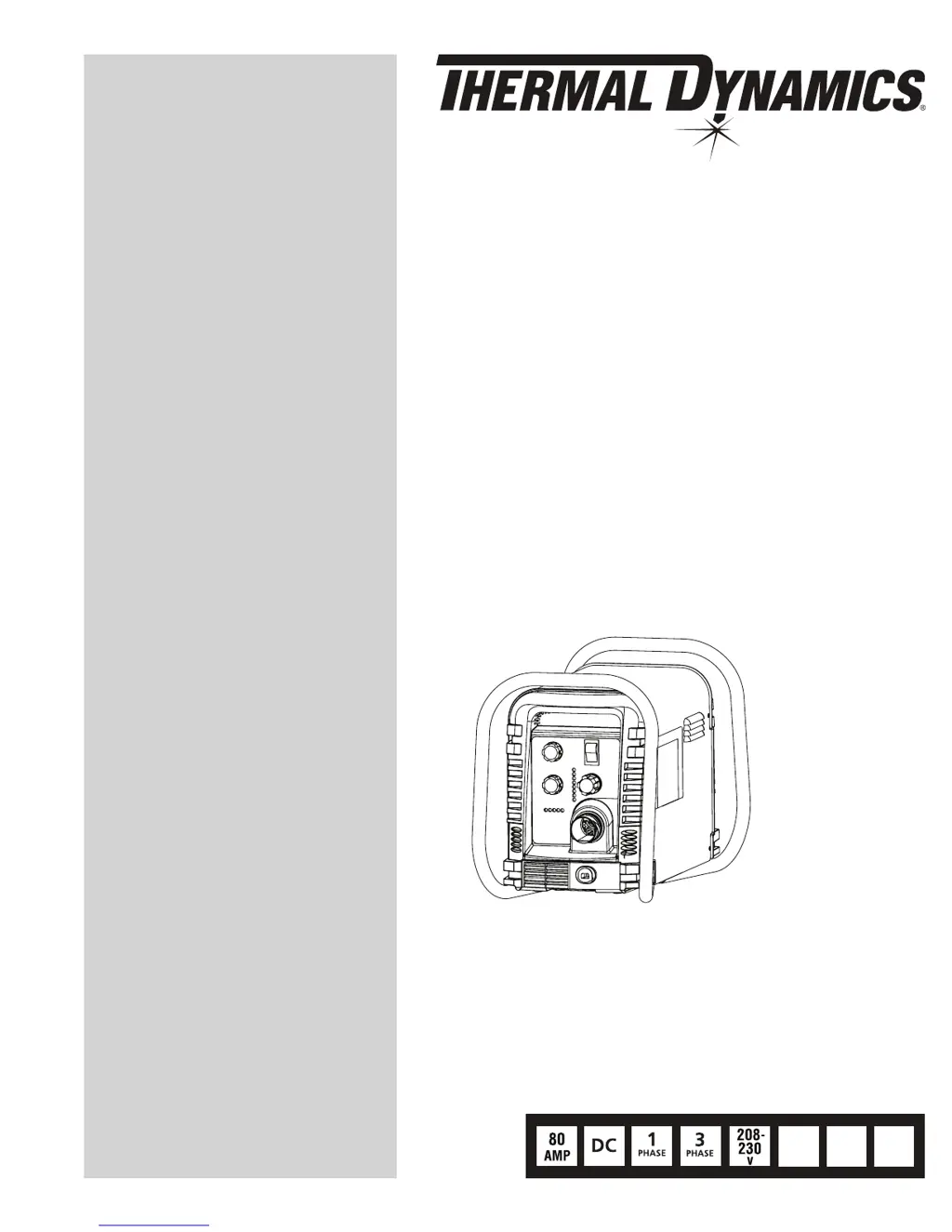
Thermal Dynamics Cutmaster 82 - User Manual

Thermal Dynamics Cutmaster 82
114 pages
Print Icon
To Next Page IconTo Next Page
Loading...
Art # A-08839_AB
600
v
460
400
v
v
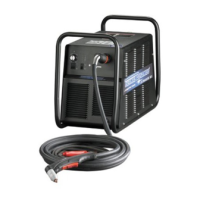
PLASMA CUTTING SYSTEM
82
CUTMASTER
Rev. AH Date: May 29, 2009 Manual # 0-4980
Operating Features:
Service Manual

Table of Contents

Questions and Answers

  • G
    grantsilvaAug 16, 2025
    What to do if GAS indicator is off and FAULT and MIN pressure indicators are flashing on my Thermal Dynamics Cutmaster 82?
    • B
      Brooke OrtizAug 16, 2025
      If the GAS indicator is off, and the FAULT and MIN pressure indicators are flashing, it could be due to several reasons: * The gas supply might not be connected. Ensure the gas supply is properly connected to the unit. * The gas supply might not be turned on. Make sure to turn on the gas supply. * The gas supply pressure might be too low. Set the air supply inlet pressure to the unit to 120 psi. * The AIR PRESSURE CONTROL regulator might be set too low. In this case you should adjust the regulator to set the air pressure.
  • K
    kmcfarlandAug 18, 2025
    Why are the FAULT and 75 PSI indicators flashing on my Thermal Dynamics Cutmaster 82 Welding System?
    • S
      scottclarkAug 19, 2025
      If the FAULT and 75 PSI indicators are flashing, it could be because the start signal is active when the ON/OFF SWITCH is turned to the ON position. This can happen if the hand torch switch or hand pendant switch is held closed, or if the CNC START signal is active low. Releasing the START signal source should resolve this.
  • R
    rioskendraAug 22, 2025
    What does it mean when FAULT and 70 PSI indicators are flashing on Thermal Dynamics Cutmaster 82 Welding System?
    • N
      nrayAug 22, 2025
      If the FAULT and 70 PSI indicators are flashing, it could be due to a few reasons. First, check if the shield cup is loose and hand tighten it until it is snug. Second, ensure that the torch ATC is securely fastened to the unit.
  • A
    Annette SteeleAug 25, 2025
    How to fix FAULT & 80 PSI indicators flashing with gas flow cycling on and off in Thermal Dynamics Cutmaster 82 Welding System?
    • N
      nicole68Aug 26, 2025
      If the FAULT & 80 PSI indicators are flashing and the gas flow is cycling on and off, the issue could be due to: * A loose torch shield cup. Try tightening the shield cup by hand, but avoid overtightening. * Missing torch tip, electrode, or starter cartridge. Turn off the power supply, remove the shield cup, and install any missing parts. * A stuck torch start cartridge. Turn off the power supply, bleed down the system pressure, remove the shield cup, tip, and start cartridge. Check the start cartridge lower end fitting for free movement. Replace the cartridge if the fitting does not move freely.
  • R
    Robert HicksAug 27, 2025
    What causes FAULT and 85 PSI indicators to flash on my Thermal Dynamics Welding System?
    • C
      collinsdennisAug 27, 2025
      If the FAULT and 85 PSI indicators are flashing, it could be due to several reasons: * The upper O-Ring on the torch head is in the wrong position. Remove the shield cup from the torch and check the upper O-Ring position, correcting it if necessary. * The torch starter cartridge is stuck. Turn off the power supply, bleed down the system pressure, remove the shield cup, tip, and starter cartridge. Check the starter cartridge lower end fitting for free movement, and replace it if it doesn't move freely. * Worn or faulty torch parts. Inspect the torch consumable parts and replace them if necessary. * Shorted Torch. Replace torch and leads or return to an authorized service center for repair. * Temporary Short indicated by 5 blinks per second. Release torch switch and reactivate.
  • S
    Stephanie GalvanAug 31, 2025
    What does it mean when the FAULT and 65 PSI indicators are flashing on my Thermal Dynamics Welding System?
    • R
      Robert CampbellAug 31, 2025
      If the FAULT indicator and the 65 PSI indicator are flashing, it could indicate that the INPUT VOLTAGE SELECTION SWITCH is set for the incorrect voltage. Turn off the power to the unit and set the INPUT VOLTAGE SELECTION SWITCH to match the primary input voltage.
  • C
    Christine DiazSep 2, 2025
    What to do if pilot arc is on but cutting arc will not establish in Thermal Dynamics Cutmaster 82?
    • H
      henrytimothySep 3, 2025
      If the pilot arc is on but the cutting arc will not establish, make sure the work cable is securely connected to the workpiece. Also, check the work cable and connector for any damage and replace it if necessary.
  • B
    Brandon NicholsSep 6, 2025
    Why is the torch cutting diminished on my Thermal Dynamics Welding System?
    • A
      allenmichaelSep 6, 2025
      If the torch cutting is diminished, it could be due to several factors: * Incorrect current setting: Check and adjust to the proper setting. * Worn torch consumables: Check torch consumables and replace as needed. * Poor work cable connection to the workpiece: Check the connection of the Work Lead to the workpiece. * Torch being moved too fast: Reduce cutting speed. * Excessive oil or water in torch.
  • M
    Michelle BrooksSep 8, 2025
    Why is the TEMPERATURE indicator on and the FAULT indicator flashing on my Thermal Dynamics Cutmaster 82 Welding System?
    • J
      Jason HillSep 9, 2025
      If the TEMPERATURE indicator is on and the FAULT indicator is flashing, it could be due to: * Obstructed airflow through or around the unit. * Exceeding the unit's duty cycle. Allow the unit to cool down.
  • L
    Lisa PageSep 12, 2025
    How to fix Thermal Dynamics Cutmaster 82 when ON / OFF Switch is on but the A/C Indicator does not light?
    • T
      Theresa FreemanSep 12, 2025
      If the ON / OFF switch is on but the A/C Indicator does not light, it could be due to the primary power disconnect being in the OFF position. Turn the primary power disconnect switch to the ON position. It may also be due to blown or tripped primary fuses/breakers, in which case you should have a qualified person check them.

Summary

Section 1: General Information

1.02 Important Safety Precautions

Details critical safety measures for operating plasma cutting equipment, covering hazards like electric shock and fumes.

1.04 Note, Attention et Avertissement

1.05 Precautions De Securite Importantes

Covers essential safety precautions for plasma cutting, including health and environmental hazards.

1.08 Statement of Warranty

2.04 Power Supply Specifications

2.05 Input Wiring Specifications

3.03 Primary Input Power Connections

A. Connections to Single Phase Input Power

Provides step-by-step instructions for connecting single-phase input power.

B. Connections to Three Phase Input Power

3.04 Gas Connections

Section 4 System: Operation

4.01 Front Panel Controls; Features

Identifies and describes the function of each control and indicator on the front panel.

4.02 Preparations for Operation

Section 4 Torch: Operation

4 T.01 Torch Parts Selection

Guides users on selecting the correct torch parts based on the type of cutting operation.

4 T.02 Cut Quality

4 T.03 General Cutting Information

4 T.04 Hand Torch Operation

4 T.05 Gouging

4 T.06 Mechanized Torch Operation

Cutting With Mechanized Torch

Explains how to control the mechanized torch for automated cutting processes.

4 T.07 Parts Selection for Manual and Mechanized Torch Cutting

4 T.08 Recommended Cutting Speeds for Mechanized Torch With Exposed Tip

Section 5 System: Service

5.01 General Maintenance

Provides general maintenance guidelines and a schedule for the power supply unit.

5.02 Maintenance Schedule

5.03 Common Faults

5.04 Fault Indicator

5.05 Basic Troubleshooting Guide

5.06 Power Supply Basic Parts Replacement

5.07 Circuit Fault Isolation

B. Cover Installation

C. Pre Power Up Tests

D. Initial Set up Conditions

E. Main Input and Internal Power Test

F. Pilot Arc Test

G. Main Arc and Controls Test

H. CNC Interface Test

5.08 Main Input and Internal Power Problems

A. Primary input line fuse blows as soon as primary disconnect is closed.

Diagnoses and resolves issues where the primary input fuse blows upon connection.

B. Primary line fuses blow immediately after ON;OFF SWITCH (SW1) is turned to ON position.

Troubleshoots immediate blowing of primary fuses after the unit is powered on.

D. All front panel indicators are off, fans do not run. Main Contactor W1 does not close.

Diagnoses why all front panel indicators are off and fans/contactor are not operating.

E. INPUT POWER FAULT.

F. PARTS-IN-PLACE (PIP) FAULT.

G. TRIGGER LOCKED DURING POWER UP FAULT.

H. TIP MISSING FAULT.

I. AC LED on, yellow TEMP LED is on, red FAULT Indicator is flashing.

J. AC LED on, TEMP, GAS, DC LEDs are off, FAULT Indicator is flashing. MIN PRESSURE LED is flashing. Gas is not flowing

K. INTERNAL ERROR

L. MAX PRESSURE ERROR

M. AC LED on, TEMP LED off, GAS LED on, Gas does not flow in SET mode using a hand torch or a machine torch without remote solenoid.

N. AC LED on, TEMP LED off, GAS LED on, Gas does not flow in SET mode using a machine torch with remote solenoid.

O. Cannot adjust gas pressure in the SET mode

5.09 Pilot Arc Problems

B. SHORTED TORCH FAULT

Describes the shorted torch fault indicated by flashing FAULT and PSI LEDs, with gas flow interruptions.

C. AC LED on, TEMP LED off, GAS LED on, gas flowing, DC LED off, Fault Indicators off, No arc in torch

D. AC LED on, TEMP LED off, GAS LED on, gas flowing, DC LED on, Fault Indicators off, No arc in torch.

5.10 Main Arc and Controls Problems

A. Main arc will not establish, LED D59 on Main PCB remains on while pilot arc is striking the work piece.

Troubleshoots failure of the main arc to establish while the pilot arc is active.

B. Main arc transfers but current cannot be adjusted

Addresses issues where the main arc transfers but the output current is not adjustable.

C. In LATCH mode, when the torch switch is released the arc shuts off immediately.

Troubleshoots immediate arc shutdown in LATCH mode upon switch release.

D. With CURRENT CONTROL POTENTIOMETER set at maximum, output current is only 60 amps.

Diagnoses low output current when the control potentiometer is at maximum.

F. INTERNAL ERROR FAULT INDICATOR AND 90 PSI INDICATOR FLASHING

Explains the internal error fault indicated by flashing FAULT and 90 PSI LEDs.

5.11 CNC Interface Problems

5.12 Test Procedures

A. Main Contactor (W1) Test

Details the procedure for testing the main contactor (W1) using an ohmmeter.

B. Input Diode Module Test

C. Input Capacitor PCB Test

D. IGBT Modules Test

E. Output Diode Module Test

F. Pilot IGBT Test

Section 5 Torch: Service

5 T.01 General Maintenance

Covers general maintenance procedures for the plasma torch, including cleaning and lubrication.

Cleaning Torch

5 T.02 Inspection and Replacement of Consumable Torch Parts

6.04 Major External Replacement Parts

6.05 Front Panel Replacement Parts

6.09 Replacement Parts for Hand Torch

6.10 Replacement Parts - for Mechanized Torches with Unshielded Leads

7.04 Major External Parts

7.05 Front Panel Parts Replacement

G. ON;OFF Switch (SW1) Replacement

H. Work Cable Replacement

7.06 Left Side Internal Parts Replacement

7.07 Rear Panel Parts Replacement

7.08 Right Side Internal Parts Replacement

B. Main PCB (PCB1) Replacement

Guides on removing and installing the main PCB (PCB1).

APPENDIX 3: TORCH PIN - OUT DIAGRAMS

APPENDIX 4: TORCH CONNECTION DIAGRAMS

APPENDIX 5: SYSTEM SCHEMATIC, 208;460 V UNITS

APPENDIX 6: SYSTEM SCHEMATIC, 600 V UNITS

Thermal Dynamics Cutmaster 82 Specifications

General IconGeneral
BrandThermal Dynamics
ModelCutmaster 82
CategoryWelding System
LanguageEnglish

Related product manuals