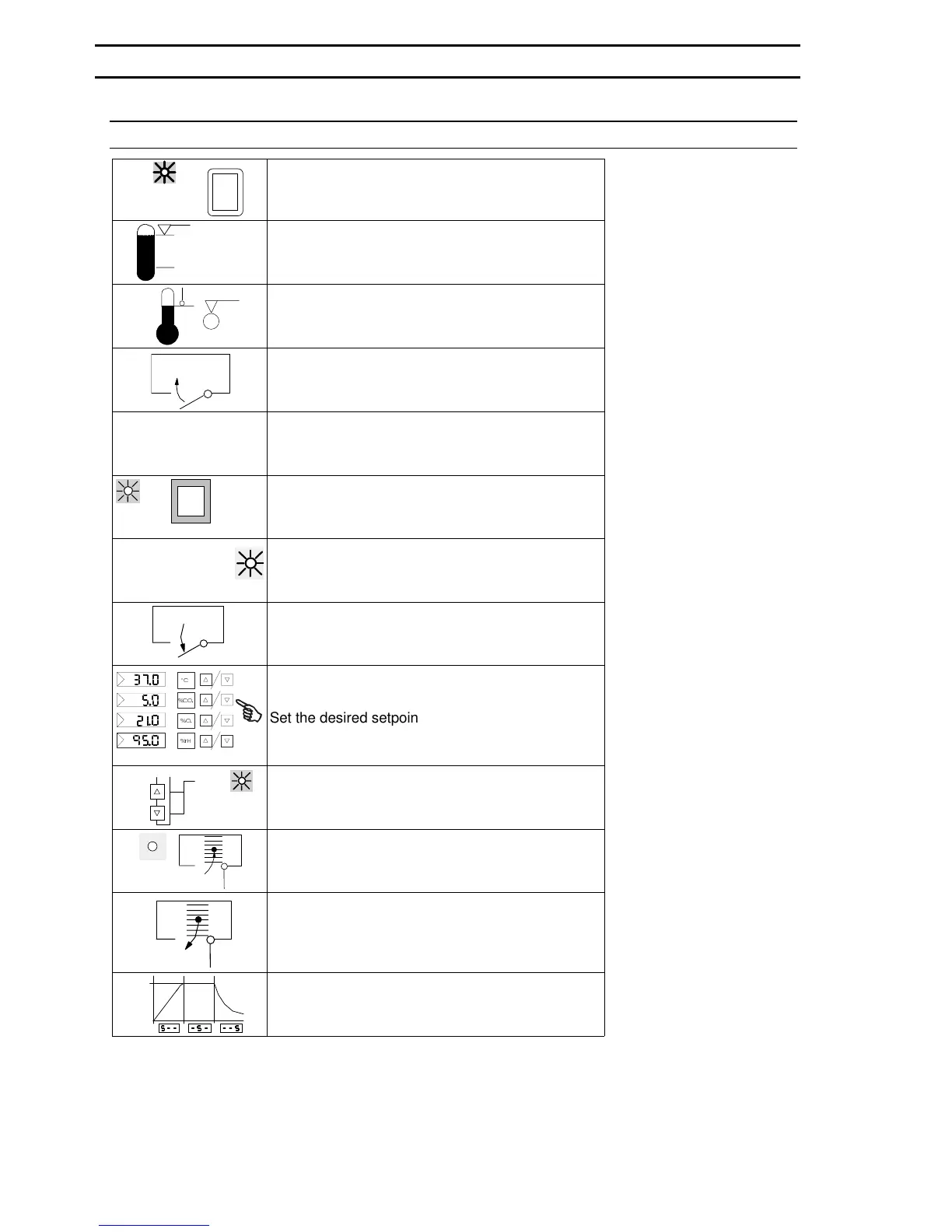
EXPLANATION OF ICONS TO THE SHORT INSTRUCTIONS
0
I
Switch on unit (operate the main switch)
max.
min.
aqua dest.
Check the water level
°C
> + 2 °C
Set the temperature limit controller
Close unit doors
&
L
Read the operating instructions
des
start/
stop
≥
1 sec
Start "disinfection routine"
auto-start
automatical "auto-start"
30 s
≥
Open unit doors for at least 30 seconds
&
&2
2
U
+
Set the desired setpoints
≥
5 s &
start / stop
auto-start
"activate" the auto-start
auto-start
End of the auto-start, bring in the samples
> 30 s
Take out the samples, open unit doors for at least
30 seconds
180 °C
t
Flow chart of disinfection routine
1. GENERAL
6/43
50 079 041


 To Next Page