23
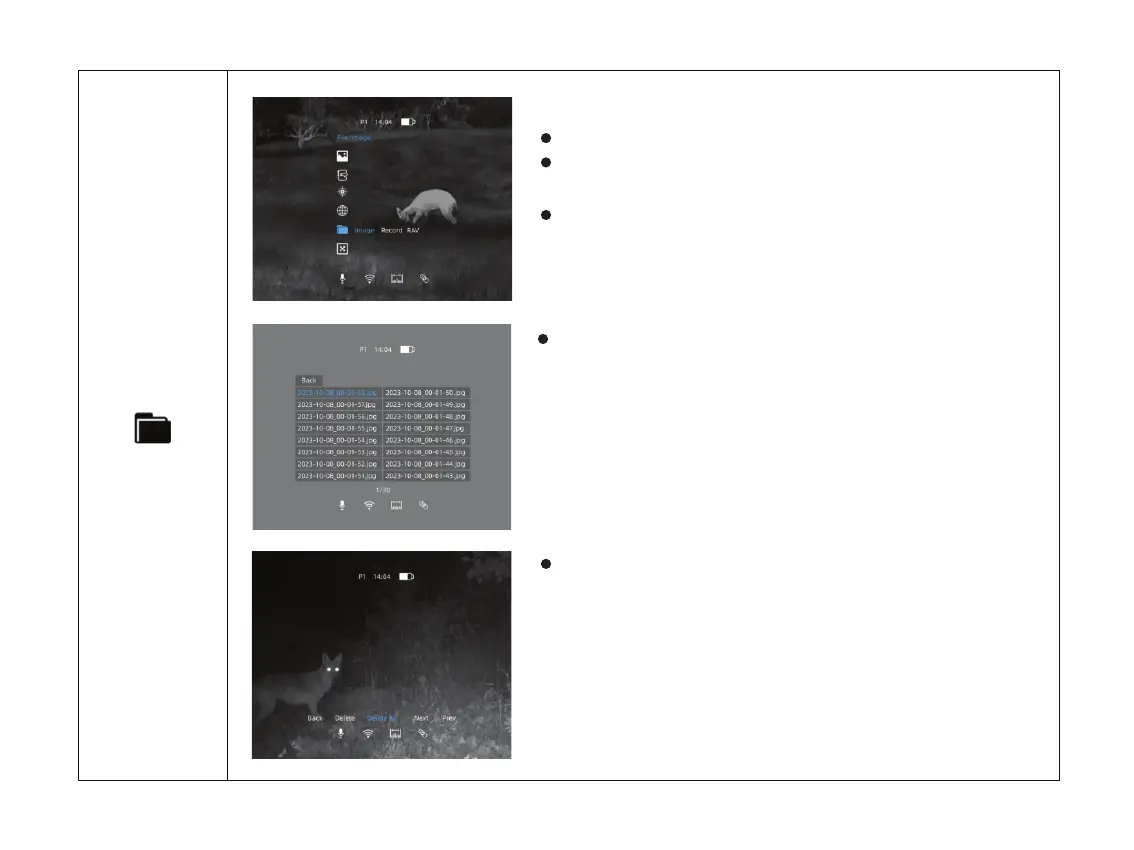
Double click the menu button M to enter the main menu.
Select the File option with the + / - button. Short press
menu button M to enter File.
The icon will be turned into blue when File is selected.
Check the Captured Images
After selecting a certain image, click M to access further
operation of the image. You may delete it, check next one
or delete all the images.
Click M to enter image files.
File



 To Next Page