24
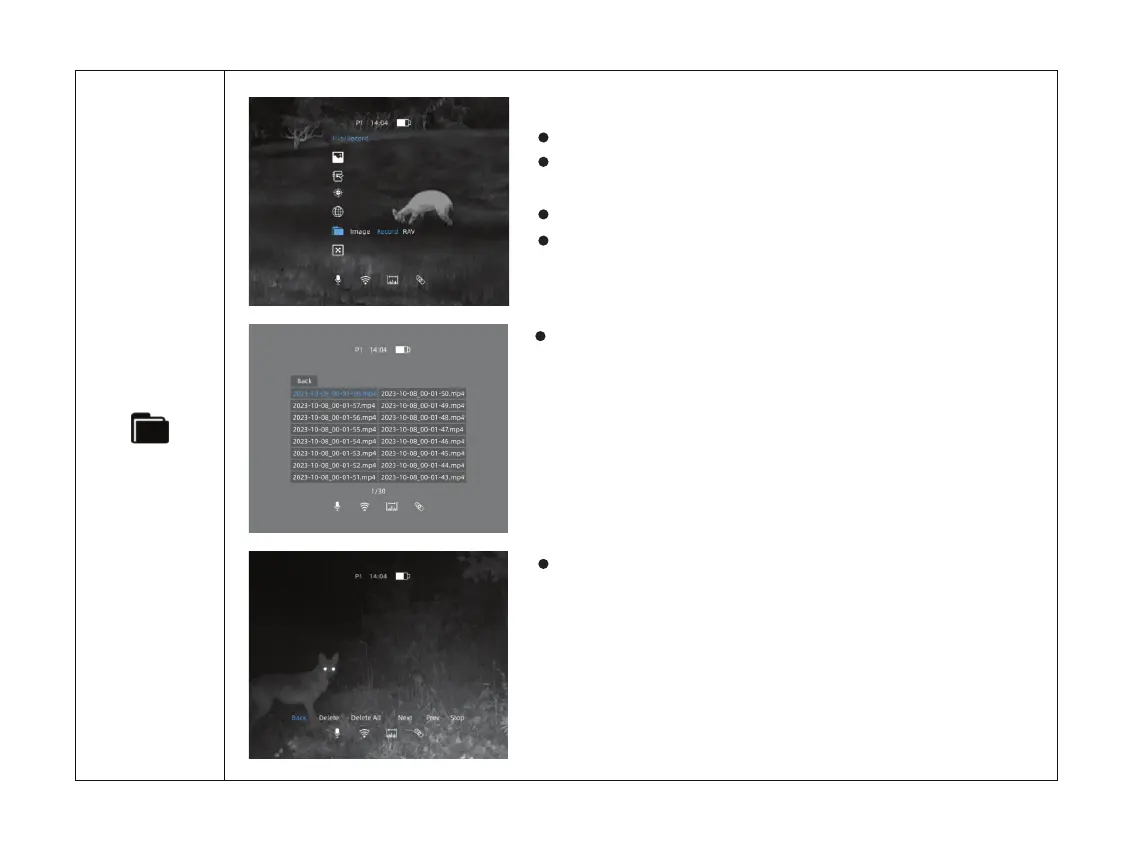
Double click the menu button M to enter the main menu.
Select the File option with the + / - button. Short press
menu button M to enter File.
The icon will be turned into blue when File is selected.
Select Record/RAV and click M to enter Video/RAV Files.
Check the Recorded Videos/RAV Videos
Further operation could be accessed here. You may delete
it, check next one, pause it or delete all the videos.
Choose a certain video and press M to check the video.
File



 To Next Page