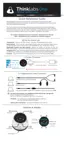
Cleaning Inside Your Stethoscope
There is generally no reason to open your Thinklabs One Digital Stethoscope.
However, if the situation arises that you'd like to clean inside, this is how you do
it. You might also want to perform these steps if your One stethoscope is
producing strange noises, which may be caused by lint or dirt inside your
stethoscope.
1. Turn off your Thinklabs One stethoscope (Push and hold "-" and ALT keys
together for a few seconds, then release).
2. Unscrew the Diaphragm and clean it (see instructions here).
3. Using a dry air spray, available from office supply stores and hardware stores,
spray around the blue circuit that you see when you've removed the diaphragm.
use the straw that's supplied with the spray can. Do it well, but don't overdo it.
4. Allow the open stethoscope to dry out for a couple of minutes or more if you're
in a humid environment.
5. Replace the diaphragm (see instructions here. READ THEM - they're
important).
6. Turn on your stethoscope and check the sound quality. If you're hearing
strange sounds, give it a few minutes to settle down and dry out more, especially
in humid environments, then try again.
7. If repeated cleaning does not correct any noise problems, contact us. If your
One stethoscope sounds good, you've probably successfully cleaned your
stethoscope.
NOTE:
A. DO NOT use liquids to clean inside the One stethoscope.
B. If liquids/dirt entered other areas of your stethoscope, such as via the
headphone jack, contact us before dismantling!!!
24


 To Next Page