•Donotdrop,crush,orpuncturethebattery,ormakeitsubjecttostrongforces.Batteryabuse
ormishandlingcancausethebatterytooverheat,whichcancausegassesorflameto“vent”
fromthebatteryorcoin-cellbattery.
Toreplacethecoin-cellbattery,dothefollowing:
1.Turnoffthecomputer;thendisconnecttheacpoweradapterandallcablesfromthecomputer.Wait
severalminutestoletthecomputercool.
2.Closethecomputerdisplayandturnthecomputerover.
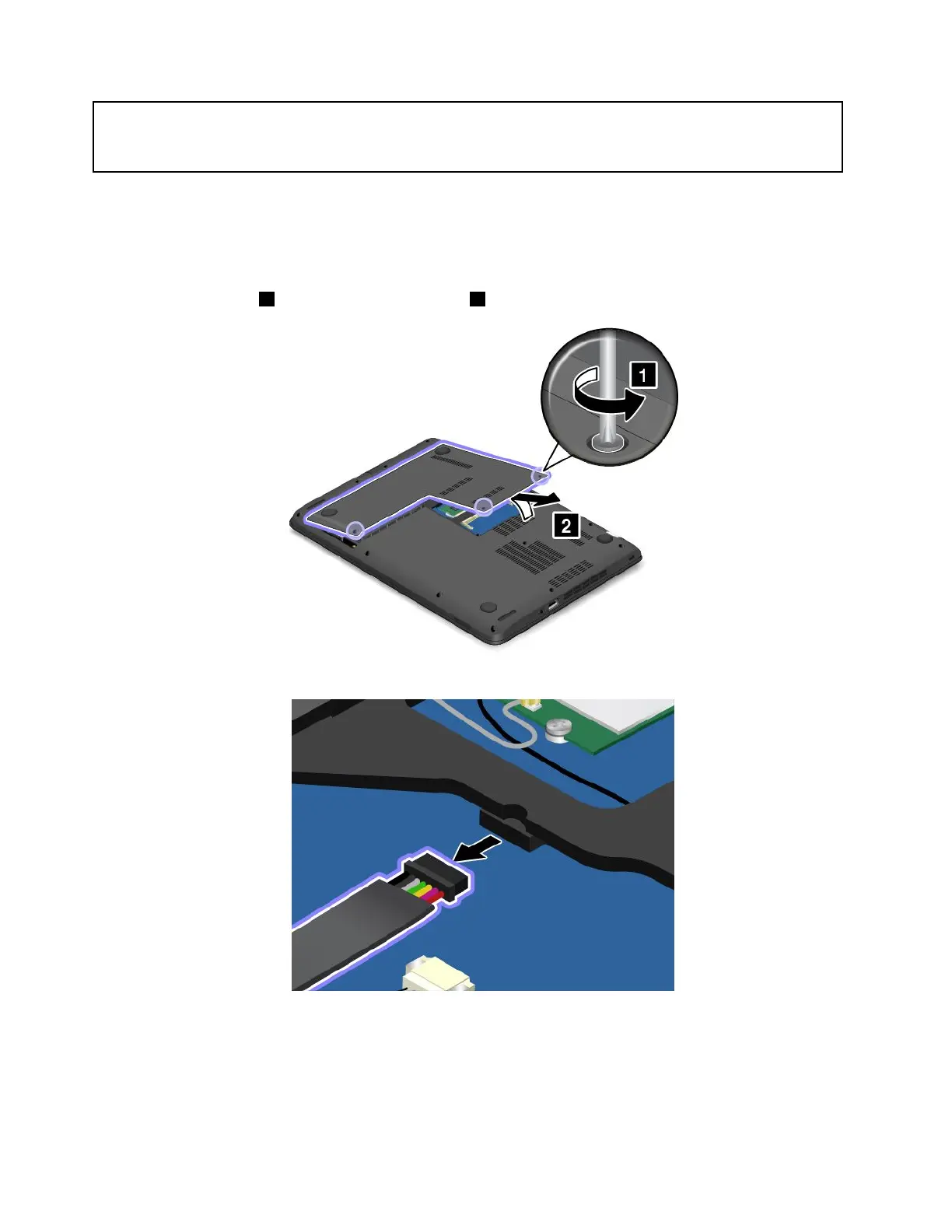
3.Loosenthescrews1andthenremovethecover2.
4.Disconnectthemainbatteryconnector.
108UserGuide



 To Next Page