GettinghelpabouttheWindowsoperatingsystem
TheWindowshelpinformationsystemprovidesyouwithdetailedinformationaboutusingtheWindows
operatingsystemtohelpyougetthemostofyourcomputer.ToaccesstheWindowshelpinformation
system,dooneofthefollowing:
•ForWindows7:OpentheStartmenu,andthenclickHelpandSupport.
•ForWindows10:OpentheStartmenu,andthenclickGetstartedfromtherightpanel.Additionally,you
cansearchfromthetaskbartofindhelp,apps,files,settings,andsoon.
Specialkeys
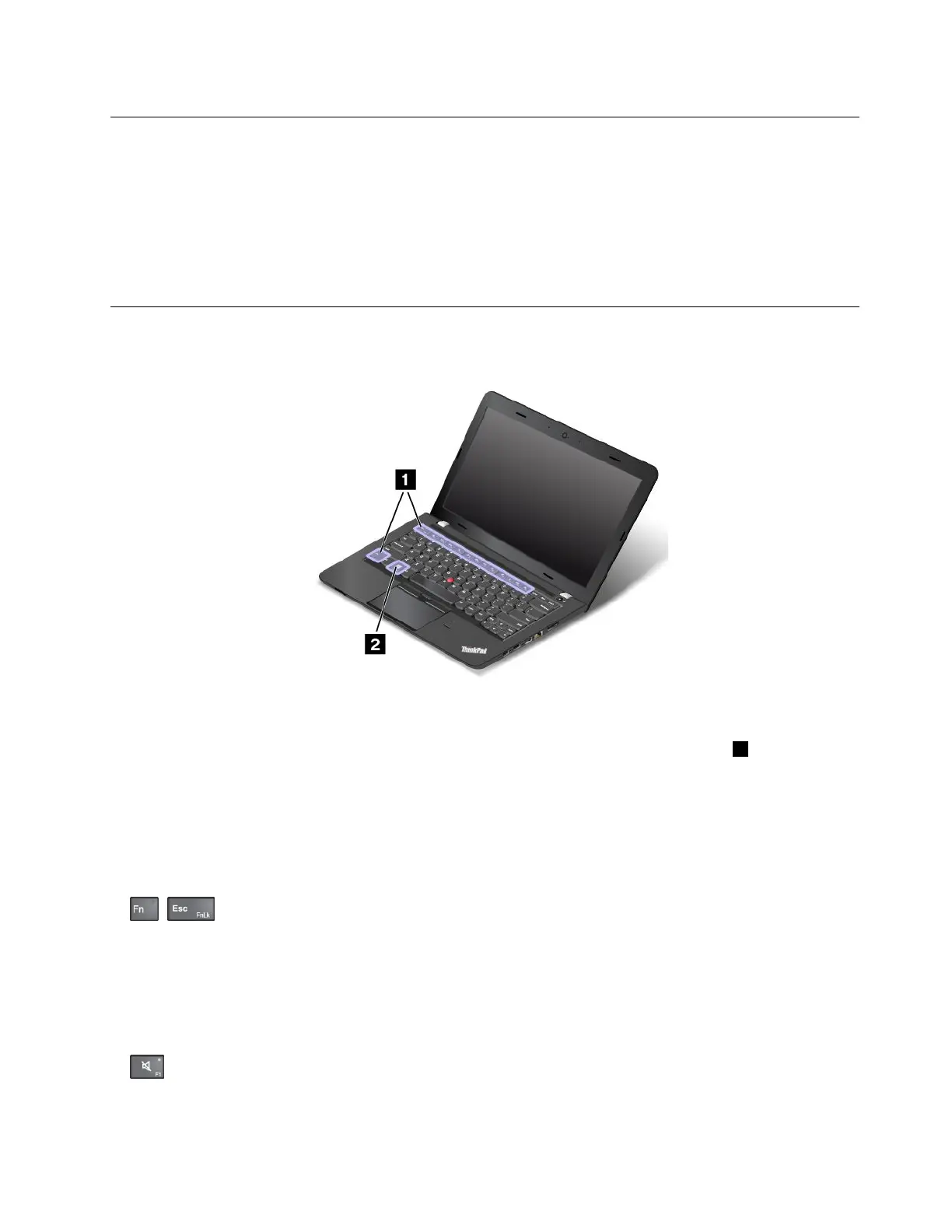
Yourcomputerhasseveralspecialkeystohelpyouworkmoreeasilyandeffectively.
Functionkeysandkeycombinations
Thekeyboardhasseveralspecialkeys,whichconsistoftheFnkeyandthefunctionkeys1.
YoucanconfiguretheFnkeyandfunctionkeysintheKeyboardPropertieswindowbydoingthefollowing:
1.GotoControlPanel,thenchangetheviewofControlPanelfromCategorytoLargeiconsorSmallicons.
2.ClickKeyboard.IntheKeyboardPropertieswindow,clicktheFnandfunctionkeysorThinkPad
F1–F12keystab.
3.Selecttheoptionsofyourpreference.
•+EnablesordisablestheFnLockfunction.
WhentheFnLockfunctionisenabled:TheFnLockindicatorison.ToinputF1–F12,pressthefunction
keysdirectly.Toinitiatethespecialfunctionprintedasanicononeachkey,presstheFnkeyandthe
correspondingfunctionkey.
WhentheFnLockfunctionisdisabled:TheFnLockindicatorisoff(defaultmode).Toinitiatethe
specialfunctionprintedasanicononeachkey,pressthefunctionkeysdirectly.ToinputF1–F12,press
theFnkeyandthecorrespondingfunctionkey.
•:Mutesorunmutesthespeakers.Whenthespeakersaremuted,thespeakermuteindicatorturnson.
Chapter2.Usingyourcomputer17



 To Next Page