ThinkPadpointingdevice
TheThinkPadpointingdeviceenablesyoutoperformallthefunctionsofatraditionalmouse,suchas
movingthepointer,left-clicking,right-clicking,andscrolling.WiththeThinkPadpointingdevice,youalso
canperformavarietyoftouchgestures,suchasrotatingandzoominginorout.
ThinkPadpointingdevice
TheThinkPadpointingdeviceenablesyoutoperformallthefunctionsofatraditionalmouse,suchas
pointing,clicking,andscrolling.WiththeThinkPadpointingdevice,youalsocanperformavarietyoftouch
gestures,suchasrotatingandzoominginorout.
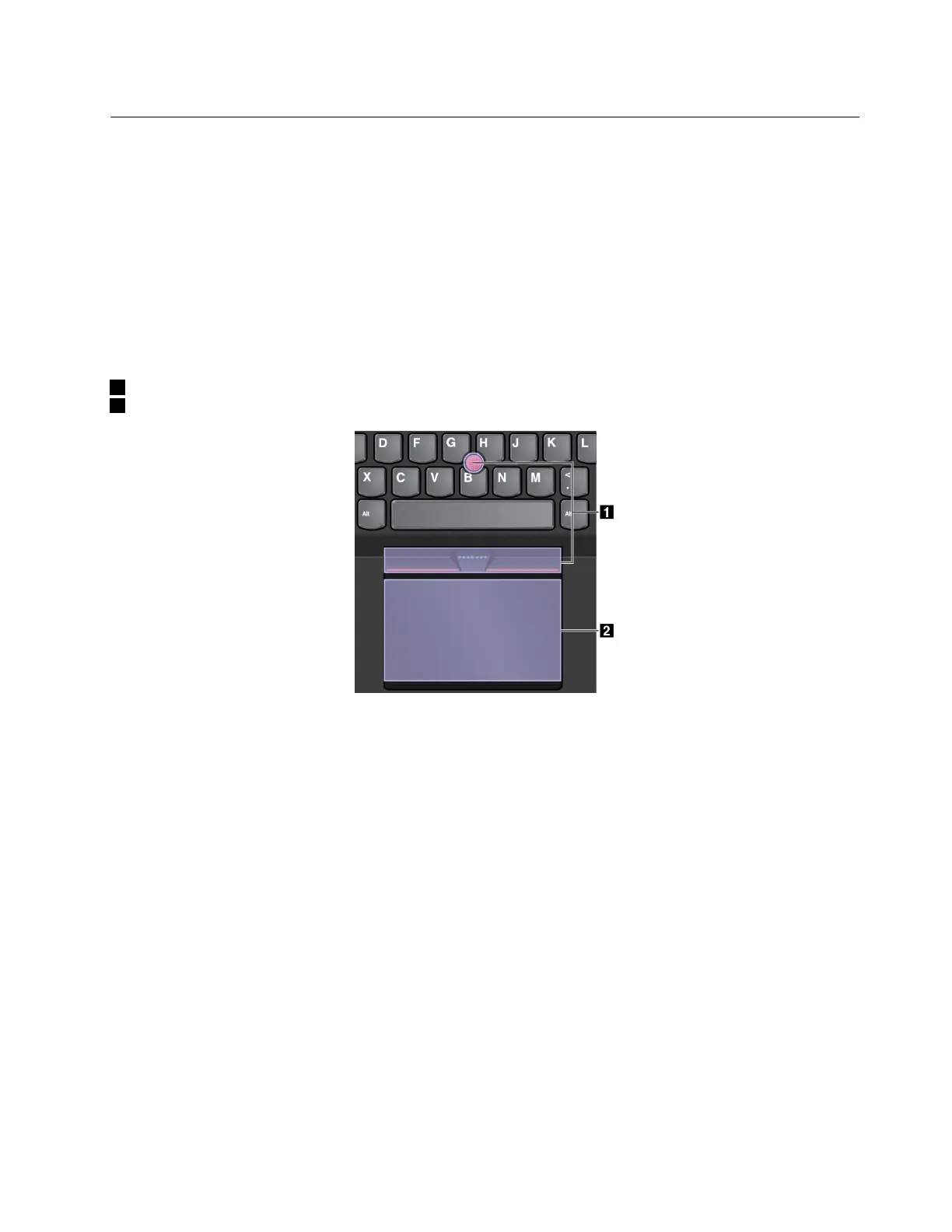
TheThinkPadpointingdeviceconsistsofthefollowingcomponents:
1TrackPointpointingdevice
2Trackpad
Bydefault,boththeTrackPointpointingdeviceandthetrackpadareactivewiththetouchgesturesenabled.
Tochangethesettings,see“CustomizingtheThinkPadpointingdevice”onpage22
.
TrackPointpointingdevice
TheTrackPointpointingdeviceenablesyoutoperformallthefunctionsofatraditionalmouse,suchas
pointing,clicking,andscrolling.
Chapter2.Usingyourcomputer19



 To Next Page