TheEthernetconnectorhastwoindicatorsthatshowthestatusofthenetworkconnection.Whenthe
greenindicatorison,thecomputerisconnectedtoaLAN.Whentheyellowindicatorblinks,dataisbeing
transmitted.
Note:IfthecomputerisconnectedtotheThinkPadOneLinkDockorThinkPadOneLinkProDock,usethe
Ethernetconnectoronthedockingstationinsteadoftheoneonthecomputer.
4acpowerconnector
5LenovoOneLinkconnector
Whentheacpoweradapterisconnectedtotheacpowerconnector,itprovidespowertothecomputer
andchargesthebattery.WhenasupportedThinkPadOneLinkDockorThinkPadOneLinkProDockis
connectedtotheLenovoOneLinkconnector,itcannotonlyextendthecomputercapabilitiesbutalso
provideacpowertothecomputerandchargethebattery.
TousetheLenovoOneLinkconnector,youneedtoremovetheconnectorcoverfromtheLenovoOneLink
connectorfirst.
Note:Ensurethatyoukeeptheconnectorcover.ReattachittotheLenovoOneLinkconnectorwhen
youarenotusingtheLenovoOneLinkconnector.
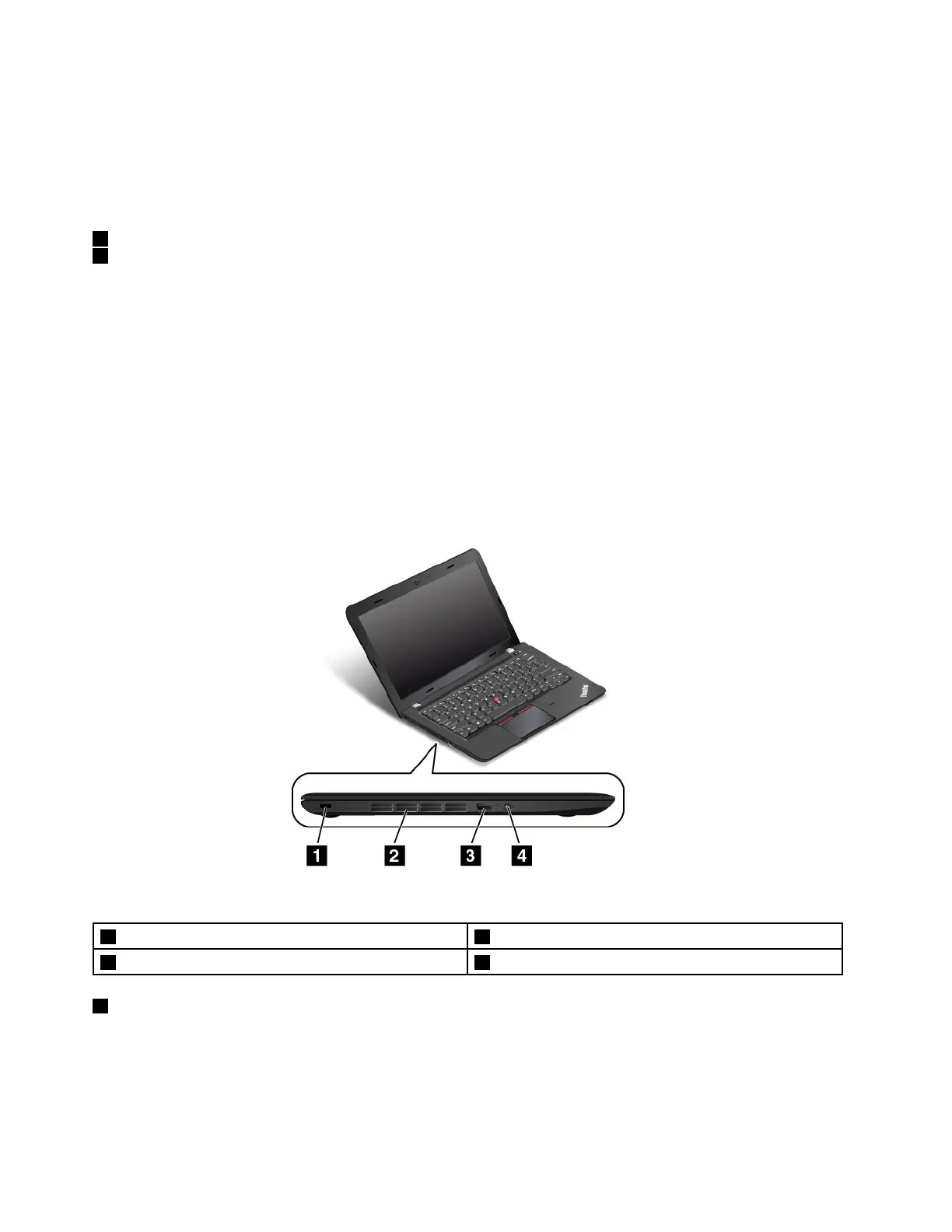
Left-sideview
Figure3.ThinkPadE460andE465left-sideview
1Security-lockslot
2Fanlouvers
3AlwaysOnUSBconnector4Comboaudioconnector
1Security-lockslot
Toprotectyourcomputerfromtheft,purchaseasecuritycablelockthatfitsthissecurity-lockslottolock
yourcomputertoastationaryobject.
4UserGuide



 To Next Page