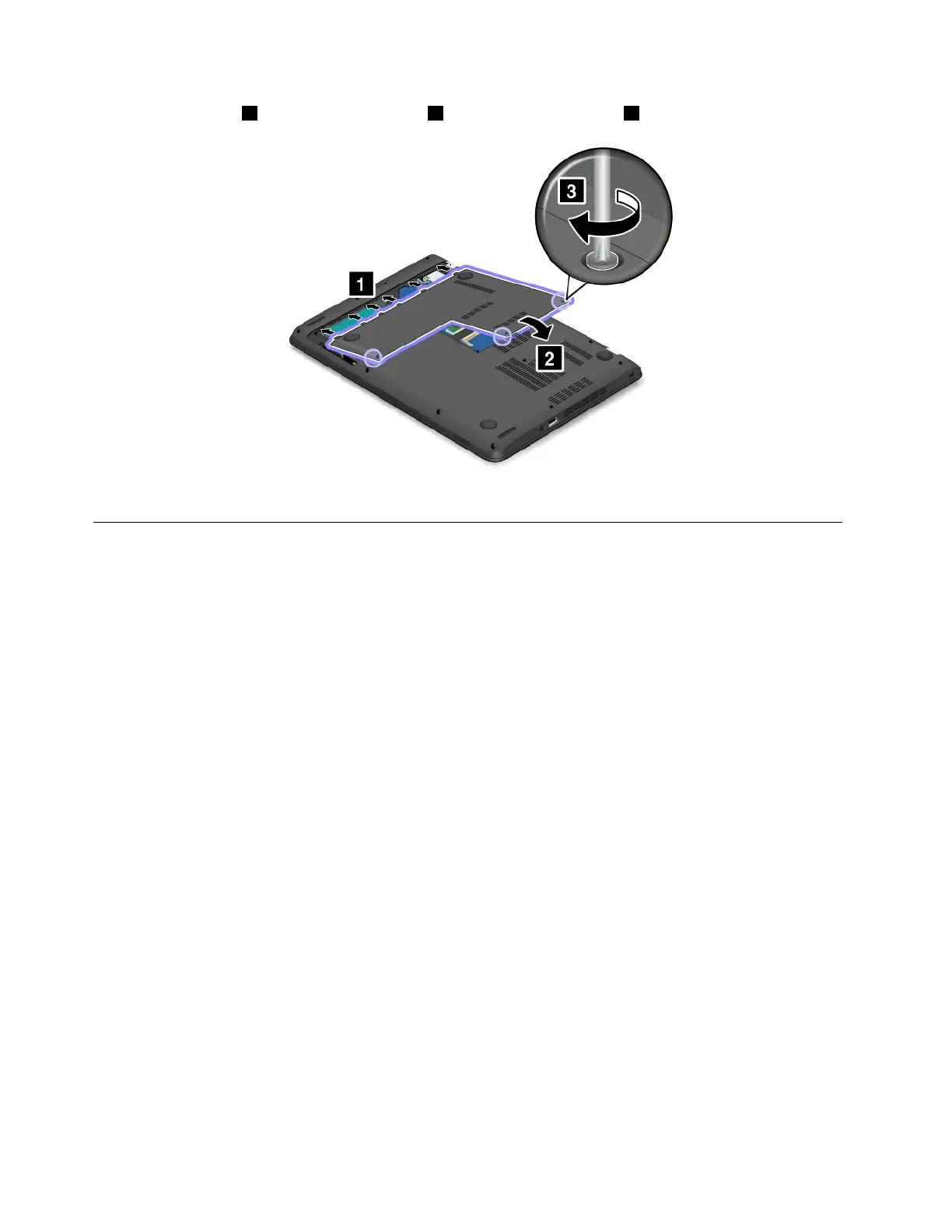
8.Attachthecover1andpivotitdownwards2.Thentightenthescrews3.
9.Turnthecomputeroveragain.Connecttheacpoweradapterandallcables.
Replacingtheinternalstoragedrive
Beforeyoustart,printtheseinstructionsandread“Importantsafetyinformation”onpagevi.
Attention:Theinternalstoragedrive(harddiskdrive,hybriddrive,orsolid-statedrive)issensitive.Incorrect
handlingcancausedamageandpermanentlossofdata.Observethefollowingguidelines:
•Replacetheinternalstoragedriveonlyifyouupgradeitorhaveitrepaired.Theconnectorsandslotofthe
internalstoragedrivearenotdesignedforfrequentchangesordriveswapping.
•Donotdroptheinternalstoragedriveorsubjectittophysicalshocks.Puttheinternalstoragedriveona
material,suchassoftcloth,thatabsorbsanyphysicalshocks.
•Donotapplypressuretothecoveroftheinternalstoragedrive.
•Donottouchtheconnectoroftheinternalstoragedrive.
•Beforeremovingtheinternalstoragedrive,makeabackupcopyofalltheinformationonitandthen
turnoffthecomputer.
•Neverremovetheinternalstoragedrivewhilethecomputerisoperating,insleepmode,orinhibernation
mode.
Toreplacetheinternalstoragedrive,dothefollowing:
1.Turnoffthecomputer.Thendisconnecttheacpoweradapterandallcablesfromthecomputer.Wait
severalminutestoletthecomputercool.
2.Closethecomputerdisplayandturnthecomputerover.
110UserGuide



 To Next Page