1.Turnoffthecomputer.Thendisconnecttheacpoweradapterandallcablesfromthecomputer.Wait
severalminutestoletthecomputercool.
2.Closethecomputerdisplayandturnitover.
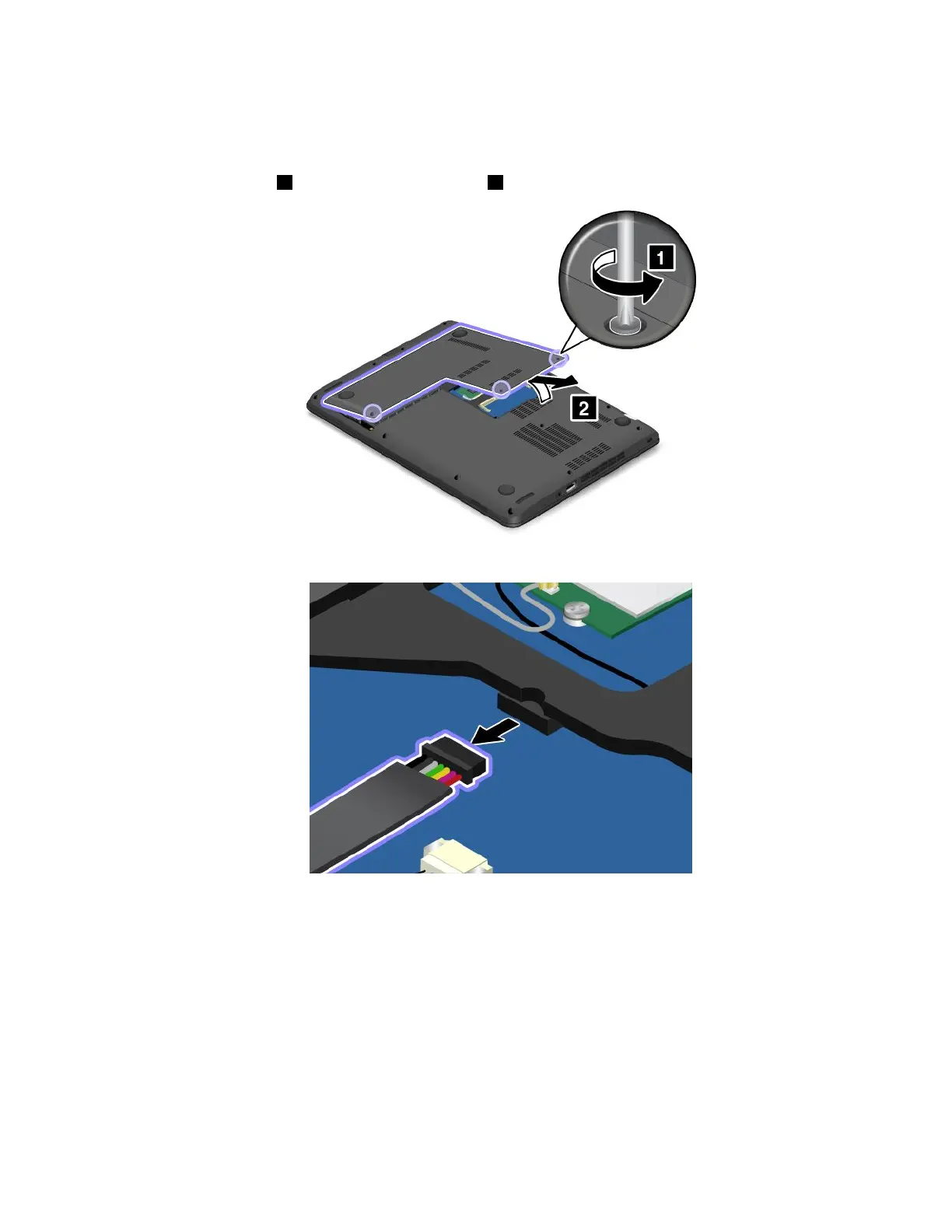
3.Loosenthescrews1andthenremovethecover2.
4.Disconnectthebatteryconnector.
Chapter10.Replacingdevices115



 To Next Page