•ForWindows10:
1.EnsurethatyouhavesetaWindowspasswordfirst.
2.OpentheStartmenu,andthenclickSettings.IfSettingsisnotdisplayed,clickAllappstodisplay
allprograms,andthenclickSettings➙Accounts➙Sign-inoptions.
3.ClickAddundertheFingerprintsection.Followtheinstructionsonthescreentoswipeyourfinger
acrossthefingerprintreaderuntiltheenrollmentiscompleted.
4.ClickFinish.Yourfingerprintisenrolledsuccessfully.
Note:Itisrecommendedthatyouenrollmorethanonefingerprintincaseofanyinjuriestoyourfingers.
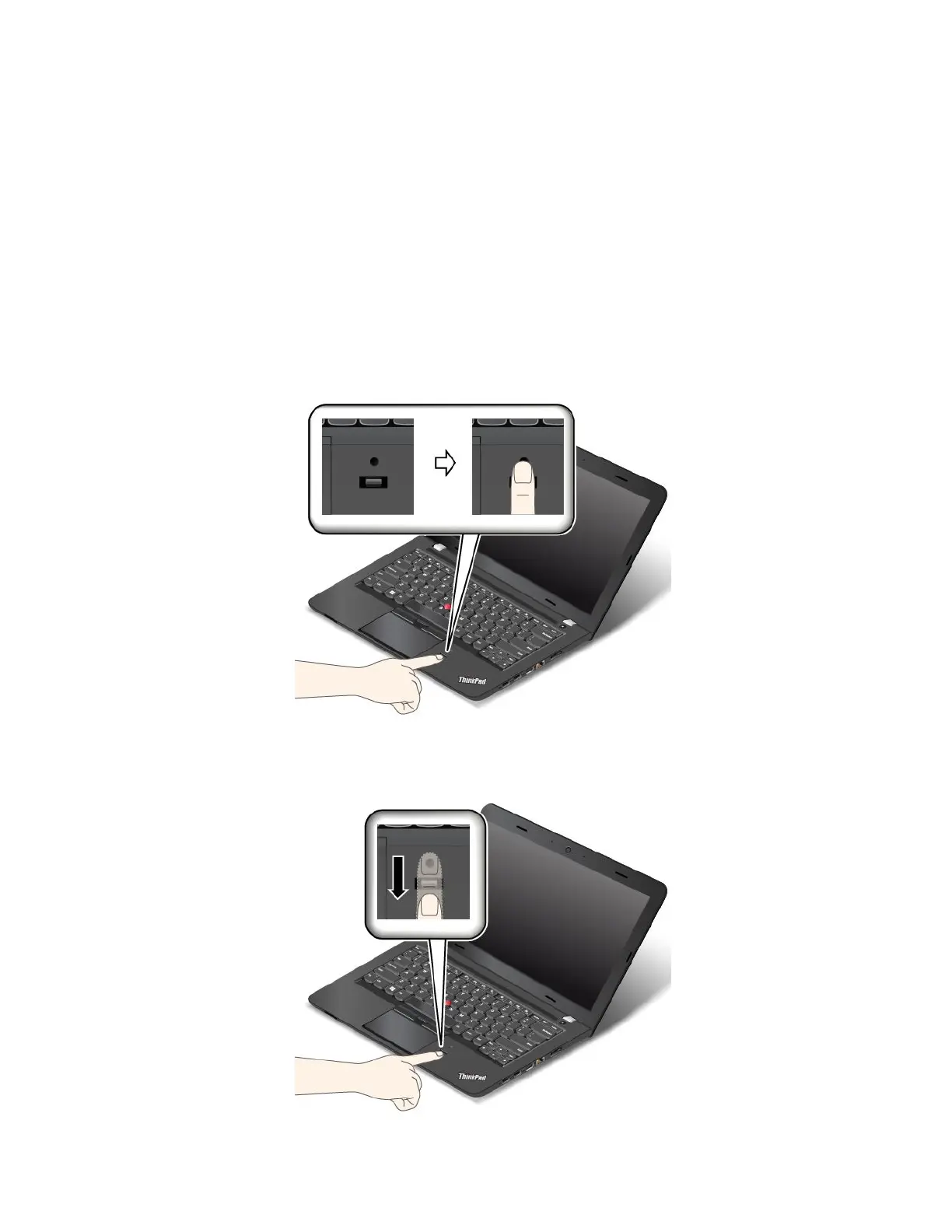
Swipingyourfingeroverthefingerprintreader
Toswipeyourfingeroverthereader,dothefollowing:
1.Placethetopjointofyourfingeronthesensor.
2.Applylightpressureandswipeyourfingertowardyouacrossthereaderinonesmoothmotion.Donot
liftyourfingerwhenyouareswipingit.
52UserGuide



 To Next Page