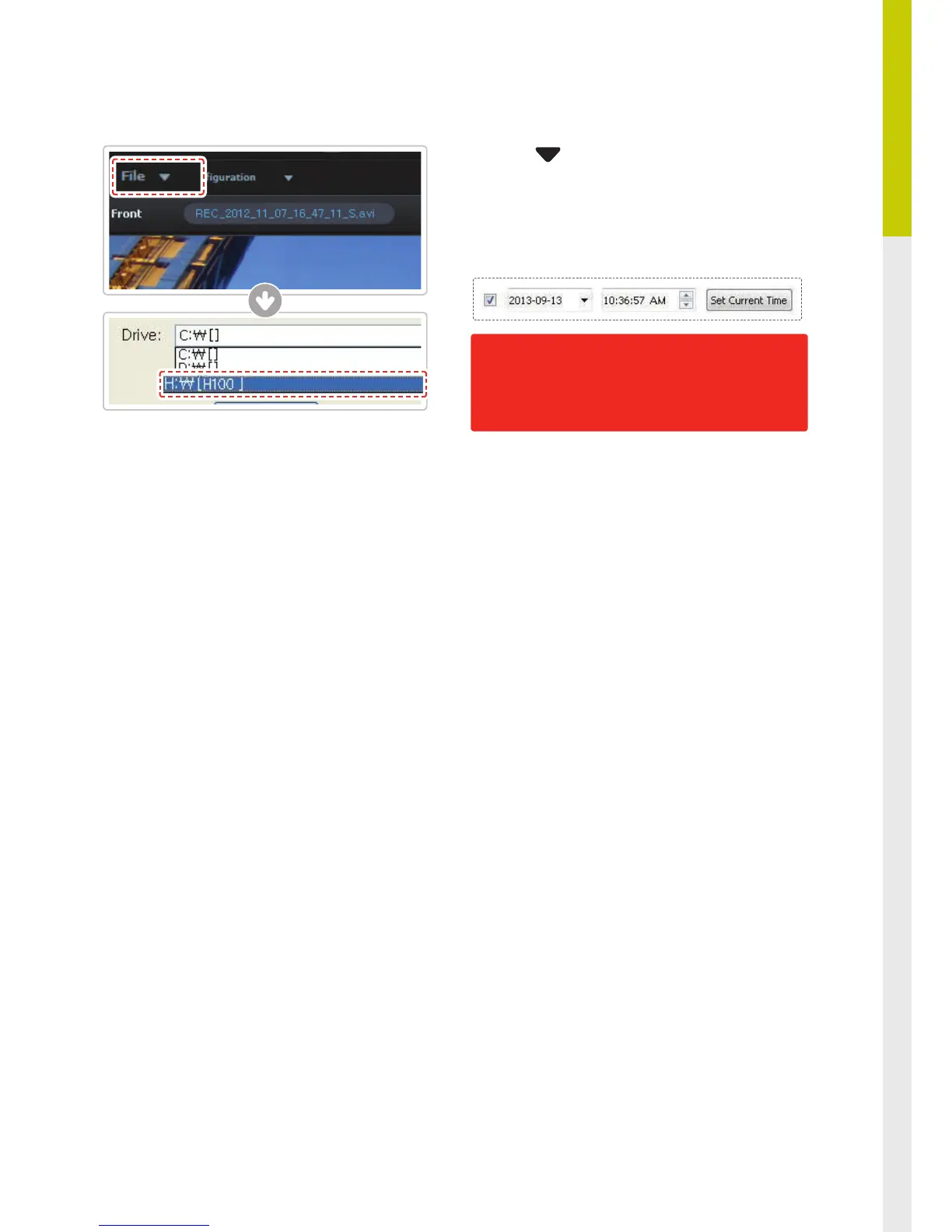
⑤
Click File from menu and select the drive for
the portable storage device assigned to the mi-
croSD card.
⑥
Select Additional functions > Time zone and set
the date and time of your location (timezone).
⑦
Insert the microSD card back into the device.
Note that the conguration information is stored
in the microSD card so it is strongly recommended
to format the memory card using device feature
or Thinkware Dash Cam Viewer only. Formatting
the memory card using 3
rd
party applications will
permanently delete the user setting and will have
to re-initialize to default setting.
Once the correct time has been set, insert the
microSD card immediately back in the dash-
cam and start the device to apply the changed
settings.
이미지 교체 한글로
되어있음



 To Next Page