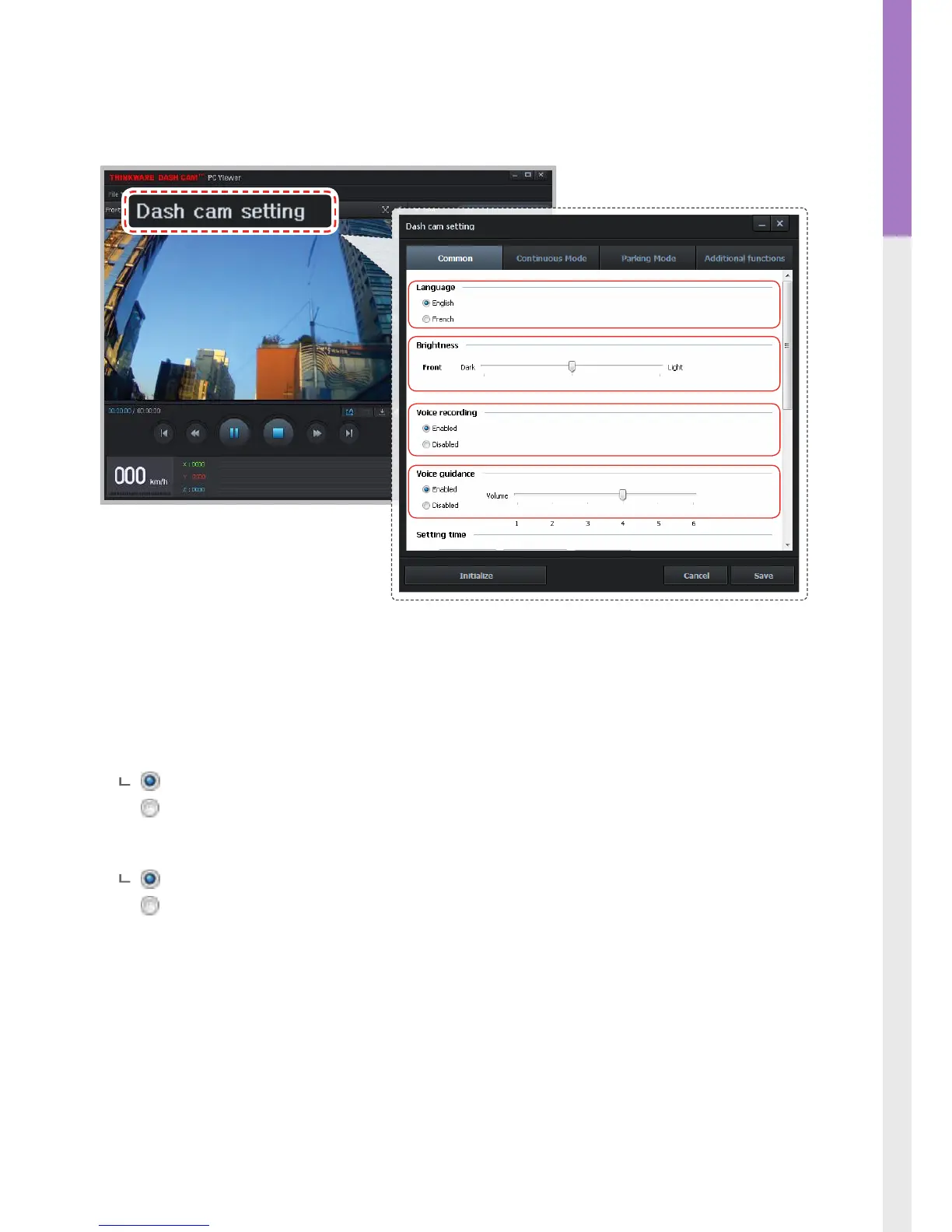
3-1-6. Dash Cam Setting > Common
Language: Sets the language for the device.
Brightness: Sets the brightness of the front and rear view camera.
Voice recording: Enable or disable audio recording.
Enabled (default)
Disabled
Voice guidance: Enable or disable voice guidance.
Enabled (default)
Disabled
Setting time/Time zone : Sets date and time for your location.
Daylight Saving Time : Sets the daylight saving time (DST) on/o.
Video date format : Sets the date format of the recorded video les.
Speed unit : Sets unit for the vehicle speed (Km/h or mph).



 To Next Page