Option Display Control range Default value
Chorus effect ‘XXX Chr Type’ 0 to 7
Chorus effect
depth
‘XXX Chr Level’ 0 to 32
Vibrato ‘Modul’ ON/OFF
Touch sensitivity ‘Touch’ OFF, 1, 2, 3 2
Beat ‘XXX Beat’ 0, 2 to 9 4
Fine tuning ‘XXX Tune’ –50 to 50
MIDI receive
channel
‘Midi In’ 01 to 16, ALL
MIDI send channel ‘Midi Out’ 01 to 16
Automatic shutoff Power Off 030, 060, OFF 030
If you don't press any key within five seconds after entering the function
menu, the menu is automatically closed.
8.4.1 Octave shift
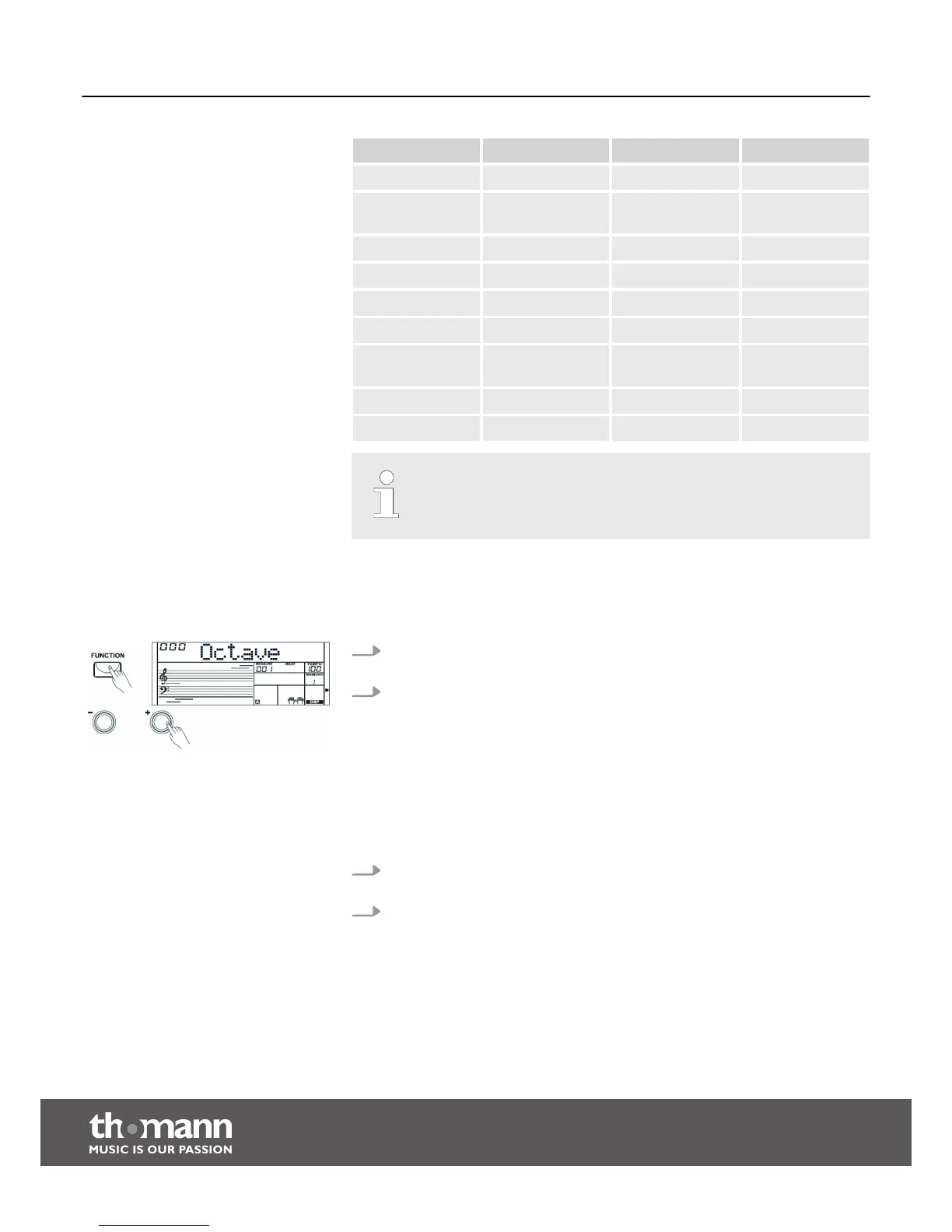
1. First, press the [FUNCTION] button to enter the ‘ Octave menu’ . The display
shows the current setting ‘ XXX Octave’.
2. Press the [+] or [–] buttons or the numeric buttons to shift the keyboard setting
by one octave up or down. The default value here is ‘000’.
8.4.2 DSP
With the built-in digital effects, you can give your music more expression and depth
in many ways, e.g. by using reverb effects or adding harmonies.
1. First, press the [FUNCTION] button to enter the menu ‘DSP’ . The current set‐
ting appears on the display.
2. Press the [+] or [–] buttons to turn the digital effects on or off. The default value
when turning the keyboard on is ‘ON’.
Functions
keyboard
28


 To Next Page