8.9 Rehearsal songs
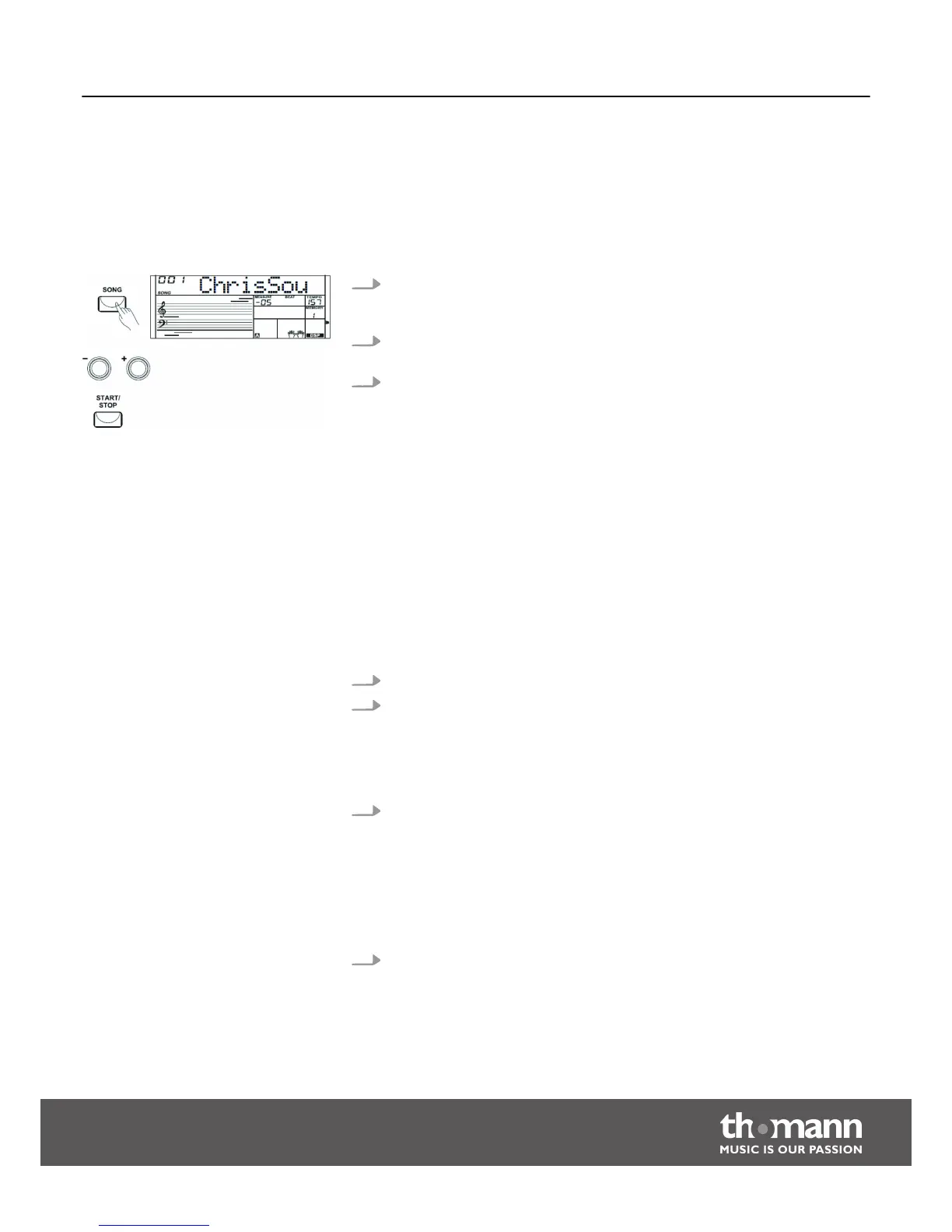
8.9.1 Selecting, playing and stopping rehearsal songs
The digital piano offers 110 rehearsal songs in total (see
Ä
Chapter 11 ‘Song List’
on page 49). Each song can be practised in learning mode.
1. Press the [SONG] button to enter the playback mode for rehearsal songs. All
rehearsal songs are played in an endless loop. The display shows ‘SONG’ and
the number of the currently playing song.
2. In ‘SONG’ mode, use the numeric buttons or the [+] and [–], [START/STOP] but‐
tons to select a rehearsal song.
3. If you press the [START/STOP] button, this song is repeated in an endless loop
until you press the [START/STOP] button again. This will not quit the mode for
rehearsal song playback.
8.10 Learning mode
When practising, it is especially important to play the right notes at the right time . In
this mode you can check your progress. There are three training stages.
Press the [LESSON] button to enter the learning mode. ‘LESSON 1’ appears in the dis‐
play. In this mode, it is only rated whether you play the notes at the right time, but
not whether you hit the right notes.
1. Press the [START/STOP] button, to start practising.
2. If you have selected ‘R ’ the right hand voice is muted and you have to play the
right hand yourself. As long as you are in time, you will hear the right hand
voice. If you have selected ‘L ’ the left hand voice is muted and you have to
play the left hand yourself. As long as you are in time, you will hear the left
hand voice. Are both ‘L ’ and ‘R ’ selected the voices for both hands are muted.
You then have to play in time with both hands.
3. After completing the exercise, you will learn the result.
Press the [LESSON] button again to enter the learning mode 2. ‘LESSON 2’ appears in
the display. In this mode, it is only rated whether you hit the right notes, but not
whether you play them at the right time. The rehearsal song continues only when
you play the right note.
After completing the exercise, you will learn the result.
Lesson 1 - playing in time
Lesson 2 - hitting the right notes
Functions
Startone MK-300
35


 To Next Page