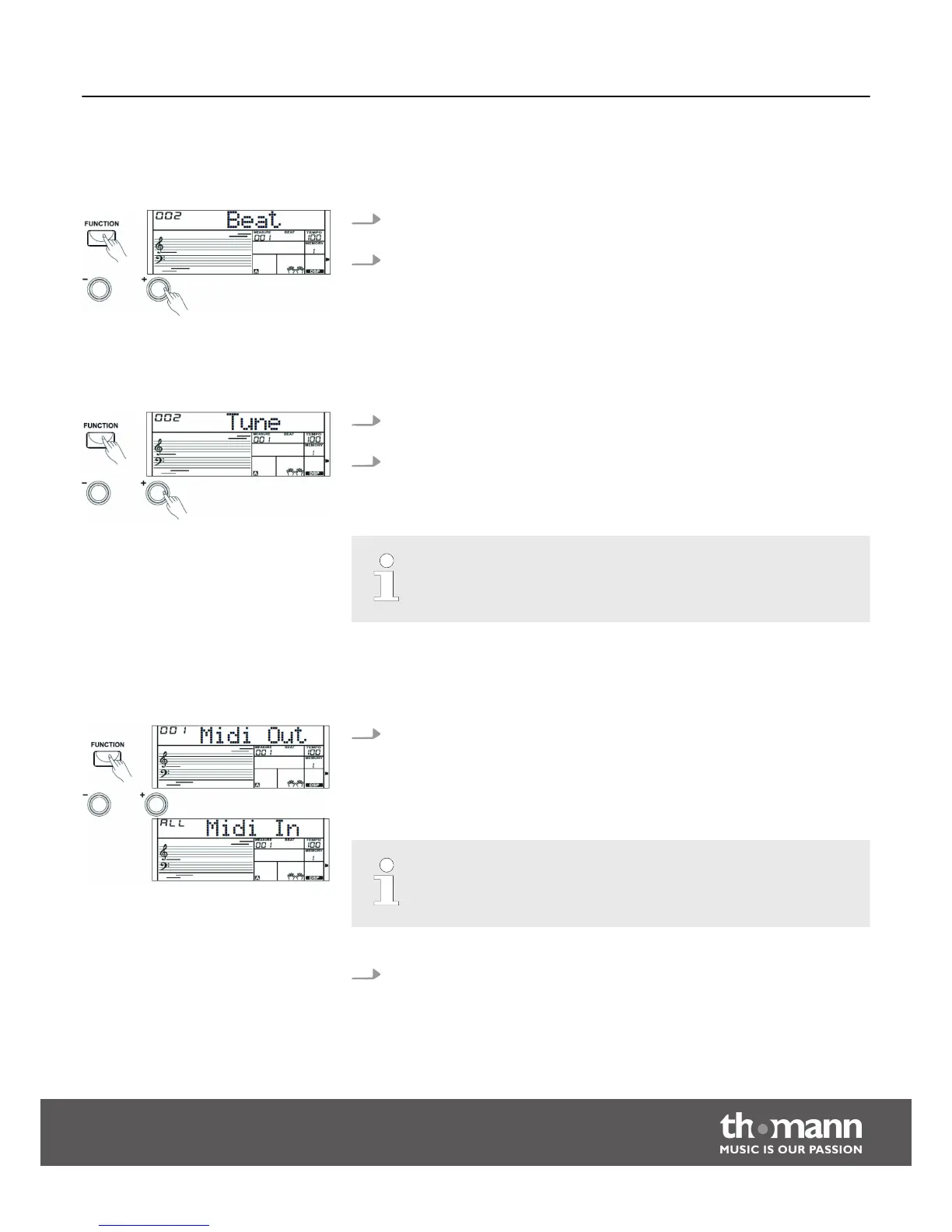
8.4.9 Beats
With this function you can set the beats in a range from 0 to 9.
1. Press the [FUNCTION] button to select the setting for the Beats. The display
shows the current setting ‘XXX Beat’.
2. Use the numeric buttons and the [ +] or [–] buttons to adjust the Beats.
8.4.10 Fine tuning
With this function you can fine tune the entire keyboard in cent steps.
1. Press the [FUNCTION] button to select the setting for the Fine Tuning. The dis‐
play shows the current setting ‘XXX Tune’.
2. Use the [ +] or [–] buttons to adjust the tuning in a range from –50 to +50
cents. Each time a key is pressed, the value changes by 1 cent. If you press the
buttons [ +] and [–] simultaneously, the tuning is reset to the default value.
The fine tuning affects both keyboard and styles.
8.4.11 MIDI channels
Press the [FUNCTION] button to select the setting for the MIDI channels. The
display shows the current setting ‘XXX Midi In’ and ‘XXX Midi Out’. In the func‐
tion menu ‘Midi In’ you can define on which MIDI channels the Keyboard
receives MIDI information from other devices. Use the numeric buttons or the
[ +] / [–] buttons to select the MIDI Receive channel(s).
Parameter range: Channels 1 to 16 or ‘ALL’ for all channels. Default setting:
‘ALL’.
Press the [FUNCTION] button to select the setting for the MIDI channels. The
display shows the current setting ‘XXX Midi In’ and ‘XXX Midi Out’. In the func‐
tion menu ‘Midi Out’ you can define on which MIDI channels the Keyboard
sends MIDI information to other devices. Use the numeric buttons or the [ +] /
[–] buttons to select the MIDI Send channel.
Functions
Startone MK-300
31


 To Next Page