8.4.3 Reverb effect
The Reverb effect lets you simulate the acoustic effects of different environmental
conditions.
1. Press the [FUNCTION] button to select the setting for the Reverb effect. The dis‐
play shows the current setting ‘XXX Rev Type’.
2. Press the [+] or [–] buttons to change the Reverb type in a range from 0 to 7.
8.4.4 Reverb effect depth
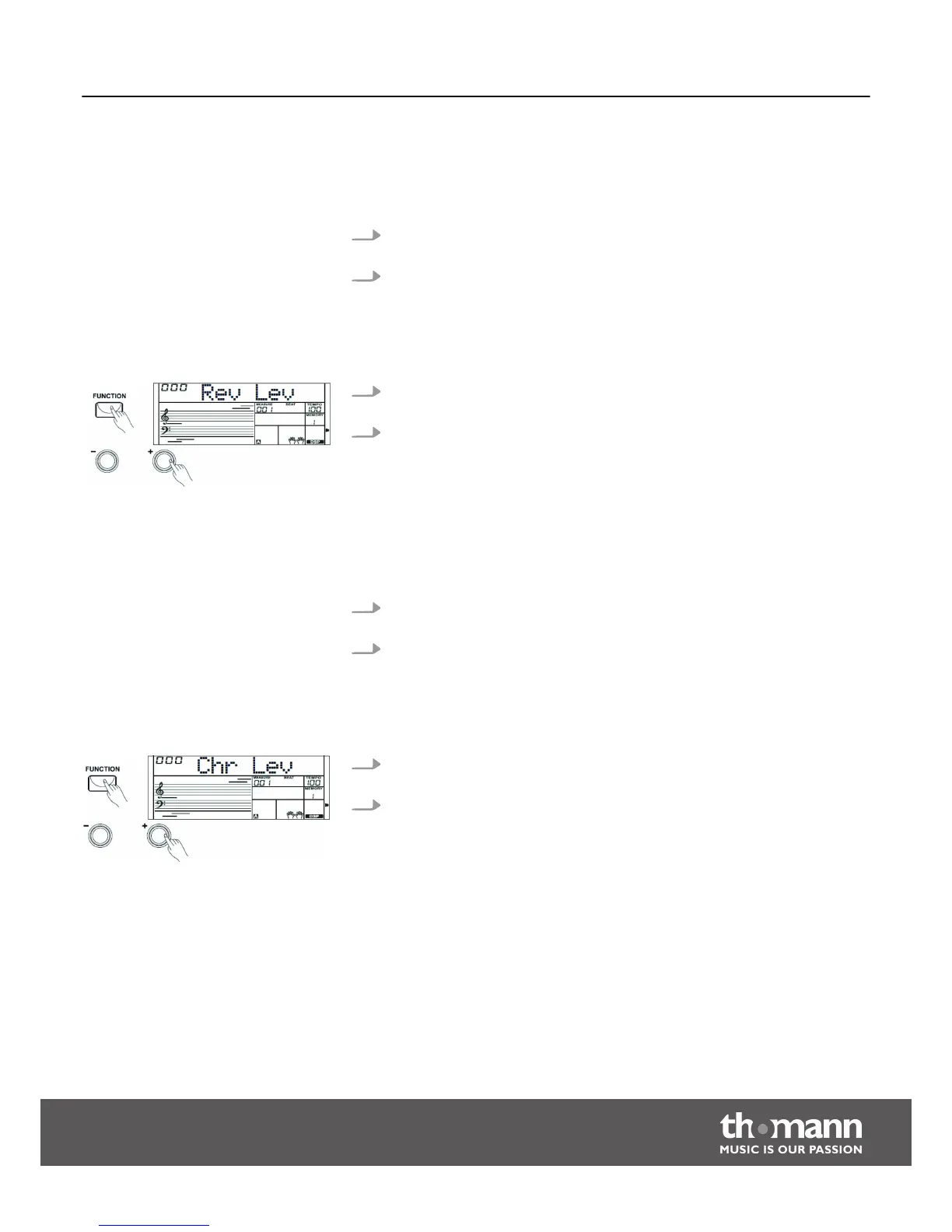
1. Press the [FUNCTION] button to select the setting for the Reverb effect depth.
The display shows the current setting ‘XXX Rev Level’.
2. Press the numeric buttons or the [+] / [–] buttons to change the Reverb effect
depth in a range from 0 to 32.
8.4.5 Chorus effect
The Chorus effect lets you simulate the acoustic effects of different environmental
conditions.
1. Press the [FUNCTION] button to select the setting for the Chorus effect. The dis‐
play shows the current setting ‘XXX Chr Type’.
2. Press the [+] or [–] buttons to change the Chorus type in a range from 0 to 7.
8.4.6 Chorus effect depth
1. Press the [FUNCTION] button to select the setting for the Chorus effect depth.
The display shows the current setting ‘XXX Chr Level’.
2. Press the numeric buttons or the [+] / [–] buttons to change the Chorus effect
depth in a range from 0 to 32.
Functions
Startone MK-300
29


 To Next Page