Press the [LESSON] button again to enter the learning mode 3. ‘LESSON 3’ appears in
the display. In this mode, it is rated whether you play the right notes at the right time.
The rehearsal song continues only when both is correct.
After completing the exercise, you will learn the result.
The rating is based on the level you have achieved during practising:
n Level 1: Try it again.
n Level 2: OK.
n Level 3: Well done.
n Level 4: Outstanding.
After the rating, the rehearsal song will be played again and you can go on prac‐
tising.
8.11 Chord dictionary
The Chord dictionary is basically a built-in ‘Chord book’ assisting you to find the right
tones of a chord if you e.g. know only the chord name, but not how to play it.
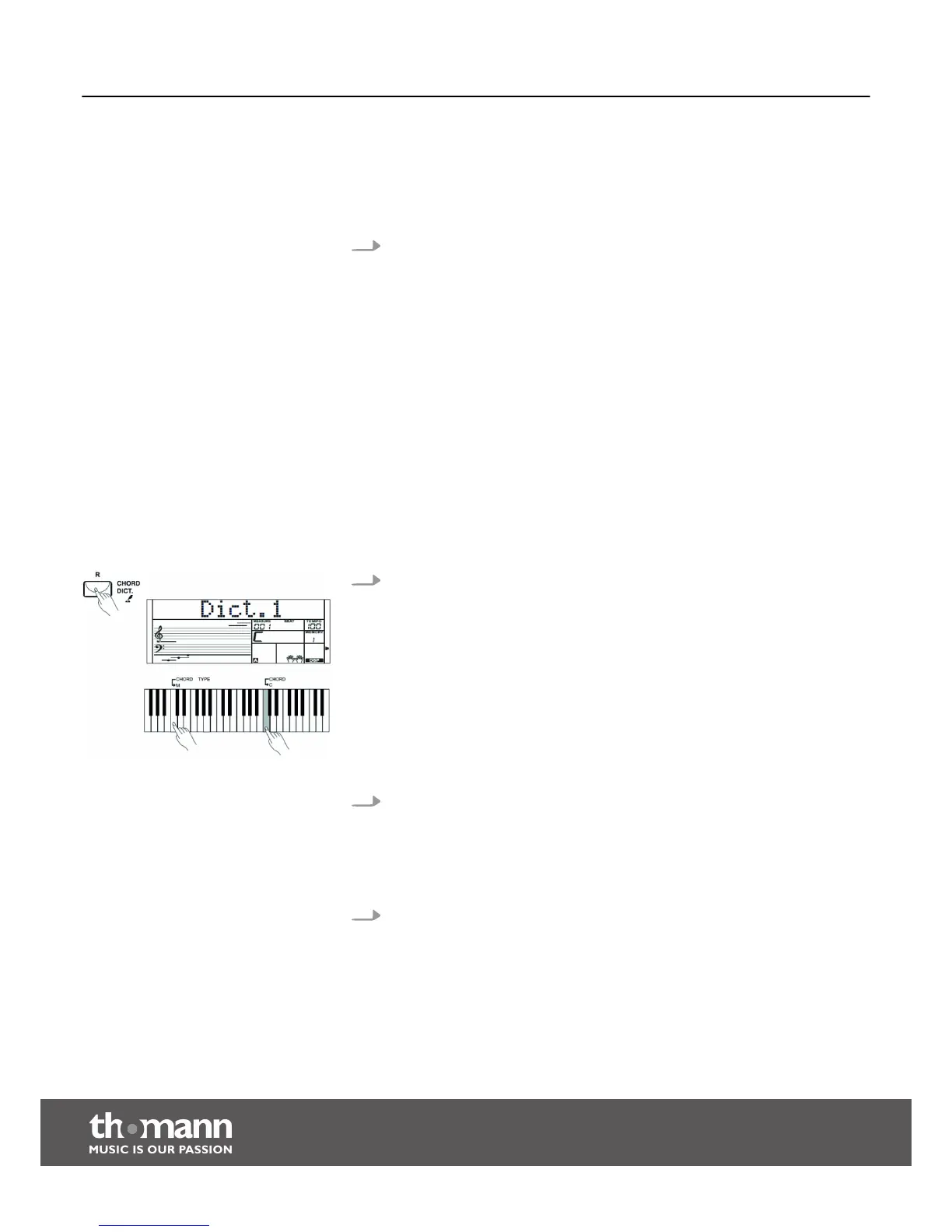
1. DICT 1 (chord learning mode)
Keep the [CHORD DICT.] button pressed for two seconds to enter the ‘DICT.1’
mode. In this mode, the keys from C4 on are used to assign the chord type, and
the keys from C6 to assign the root note. If you have pressed the keys for chord
type and root note, the display shows the chord name and the individual notes
in the notation system.
For example, If you want to play a Cm7 chord, press the C6 key (root note C in
the Cm7 chord). You will hear no sound, but the root note is displayed.
Press the A4 key (chord type for minor-seventh chord, ‘m7’). You will hear no
sound, but the chord name and the notes you should play for the specified
chord appear in the display.
2. DICT 2 (chord testing mode)
Press the [CHORD DICT.] button again to enter the ‘DICT.2’ mode. The display
shows a randomly generated chord name, but not its individual notes in the
notation system. If you play the right chord within three seconds, the next ran‐
domly generated chord name appears. If this does not happen, the individual
notes of the chord in the notation system appear automatically in the display.
3. Press the [CHORD DICT.] button a third time to exit the chord dictionary.
In the chord dictionary, the 12 root notes and 24 chord types are presented as fol‐
lows:
Lesson 3 - hitting the right notes at
the right time.
Rating
Functions
keyboard
36


 To Next Page