101
Before checking for converter output voltage, the battery cables must be disconnected at the
battery. Make sure the converter is plugged into an AC source (105-132 AC volts). Check
the converter output voltage at the battery with a voltmeter. Place the voltmeter probes on
the disconnected battery cables. If the voltage reads 13.6VDC with no load, the converter
is functioning properly.If the converter output voltage at the battery reads in the 0.0VDC
range, or the battery is not charging, check for:
An open inline fuse in the battery wire
An open wire between the converter and the RV battery
Loose ground connection
Improper torques
If the converter fuses and AC voltage are good, but the converter output still reads zero volts,
the converter is not functioning prope
13.6VDC range. Batteries are being charged, just at a slower
rate. Converter will not work without AC input.
To get your converter into this mode reduce the load on the system to
almost nothing but the battery. Let the system sit for approximately 44 hours.
Converter voltage will drop to 13.2VDC. If the converter sees any load during this period or
after it is in Float Mode it will revert back to Absorption (Normal) Mode. 13.6VDC.
: Converter will not jump into the “Bulk Mode” unless the battery is below 50%
of charge, or approximately below 13.2VDC output voltage. There is no way to force it to
go into Bulk Mode.
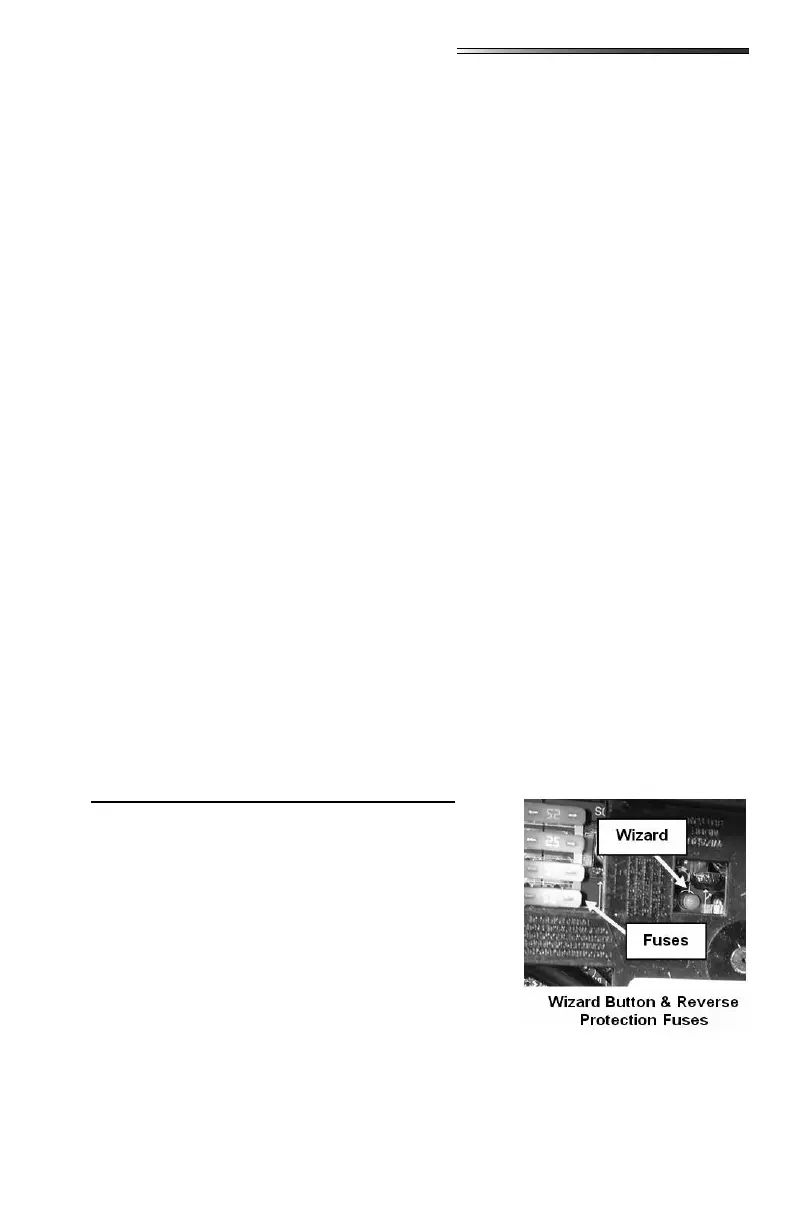
If the 12-volt power converter is not working (auxiliary battery not being charged) check the
reverse polarity fuse(s) located on the end of the converter.
. If you have further concerns
contact your dealer.
Some converters may be equipped with a charge wiz-
ard. There are (3) possible charging modes; NORMAL,
BOOST and STORAGE. The charge wizard will auto-
matically select the best mode to charge your battery. A
green LED next to the wizard mode button will indicate
by ashes, which mode is currently being used.
Green LED ashes once per second;
battery is between 50% and 90% charged. Green LED
will ash 2-3 times per second; battery is 90% charged.
Output voltage is 13.6VDC and the converter is safely
completing the charge of the battery.
Green LED is on solid. Output voltage is 14.4VDC to rapidly charge the
battery up to 90% of full charge.
: Green LED ashes every 6-8 seconds. Output voltage has been re-
duced to 13.2VDC; the RV battery is fully charged and converter is maintaining the charge.



 To Next Page