© 2017 Thorlabs GmbH12
TXP5004
4.2 TXP Server configuration
Attention
For a proper operation of the TXP Server, the Windows Firewall should be switched off.
Depending on the security settings of the control PC, this might be impossible even if you have
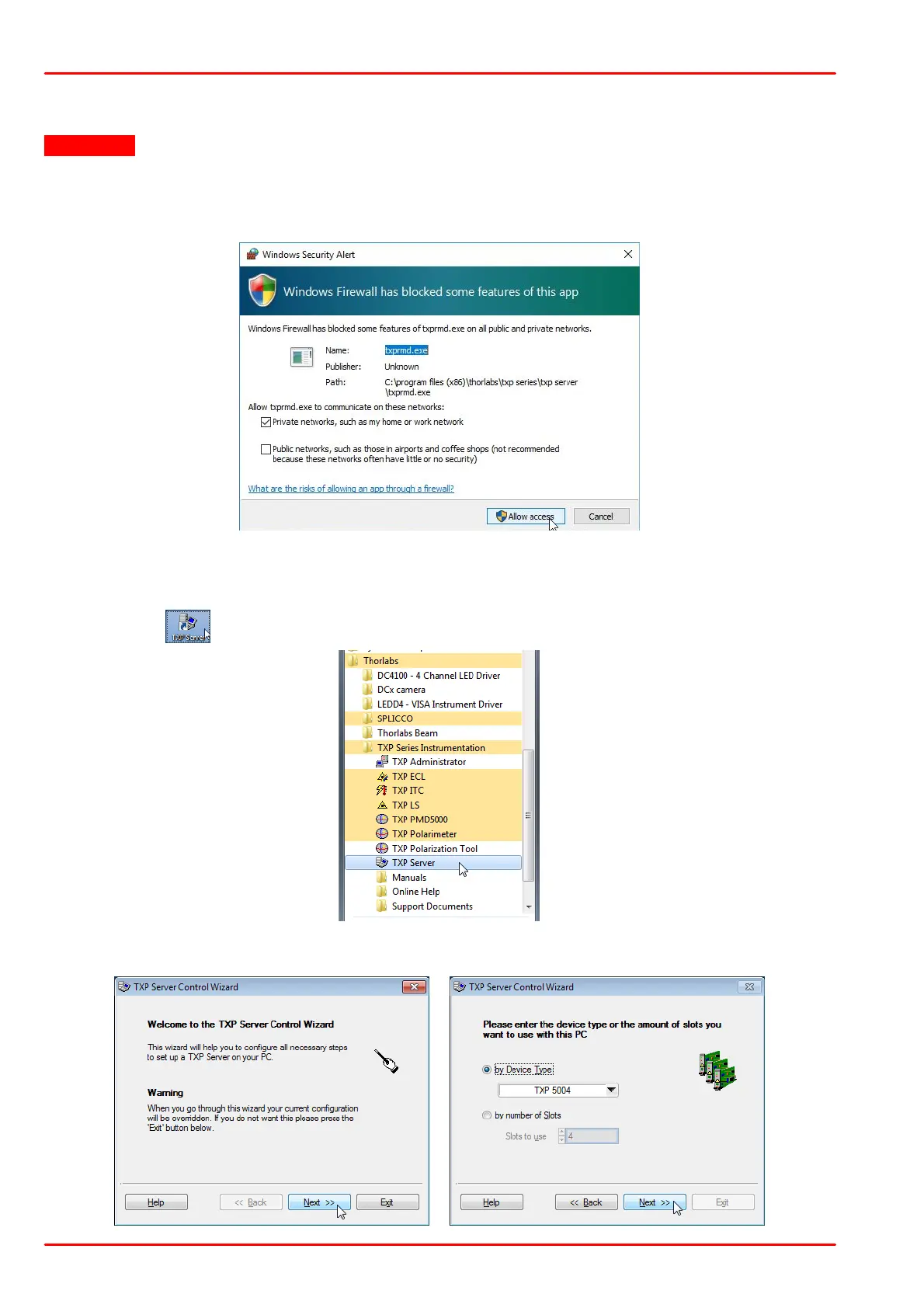
administrator privileges. In this case please be aware of the following Windows Security Alert:
The firewall by default blocks the txprmd.exe, which is the executable of the TXP Server.
Please allow the txprmd.exe access, otherwise the TXP Server cannot be started.
As a next step, the TXP Server must be configured. Therefore, start TXP Server from the
desktop icon ( ) or from the Windows Start button:
At first use of the TXP Server, a configuration wizard is started. It is strongly recommended not
to change the settings in the next appearing dialog boxes - just click "Next" to continue:



 To Next Page