© 2017 Thorlabs GmbH18
TXP5004
5 Operating Instruction
5.1 Installing and Removing Modules
The TXP5004 and TXP modules are 'Hot-Swappable'. This means that the modules can be
detached, exchanged or installed during normal operation of the TXP5004.
· Loosen the two to four mounting screws on top and below the ejector handle
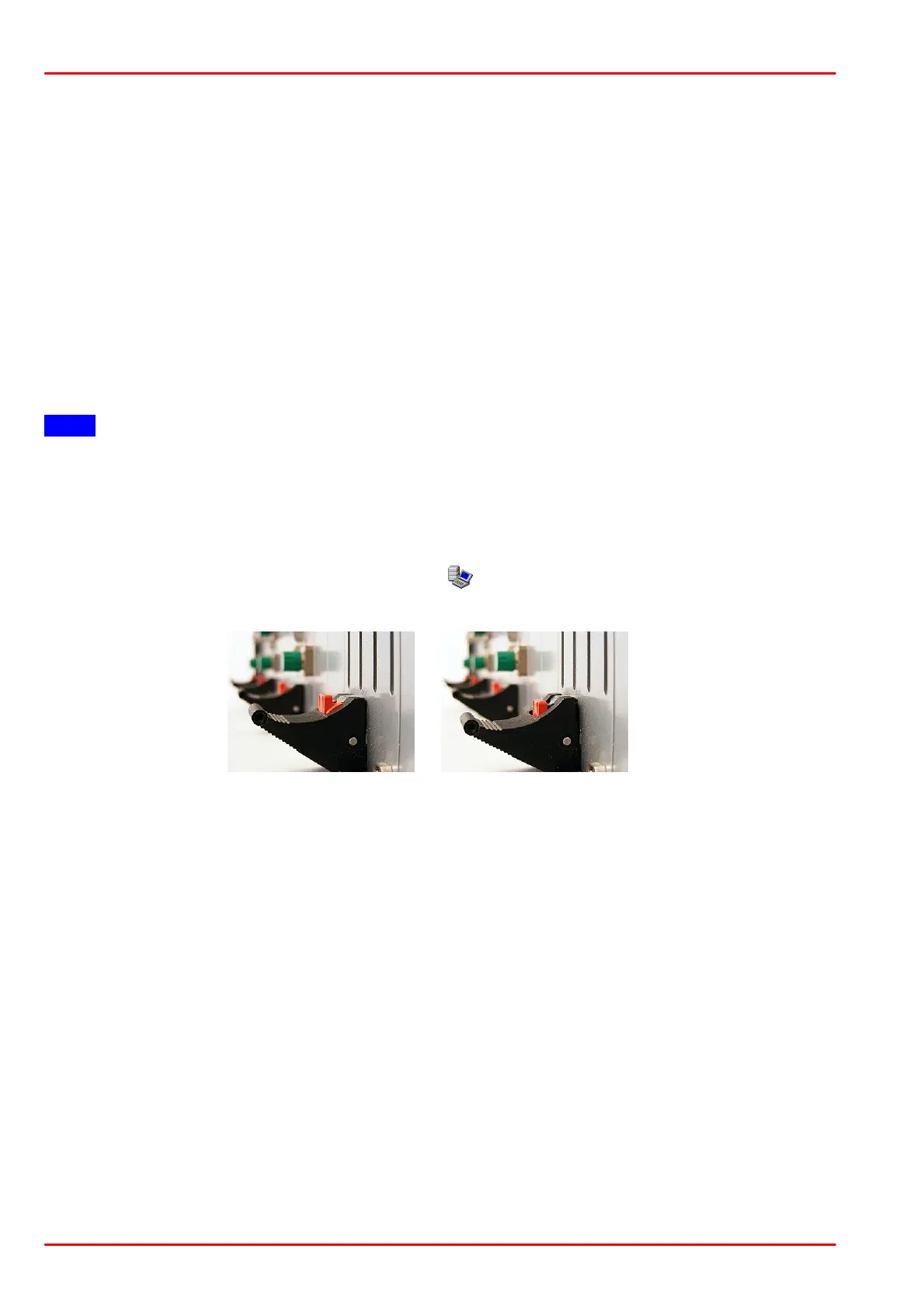
· Push the red button of the ejector handle and flip down the black ejector handle. This
pulls out the module from its internal plug.
You can now remove the module. If you do not insert another module, please close the empty
slot with a blind module to maintain a proper cooling air flow inside the unit. Tighten the two to
four screws.
Detaching the module leads to an automatic disconnect, if the module was connected and
operated by the control PC.
Note
In order to maintain a proper air flow for internal cooling, unused TXP slots must be covered by
blind modules!
Make sure, that
- the TXP5004 with inserted electronics module is switched on and connected to the PC via
a USB2.0 cable.
- the TXP Server is started and running (see icon in the task bar).
- the ejector handle of the inserted module is in the very upright position:
Now, the modules can be operated. Please see the individual TXP module manuals for
operation details.



 To Next Page