`www.thundercomm.com.
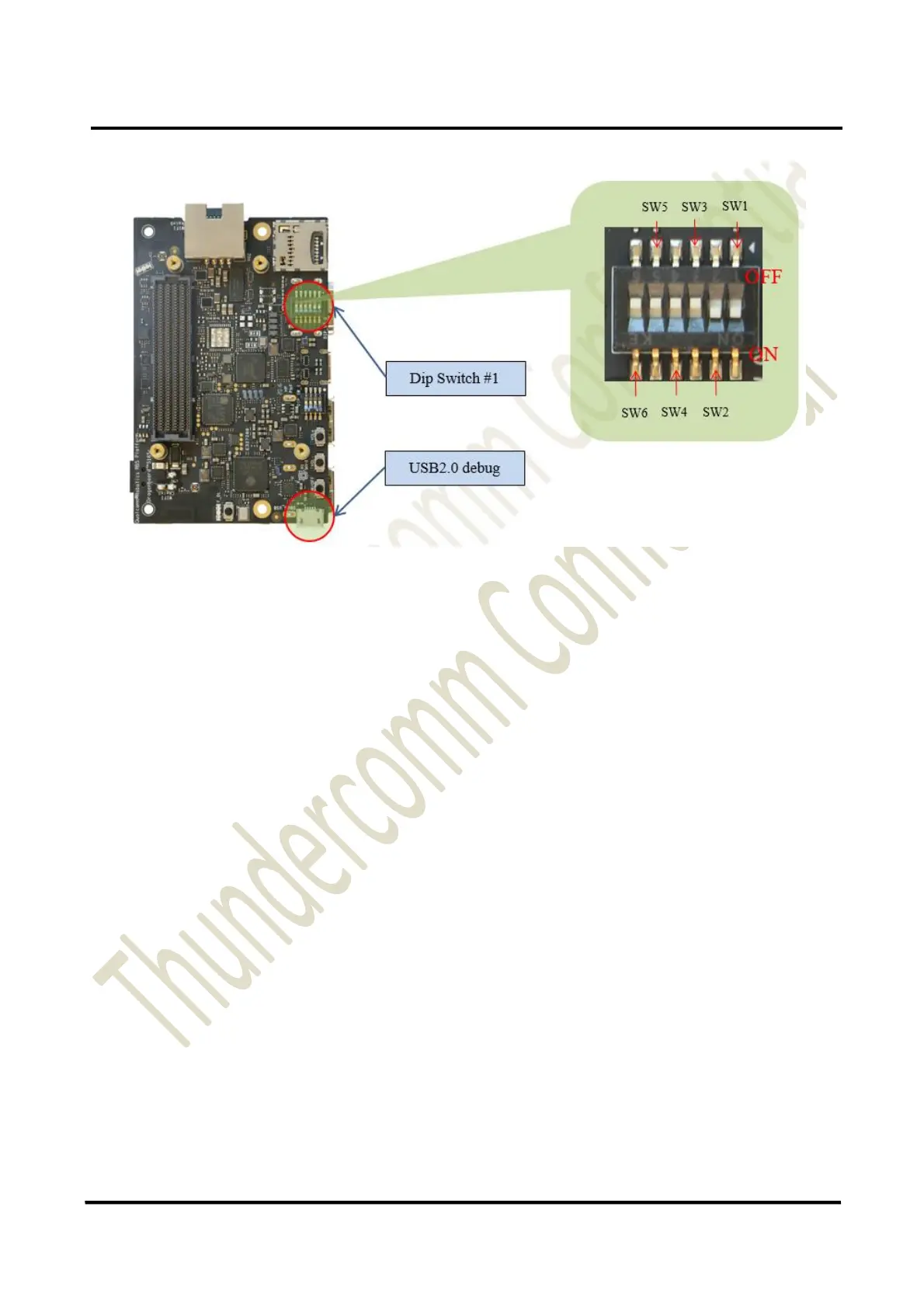
4. Connect the USB cable Micro-B plug to the USB2.0 debug port (see section 1.2.2, #21), and connect
the other end to an available USB port on the host PC.
NOTE: Set the Bps/Par/Bits to 115200 8N1
5. Connect the power supply to power connector (see section 1.2.1, #14).
6. Plug the power supply into a power outlet.
7. Press, and hold the power button on the device, and then release it. The green power-up LED should
illuminate in a second.
8. The board will start the booting process.


 To Next Page