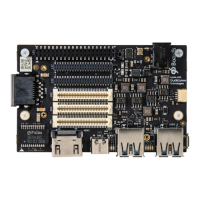
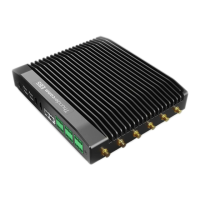
`www.thundercomm.com.
7 Buttons and status LED’s
7.1 Buttons
7.1.1 Volume up
The Volume up button (see Section 1.2.2, #18) is used to control the audio volume of C865 DEV KIT.
7.1.2 Volume down
The Volume down button (see Section 1.2.2, #19) is used to control the audio volume of the C865 Dev
Kit Main IO board.
7.1.3 Power Button
The push-button (see Section 1.2.2, #20) serves as the power ON/OFF/Sleep button.
Sleep/Suspend
Set the device to sleep by pressing this button momentarily.
Wake the device from sleep by pressing this button momentarily.
Power ON/OFF
Option 1: Long press/hold
□ While the device is awake, press and hold the Power button #20 (see Section 1.2.2) for longer
than 15 seconds to Power OFF the device.
□ Once OFF, press and hold the Power button #20 (see Section 1.2.2) for longer than 3 seconds to
Power ON the device.
Option 2: Short press/hold
□ While the device is awake, press and hold the Power button #20 (see Section 1.2.2) for 2~3
seconds to display the Power OFF notice. Using a mouse, click the notice to Power OFF the device.
□ Once OFF, press and hold the Power button #20 (see Section 1.2.2) for longer than 3 seconds to
Power ON the device.
7.1.4 Reset Button
The onboard (see Section 1.2.2, #19) push-button has two functions, it serves as a reset button and as
a Volume button.
The reset function needs to be a software-configured setting.


 To Next Page