46
vd12-14-de-171016
4.6 Menu COMMON – Display Settings
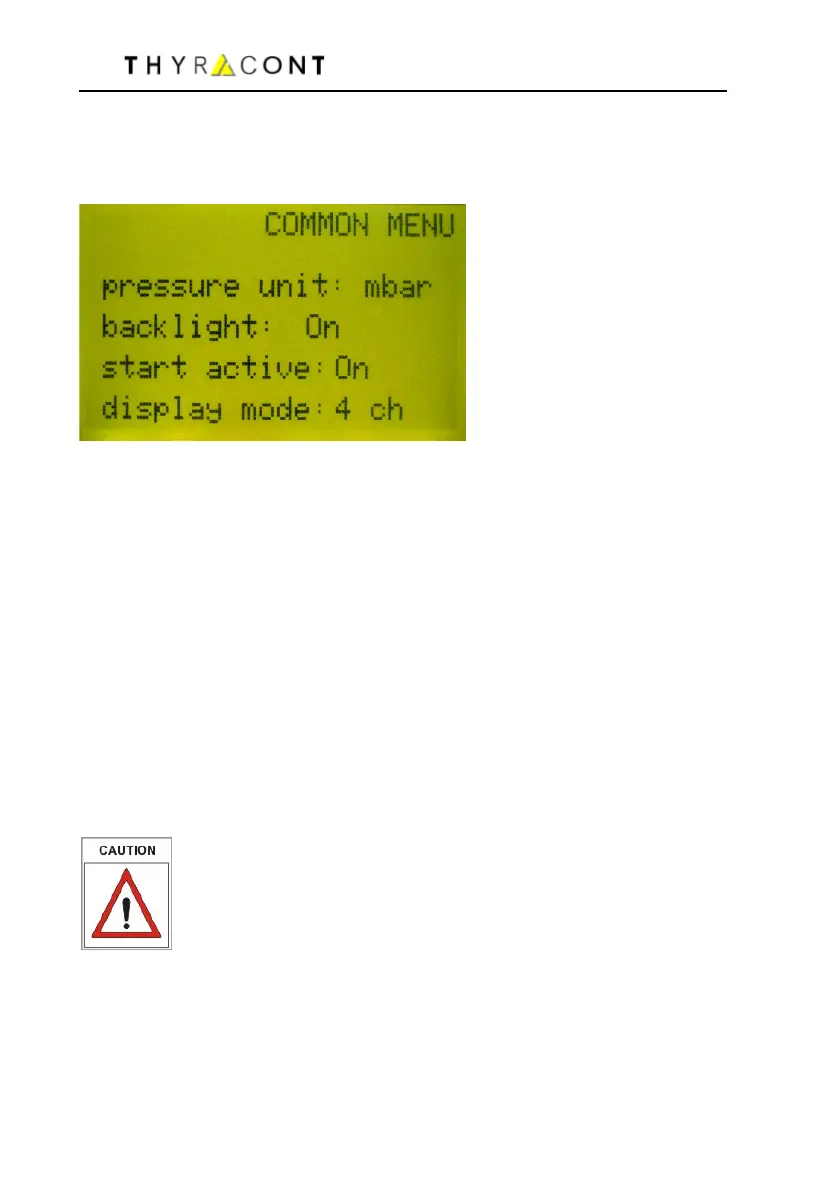
In the COMMON menu settings for pressure display and the start mode of
pressure control are selected.
unit: Select display unit
Select mbar, bar, mTorr, Torr, Pa, or hPa.
backlight: Set background illumination
on backlight on
off backlight off
autoff backlight is switched off automatically after 20 s when no
key is pressed
start active: Start mode of pressure control
on pressure control is start-active, i.e. the relays are switched
as soon as the device has finished its automatic self-test proce-
dure after switched-on.
off after the device is switched-on pressure control has to be
started and stopped manually.
(see also chapter 4.1 and 4.2)
Independently from these settings pressure control can be started
and stopped by software command via serial interface.
display mode: Selection of channel display (VD14 only)
2 ch 2 channel display
4 ch 4 channel display



 To Next Page