12
Flex Chain
Final link in Flex Chain
Chain mounting
clip
Unsnap the last link with the chain mounting clip attached
to it and resnap it to the end of the Flex Chain in the
track. Whe you snap the new link on, your Flex Chain
should look like this:
Hook the chain mounting clip over the side edge of the track.
It should hang oppostie the wall side of the track.
Chain mounting
Chassis
Power Wire
View of chassis mounted on track, without top
end cap, looking down the stairs.
J. GROUND THE POWER CABLE
Look down the shaft where the power cable is located. It is
crucial that the bracket that attaches the power cable
to the bottom of the chassis is directly in the center of
the shaft (see illustration).
Mounting Bracket (located in
center of opening)
Stair Lift Track
Stair Lift Chassis
Notice how the bracket lines up directly between the
walls of the track shaft.
Track End Cap
Flex Chain loop
Chassis
Keep this link
NOTE: Make sure to retain last link with chain mounting
clip. You WILL need it later.
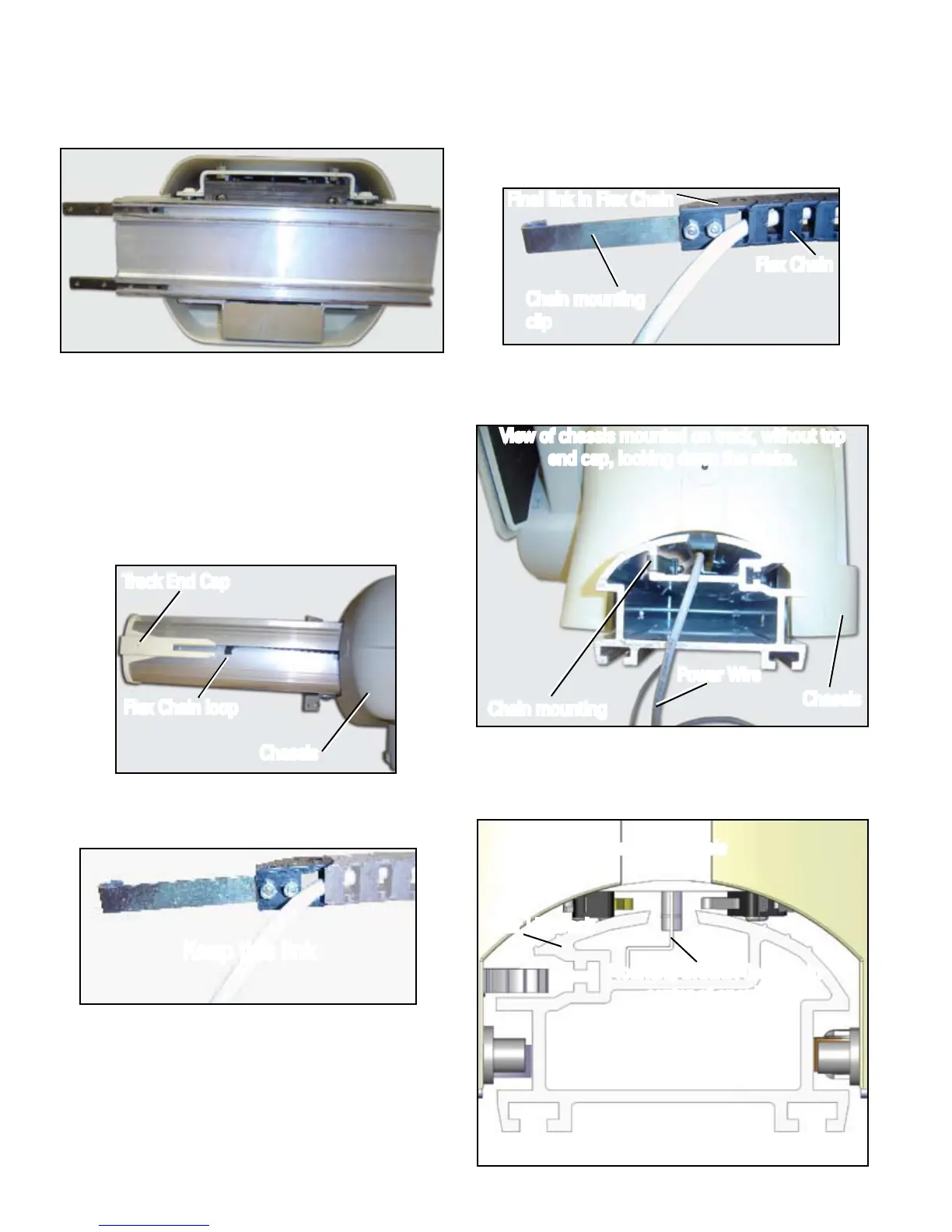
Once you've started the Flex Chain into the channel,
slide the unit on to the track, using the guide wheels
to help put the track in place. From the bottom of the
chassis, the unit should look like this:
Line up the splice bars of the starter track with the top
end of the track bolted to the staircase.
While holding the chassis, remove the long bolt from
the starter track and gently slide the unit down the track
until the chassis is fully on the mounted track and the
gears have engaged.



 To Next Page