32
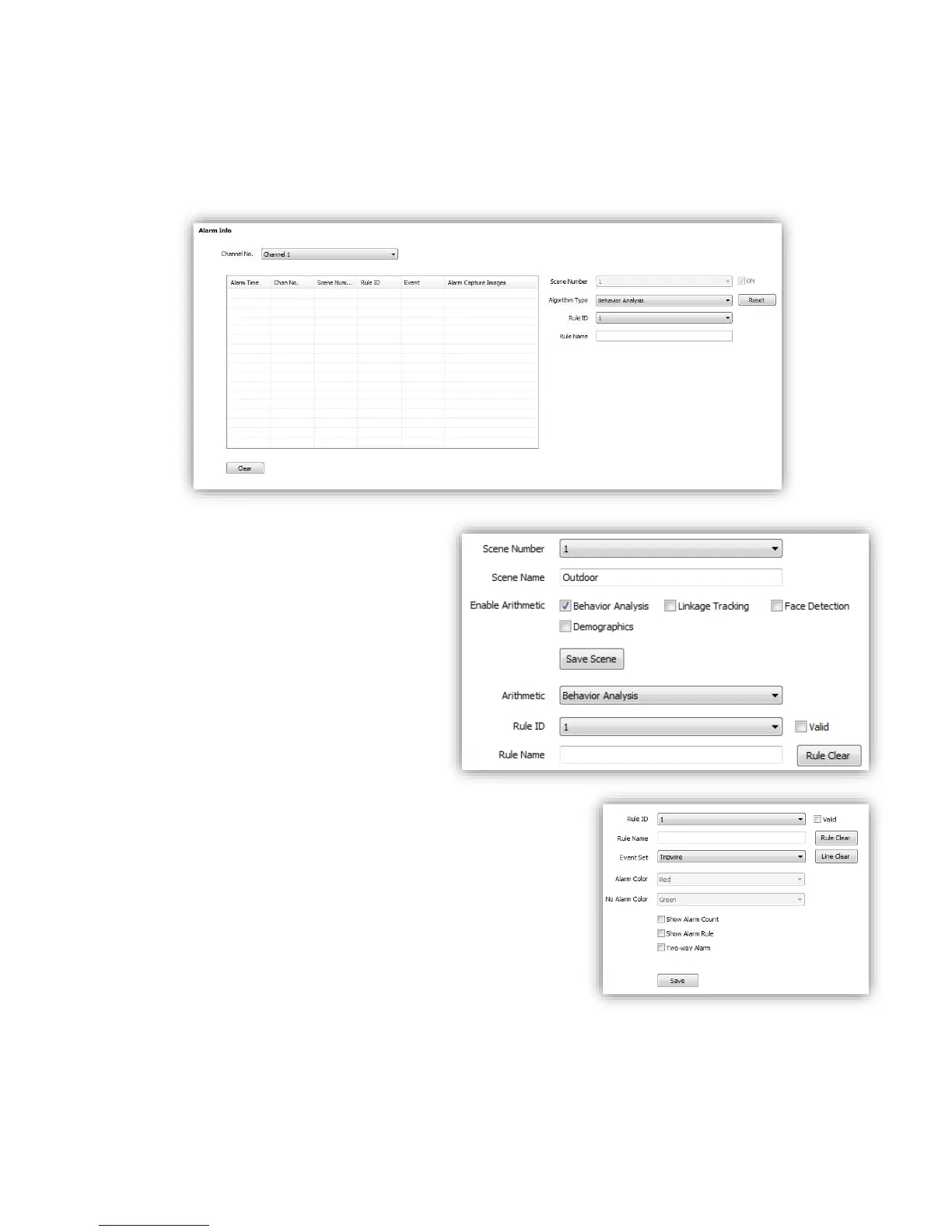
6.3.1 Alarm Info
This page is just used to display alarm info when you success to configure.
<Reset>Clear alarm numbers of the VCA rule.
<Clear>Delete all the alarm information in list.
6.3.2 Scene Set
<Behavior Analysis> check to enable
behavior analysis, including Tripwire,
Perimeter, Items Abandon, Items Lost,
Loiter, Running, Crowd, Parking.
Notes: If check <Linkage Tracking>, it
will allows Tripwire/Perimeter to
activate auto-tracking.
<Save Scene> click to activate settings.
<Rule ID> make the rule numbers for
behavior analysis. Support up to 8 rules
in the same scene at the same time.
<Valid> activate the rules and start
setting.
<Rule Name>Give a rules name(max to 16 characters).
<Rule Clear>clear current rule.
6.3.2.1 Behavior Analysis
Below are setting operation for different type of analysis
after Selected <Behavior Analysis>:
(1)Event Set --- Tripwire/Perimeter



 To Next Page