33
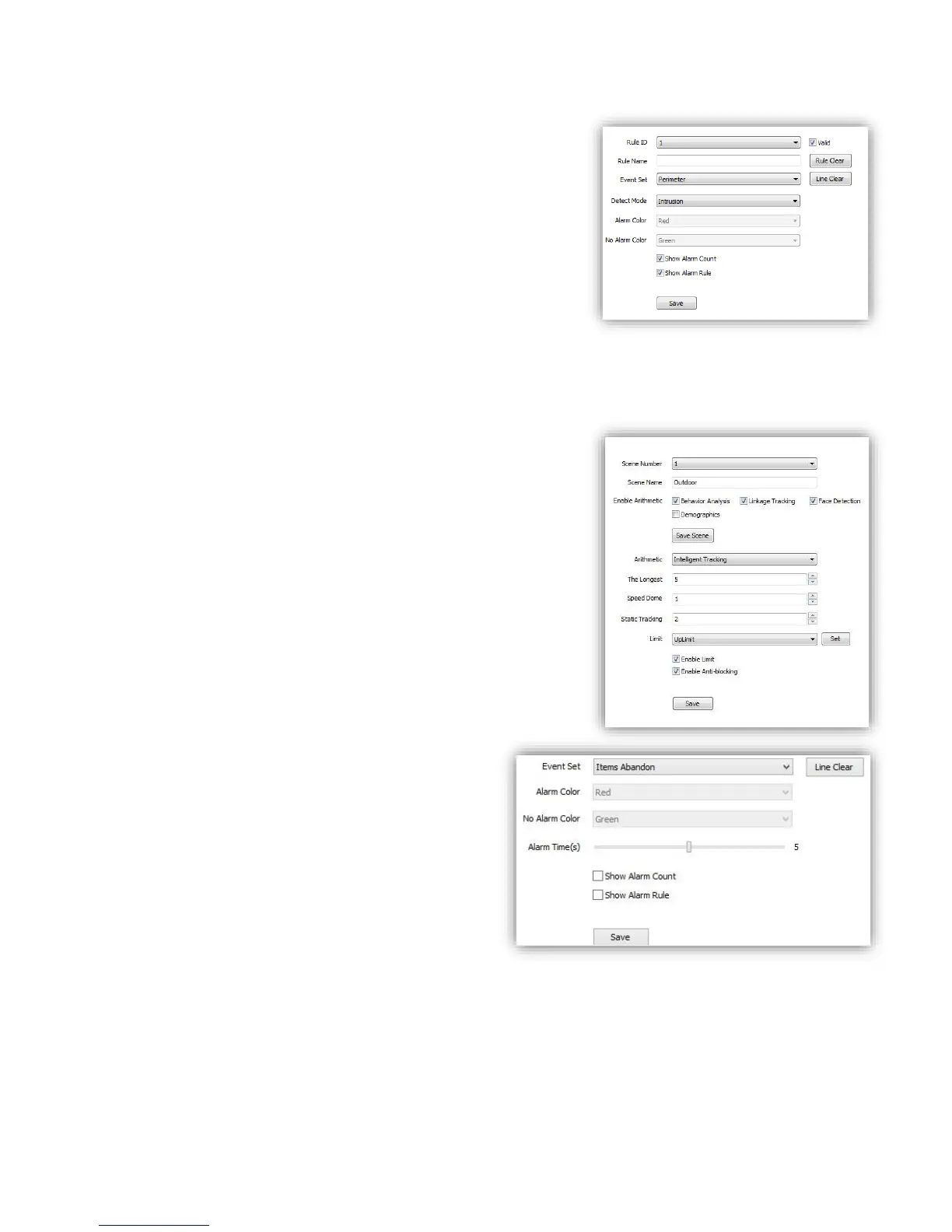
<Detect Mode> For <perimeter> detection, include
<Intrusion>/<Enter>/<Leave>.
<Intrusion> alarm when object come in/out.
<Enter> alarm when object come in.
<Leave> alarm when object go out.
<Show Alarm Count>show total alarm times.
<Show Alarm Rule>show defined tripwire/perimeter on video.
<Two-way Alarm>when selected <Tripwire>, choose the”two-
way alarm”, then two directions cross will both trigger alarm.
<Line Clear>clear current lines drawn on video.
<Rule Clear>clear current rule.
<Save>Save and enable the VCA setting.
<Linkage Tracking> or <Panorama Tracking>
Tips: <Linkage Tracking> option is only available when you
check <Behavior Analysis>
< Arithmetic > configure <Intelligent Tracking>
<The longest> Set time limitation (seconds) how long the PTZ
follow the object. And then it will go back to standby position.
<Speed Dome> Enter the value how high (meters) you install
the PTZ
<Static Tracking> Set time (seconds) when the object stay for a
while, the PTZ will go back to standby position
<Limit> Setup boarder of traking area from 4 direction. When
the object go beyond the area, PTZ will stop to follow it.
<Enable Limit>Check to activate traking area boarders
<Enable Anti-blocking>PTZ wil alarm when it is blocked
(2)Event Set ---Items Abandon
<Line Clear>remove the defined area on video.
<Alarm Time>time to activate alarm.
<Show Alarm Count>show total alarm times on
screen.
<Show Alarm Rule>show the defined area on
screen.
<Save> save to enable.



 To Next Page