35
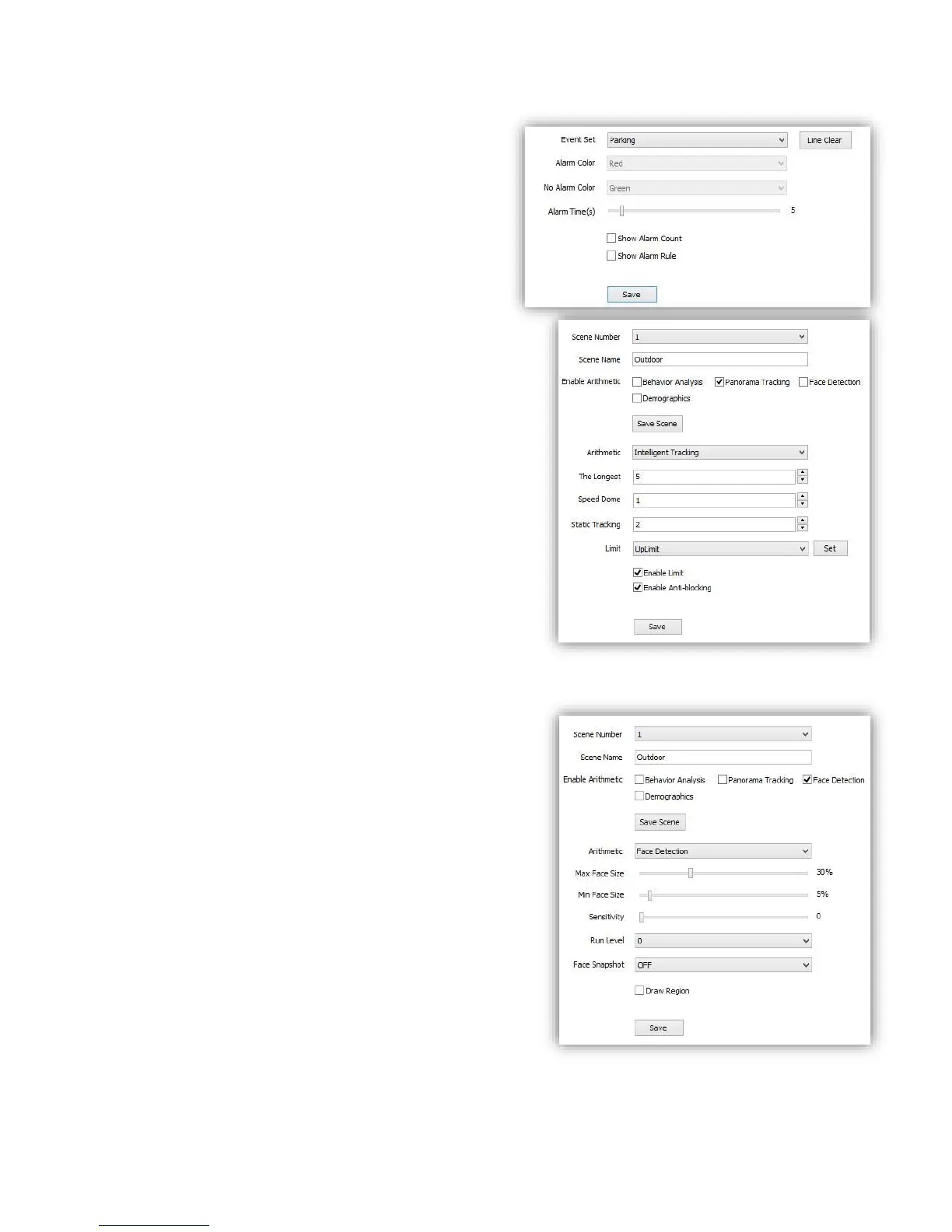
(7)Event Set --- Parking
<Line Clear> remove defined area.
<Alarm Time(s)> time to activate alarm.
<Show Alarm Count> show total alarm times.
<Show Alarm Rule> show the defined area on
screen.
<Save> save to enable.
6.3.2.2 Panorama Tracking
(1) Check to enable the target channel
(2) Select <Panorama Tracking >
(3) Click <Save Scene> to start setting.
(4) <Arithmetic> show current arithmetic.
<The longest > set the longest tracking time (S)
<Speed Dome >set the height of speed dome(this value
should be the same as actually installation height) ,3m-
9m is suggested .
<Static Tracking > set the time for speed dome to wait
when target object is not moving.
<Limit> set the tracking region limit on screen.
(up/down/left /right)
(5) <Enable Limit> validate the limit set.
(6) <Enable Anti-blocking> enable to detect a wider
area when target object is covered.
(7) <Save> save to enable.
6.3.2.3 Face Detection
This function will enable speed dome to recognize
people’s face and snapshot and save face picture
automatically.
(1)Check <Face Detection>
(2)Click <save scene> to start setting
(3)<Max Face Size> <Min Face Size> setup target face
size percent in target region.
(4)<Sensitivity> setup detection sensitivity.
(5)<Run level> level 0-4, bulit-in programe level, please
keep default.
(6)<Face Snapshot> ON/OFF, when ON it will capture
the detected face picutre and save.
(7)<Draw Region> click to define a region on screen,
speed dome will only detect people’s face in this region.
(8)<Save> save to enable.



 To Next Page