36
6.3.2.4 Demographics
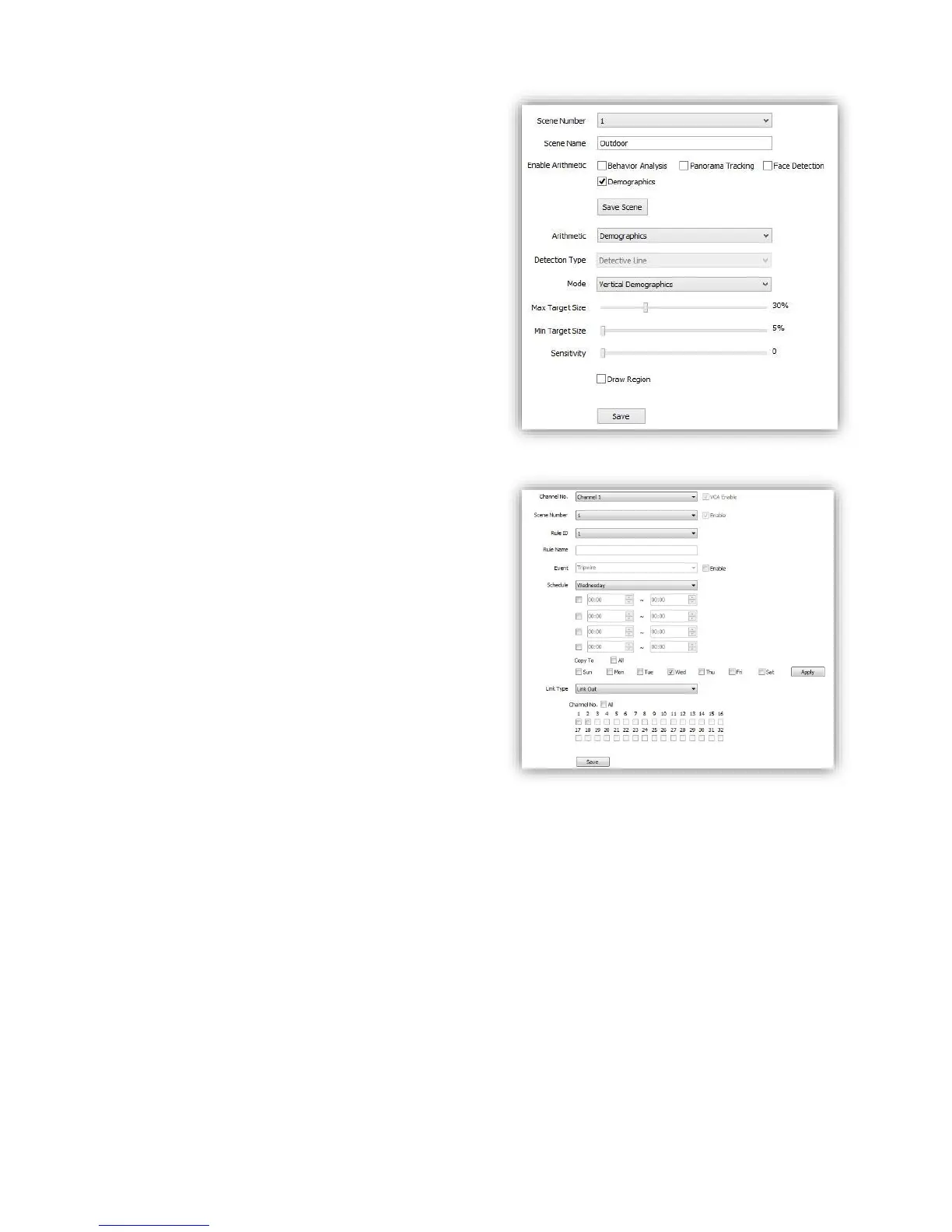
This function will enable speed dome to count the
number of how many people cross the defined line
on screen.
(1)Check <Demographics>
(2)<Mode> choose <vertical demographics> or
<bias demographics>
(3)<Max Target Size> <Min Target Size> setup
target people size percent in target region.
(4)<Sensitivity> setup detection sensitivity.
(5)<Draw Region> check to define a region on
screen, speed dome will only count number in this
region.
(6)<Save> save to enable.
6.3.3 Alarm Set
Setup VCA activation schedule.
(1)<Channel No.> select the target channel
<VCA Enable> Indicate the VCA status of the
current channel.
(2)<Rule ID> Connected to the setup VCA rules in
<Event > When select rule ID, it will bring out
setup information of <VCA Enable>, <Rule
Name> and <Event>.
<Enable> Enable the setting of <Schedule> to
setup the day and time of the VCA activation.
(3)<Schedule> Schedule alarms. 4 time periods
selectable in a day.
<Apply> enable the setting.
(4)<Link Type>
<Link Out> alarm output.
<Link Rec> activate recording.
<Link Snap> activate snapshot.
<Save> Save to enable setting.



 To Next Page