37
6.3.4 Advanced
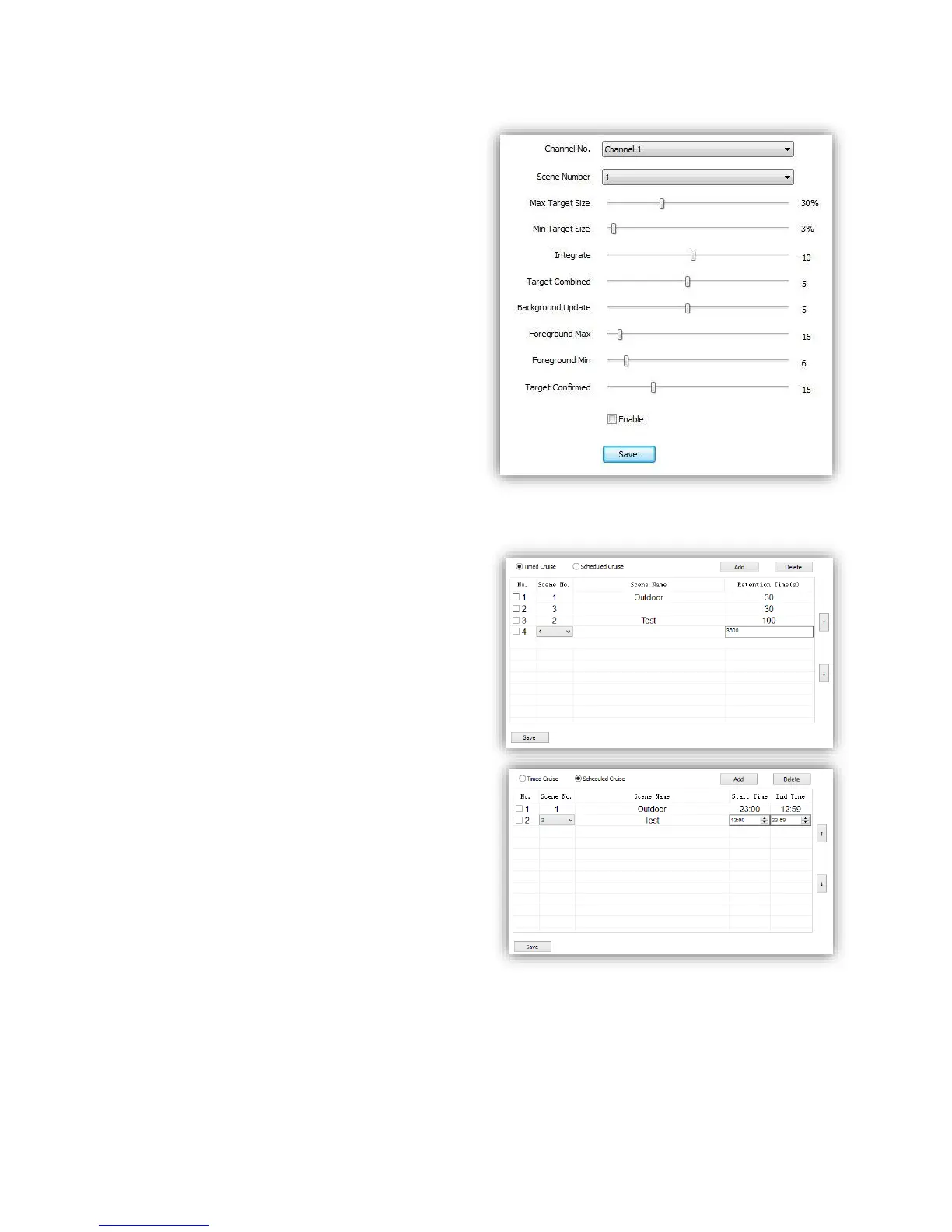
(1)<Channel No.> Select target channel
(2)<Scene Number> Select target Scene No.
(3)<Max Target Size> Set upper limit how
much proportion the Object occupy on the
screen for recognition
(4)<Min Target Size> Set lower limit
Note: PLEASE KEEP THE FOLLOWING ITEMS
AS DEFAULT VALUE TO AVOID ANY ERROR.
PLEASE ASK FOR HELP OF SPECIALIST IF
REVISING NEEDED.
<Integrate>
<Target combined>
<Background Update>
<Foreground Max>
< Foreground Min>
<Target Confirmed>
(5)<Enable>
(6)<Save> save to enable.
6.3.5 Cruise Set
(1)Timed Cruise
Enable the speed dome to switch between
different defined VCA functions, time interval
range from 30~3600 seconds.
(2)Scheduled Cruise
Set valid time period for each defined VCA
functions.



 To Next Page