Product Overview
Product Overview
Product Overview
7
6
Product Overview
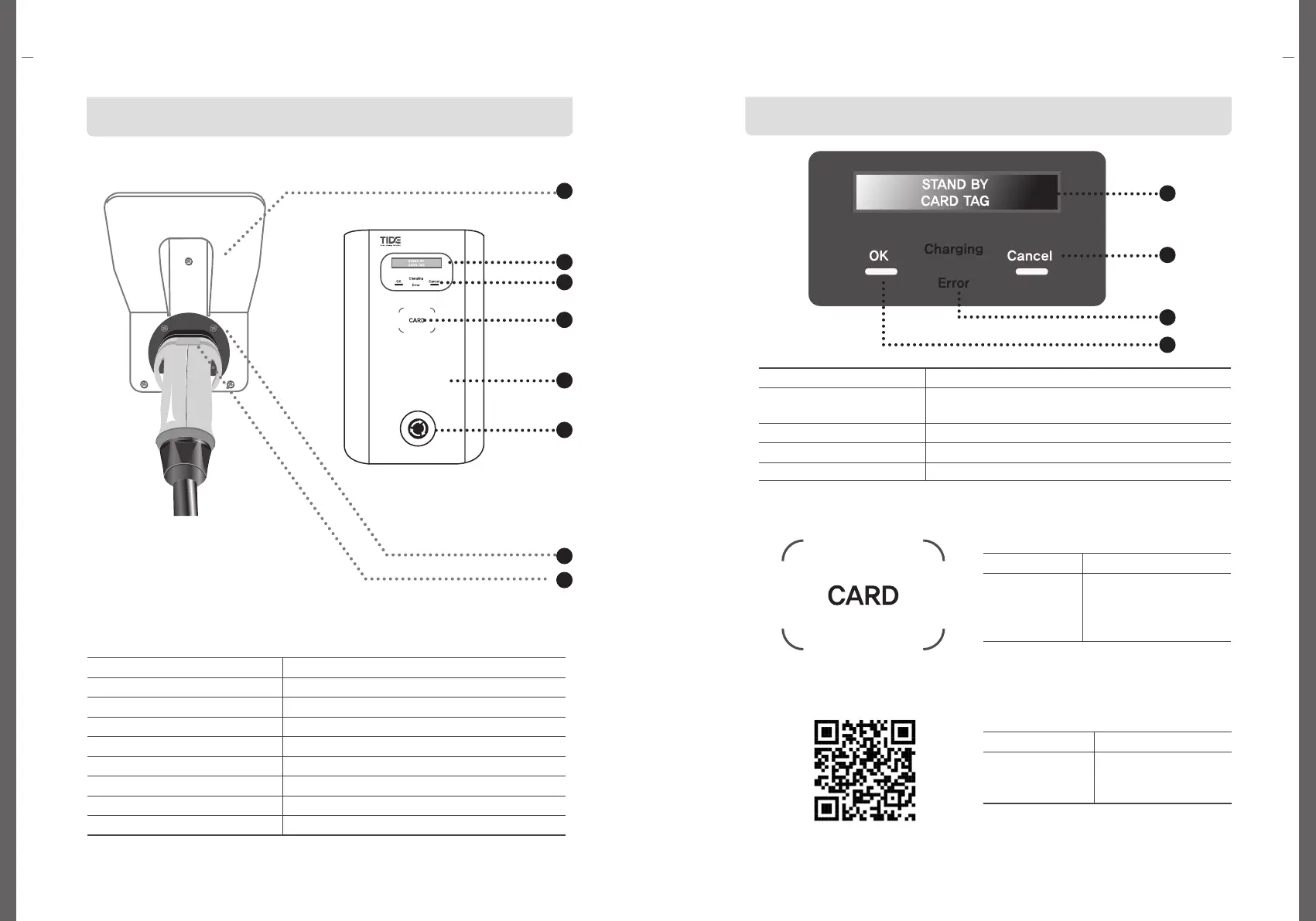
Component Names and FunctionsComponent Names and Functions
No Name
1 Connector Cradle
2 Display(OLED)
3 Touch Pad(OK, Cancel)
4 NFC Pad
5 EV Charger Body
6 Emergency Button
7 Wall Bracket
8 Charging Connector
No. / Name Description
1.OLED Display
Charging status, charging time, charging amount
(kW), error message, etc.
2. Cancel Touch Button for Cancel
3. Charging or Error(LED) Display of the status for charging or error
4. OK Touch Button for OK
Name Description
NFC Pad
Tag the authentication/
registration completed
card to start charging or
stop charging
Name Description
QR Code
Open the app and
Scan QR code
to start charging
1
2
3
4
2
1
7
8
3
4
5
6


 To Next Page