15
14
Wiring & Connections
Wiring & Connections
Wiring & Connections
Wiring & Connections
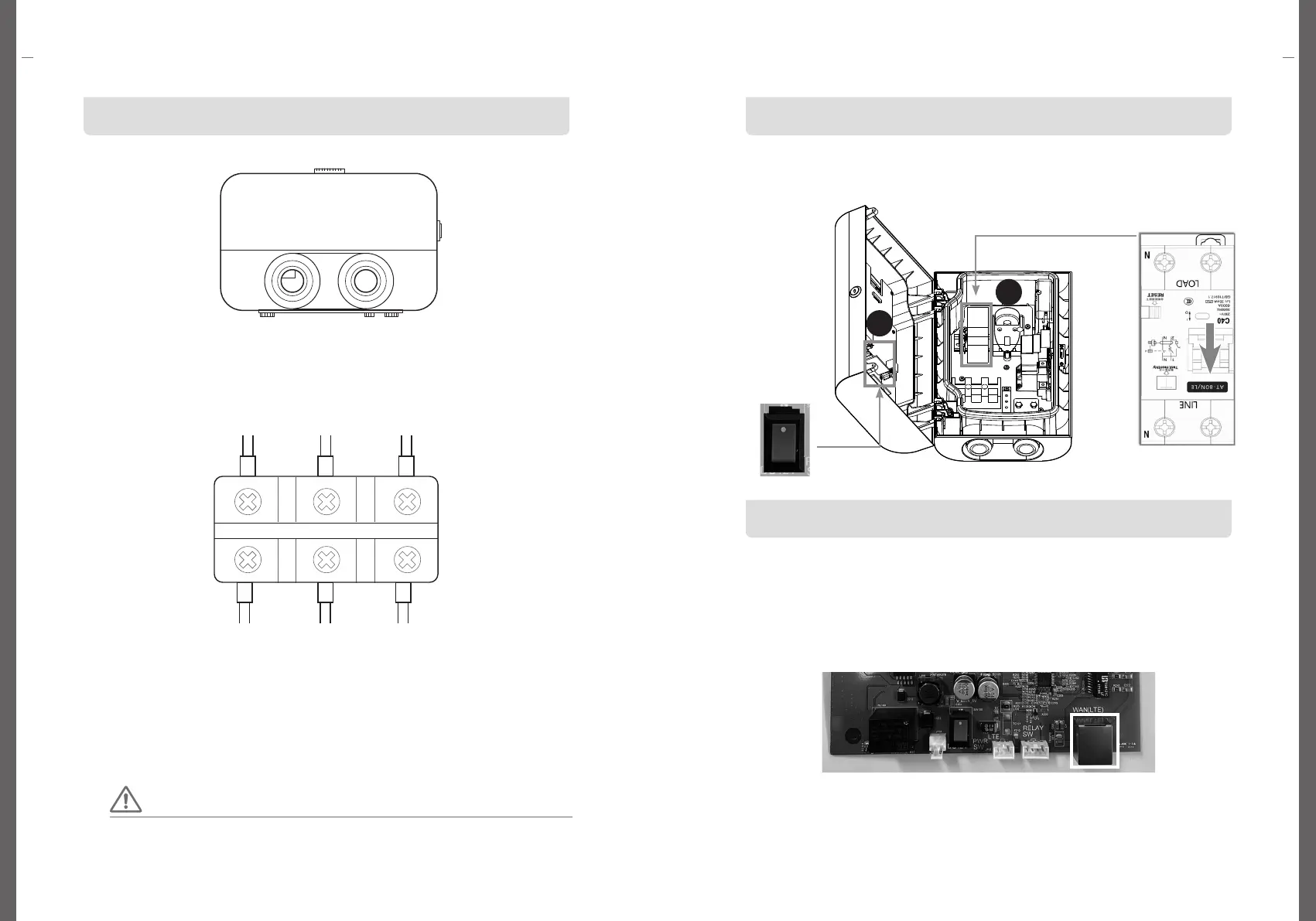
Power on the EV Charger
Connection for LAN Cable
① Turn on the circuit breaker inside the charger.
② Turn on the switch of the board attached to the front cover of the body.
① Connect the LAN cable to the communication input port according to the
installation environment.
LAN
Port
N E L
Connect the cables in the following order.
When connecting cables, be sure to turn off the circuit breaker.
Wire debris generated when connecting cables can cause abnormalities, breakdowns, and malfunctions.
So, clean up the area after work. And be sure to connect N, E, L separately.
Caution
Preparation before connecting the power cable
①
There are two holes on the bottom of the charger. Insert the power cable into the left hole.
②
After inserting the power cable, close the hole by using a cable gland (PG21), etc.
③ Use a flexible tube to close the power cable so that it is not exposed.
Connection for the power cable
① Input power must be connected to the power grid. Connect the cables according to
Neutral, Earth, and Live wires. (Input wire, ground wire cross section: 6mm²or more)
② Terminate each cable by using a ring-type crimp terminal.
③ Cover the cables with insulating tape so that they are not exposed. After connecting
the wiring, turn on the circuit breaker inside the charger. And turn on the switch of the
board attached to the lid of the body.
2
1


 To Next Page