CHARGING CANCEL
OK / CANCEL
17
16
Operation
Operation
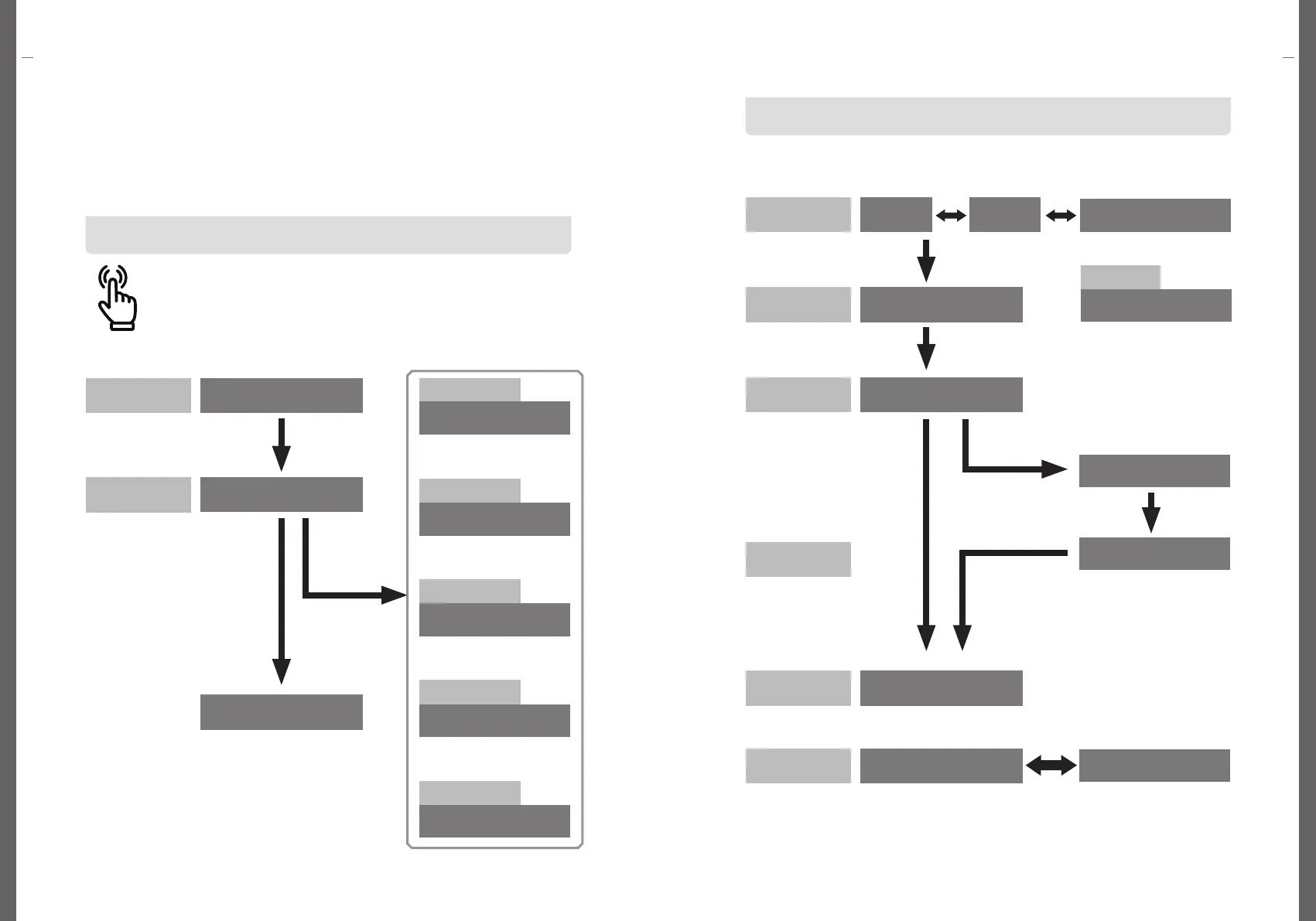
The OLED screen displays each step of the charging process
Operation
Operation
Full
Charging
Cancel
Touch
CARD PROCESS
ERROR - E301
The OLED screen displays each boot step
This EV charger is a product with high voltage and current.Incorrect
operation may cause device failure, and in serious cases, fire or personal
injury may occur. When using the product, follow the procedure below.
Through the OLED window, you can check the progress of each step of the
charger and operation errors.
When the power is turned on, the charger will boot up and the OLED
screen will display the status of the charger.
When 'STAND BY CARD TAG' is displayed on the OLED screen, the
charger has completed booting up and is in a normal standby state ready
for charging.
Charging
Available
Charging
Unavailable
Booting Error
Unavailable
Emergency Stop
Reservation
Offline
Booting Up
Reservation /
Availability
BOOT PROCESS WAIT
CHECK PROCESS WAIT
STAND BY CARD TAG
STAND BY
CARD TAG
INSERT CONNECTOR
CHARGING PROCESS
0Wh 00:00:01
CHARGING COMPLETE
50kWh 07:30:00
CHARGING ERROR
50kWh 07:30:00
Card Error
ONLINE
CARD TAG
CHARGING CANCEL
CARD TAG
CHARGING ERROR
ERROR - E104
CPID 99999922191
EMERGENCY STOP
(SPIN TO BACK)
DO NOT USE CHARGER
BOOT ERROR
RESERVED
CARD TAG
OFFLINE
CARD TAG
UNDER MAINTENANCE
Card Tag
Charging
Connector
Start to Charge
Stop to Charge
Completed
Charing Error


 To Next Page