19
18
Operation
Operation
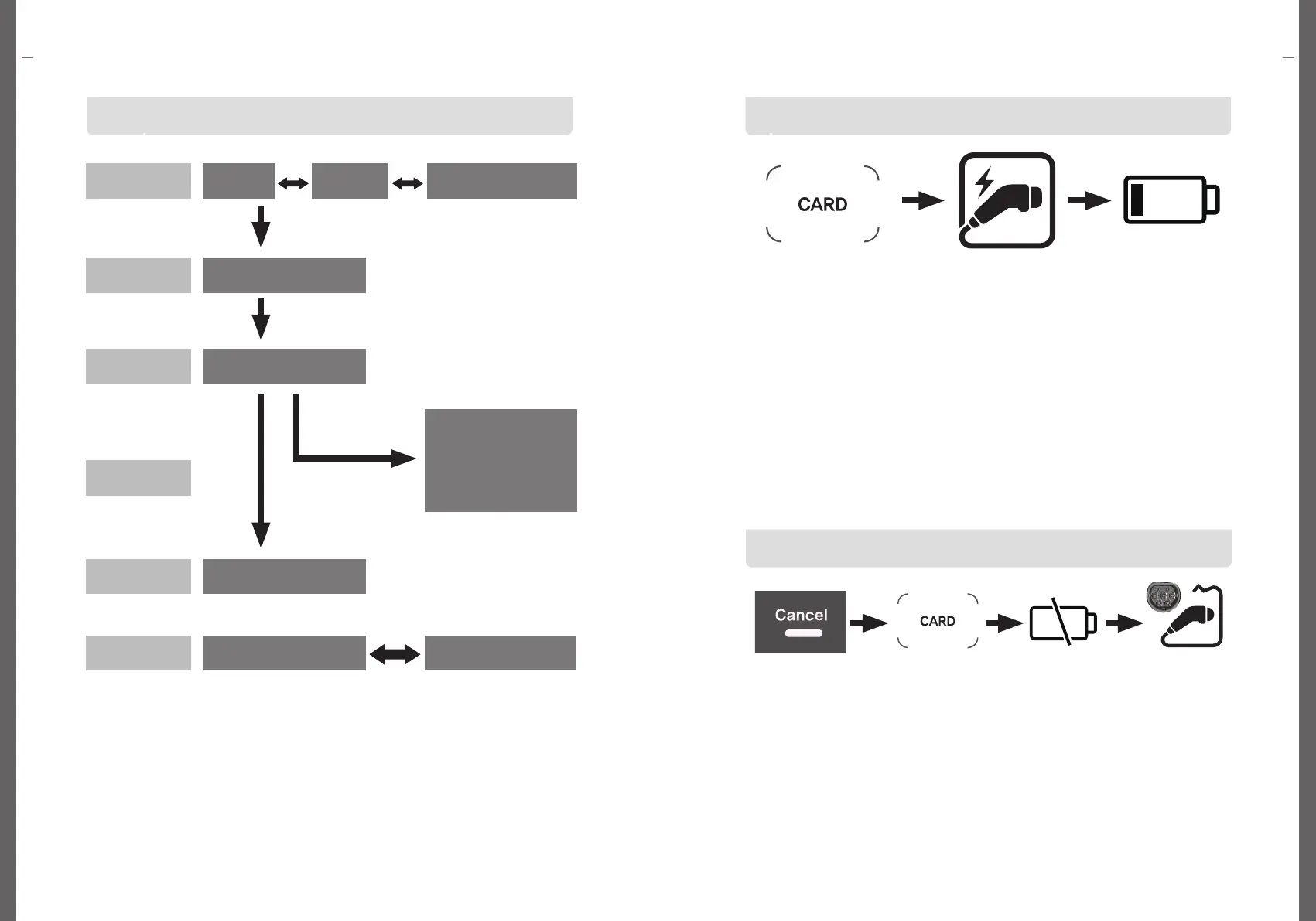
Operation (Card Tag)
Start to Charge
Operation(QR Code Scan)
The OLED screen displays each step of the charging process
NFC Card Tag
Connect EV and
charging connector
Start to Charge
1. Authenticate the user using the NFC card. Tag the NFC card in the
tagging area.
2. Connect the connector of the charging cable to the EV.
If there is moisture in the charging connector, remove it before connecting.
3. When charging starts normally, the charging time is measured on the
OLED window as soon as the charging starts, and the amount of charge (kWh)
is also displayed, and the unit is displayed in units of 0.01 kWh.
충전 정지
Touch Cancel
Button
Disconnect EV and
charging connector
1. Users can stop charging at any time during charging.
2. When charging stops, touch the cancel button.
3. Tag an NFC card.
4. Charging stops, and disconnect the charging connector connected to the EV.
5. Charging stops automatically even when the vehicle's battery is 100% charged.
NFC Card Tag Stop to Charge
QR Code Scan
Insert
Start the charging
Stop the charging
Finish the charging
Charging Error
Open the
app
INCERT CONNECTOR
CHARGING PROCESS
0kWh 00:00:01
CHARGING COMPLETE
50kWh 07:30:00
CHARGING ERROR
50kWh 07:30:00
CHARGING ERROR
ERROR-E 104
Charging stop request
in the app
ONLINE
CARD TAG
Full
Charging
CPID 99999922191
STAND BY
CARD TAG


 To Next Page