Adjusting The Tube Count
NOTE: This function is typically used when the number of tubes
shown on the report don’t match the dipstick reading.
Step 1: Navigate to the “Adjust Tube Counts” Menu.
Log In > (enter code) > Cash Control > Adjust Tube Counts
Step 2: The prompt to Add or Subtract will appear:
Add - Will increase the current tube count by the number
entered.
Subtract - Will decrease the current tube count by the
number entered.
Step 3: Select the column you wish to adjust.
Step 4: Enter the number of the adjustment and select “Enter”.
Step 5: Select “Go Back” to exit the “Adjust Tube Counts” menu.
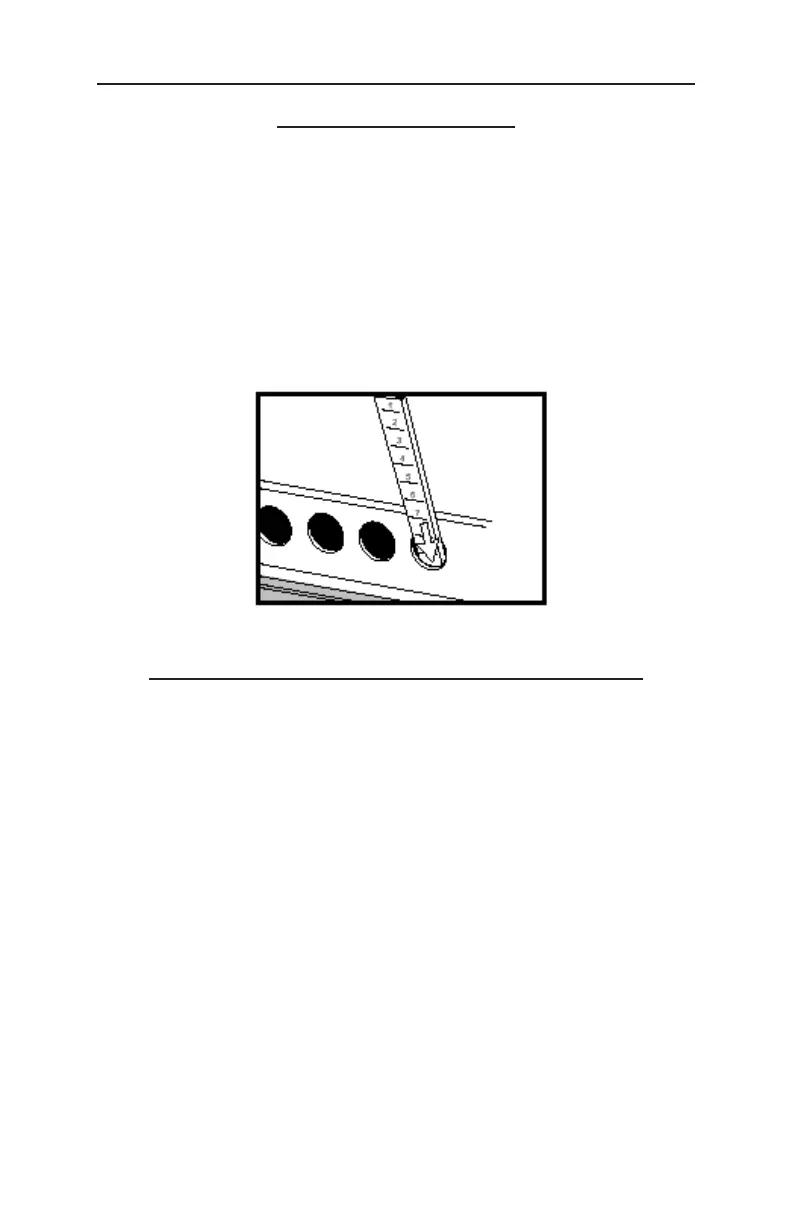
Checking The Number Of Tubes
In The TACC
Step 1: Insert the dipstick into the tube loading hole with the
highest number first.
Step 2: The number at the bottom of tube loading hole is the
number of tubes in the magazine.
NOTE: Leaving the dipstick in the magazine may result in a jammed
vend mechanism.
11



 To Next Page