Screen Protector Replacement
Step 1: Disconnect AC power from the unit.
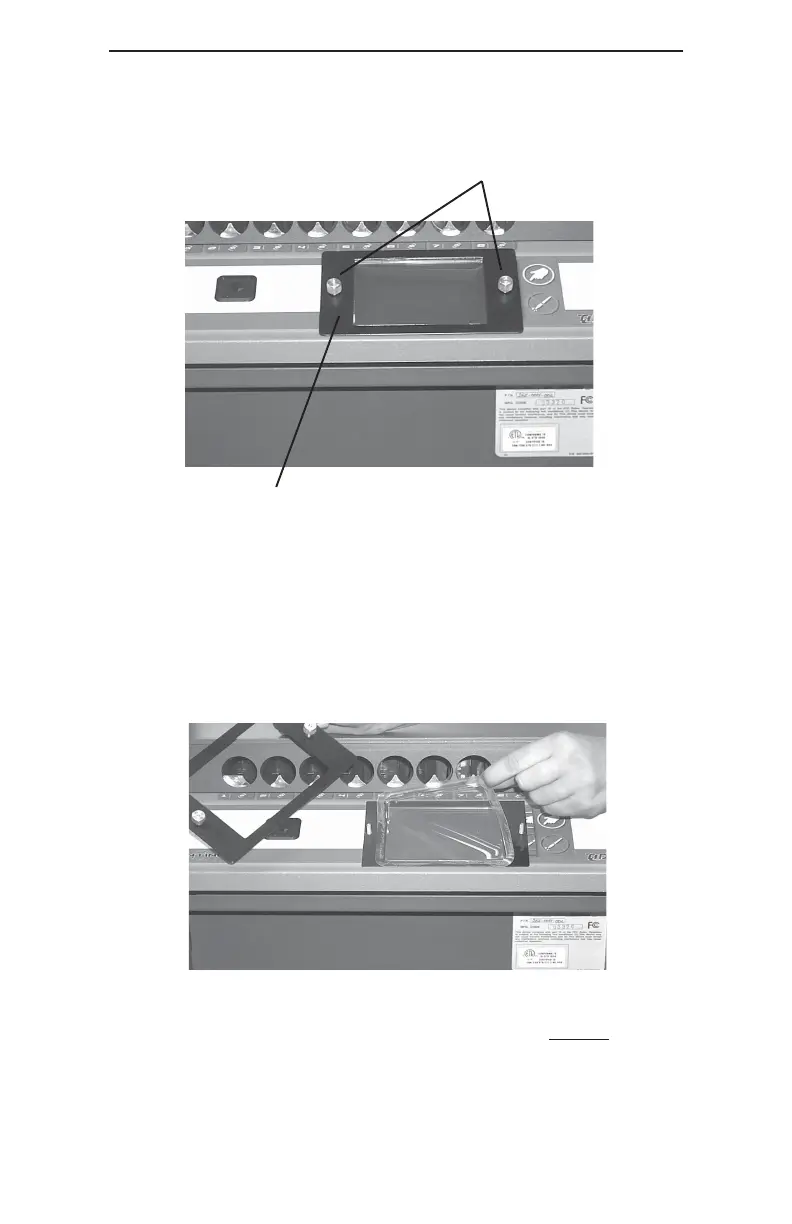
Step 2: Unscrew the (2) securing knobs that secure the Bezel to
the front of the Control Panel and remove the Bezel.
Step 3: Peel the existing Screen Protector away from the Faceplate.
Step 4: When the Screen Protector is peeled off the Faceplate,
some adhesive residue may remain. Remove this residue
by “dry rubbing”, prior to installing the replacement Screen
Protector.
Step 5: Peel the adhesive backing and film from
BOTH sides of the
the new Screen Protector.
Step 6: Align the screen protector in the Faceplate and apply the
Screen Protector evenly across the surface of the Faceplate.
Step 7: Place the removable Bezel onto the Faceplate and secure it
with the (2) securing knobs.
Removable Bezel
27
Securing Knobs



 To Next Page