vi 1
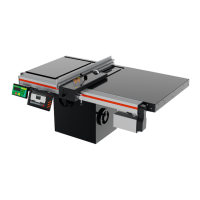
Enable your TigerFence
TigerFence won’t function until it is enabled.
WHAT IS MY PASSWORD?
1. Fill out the warranty registration form at TigerStop.com/service-center/#warranty-registration.
2. TigerStop
Customer Service will email you the enable code during business hours, Monday-Friday 6am-
4pm PST. You can also request the code by phone.
3. After installing TigerFence, power it on and the screen displays: “Enter Enable Code…Call TigerStop
…ph#
360-254-0661” and the machine serial number in the format “SN=#######”.
4. Enter the enable code and press to load it.
The TigerFence password is set to the serial number. It is stamped on the main beam’s motor end.
Contact Us
12909 NE 95th Street
Vancouver, WA 98682-2426
TigerStop Global Headquarters
Phone: +1 (360) 448 6102
TigerStop Customer Service
Email: service@tigerstop.com
TigerStop Customer Service
Bedrijvenstraat 17 NL-7641 AM
Wierden, Netherlands
TigerStop Europe
TigerStop Sales
Phone: +1 (360) 254 0661 ext 2
TigerStop Sales
Email: sales@tigerstop.com
TigerStop Headquarters
Phone: +1 (360) 254 0661
Fax: +1 (360) 260 0755
TigerStop Headquarters
Email: careers@tigerstop.com
TigerStop Europe
Phone: +31 546 575 171
TigerStop Mexico
Phone: +1 (360) 254 0661
Follow Us
Oces
Call Us
Email Us
TigerStop Europe | Sales
Phone: +31 546 575 171 (option 2)
TigerStop Europe | Service
Phone: +31 546 575 171 (option 1)
TigerStop Europe
Email: info@tigerstop.nl
TigerStop Europe | Sales
Email: info@tigerstop.nl
TigerStop Europe | Service
Email: sos@tigerstop.nl


 To Next Page