18 19
TigerStop
®
Standard Controller Basic Functions
Manual Movement
To manually move TigerFence to a stop position, enter a distance from the saw blade. This distance can be
entered as a decimal or a fractional value.
Entering Decimals
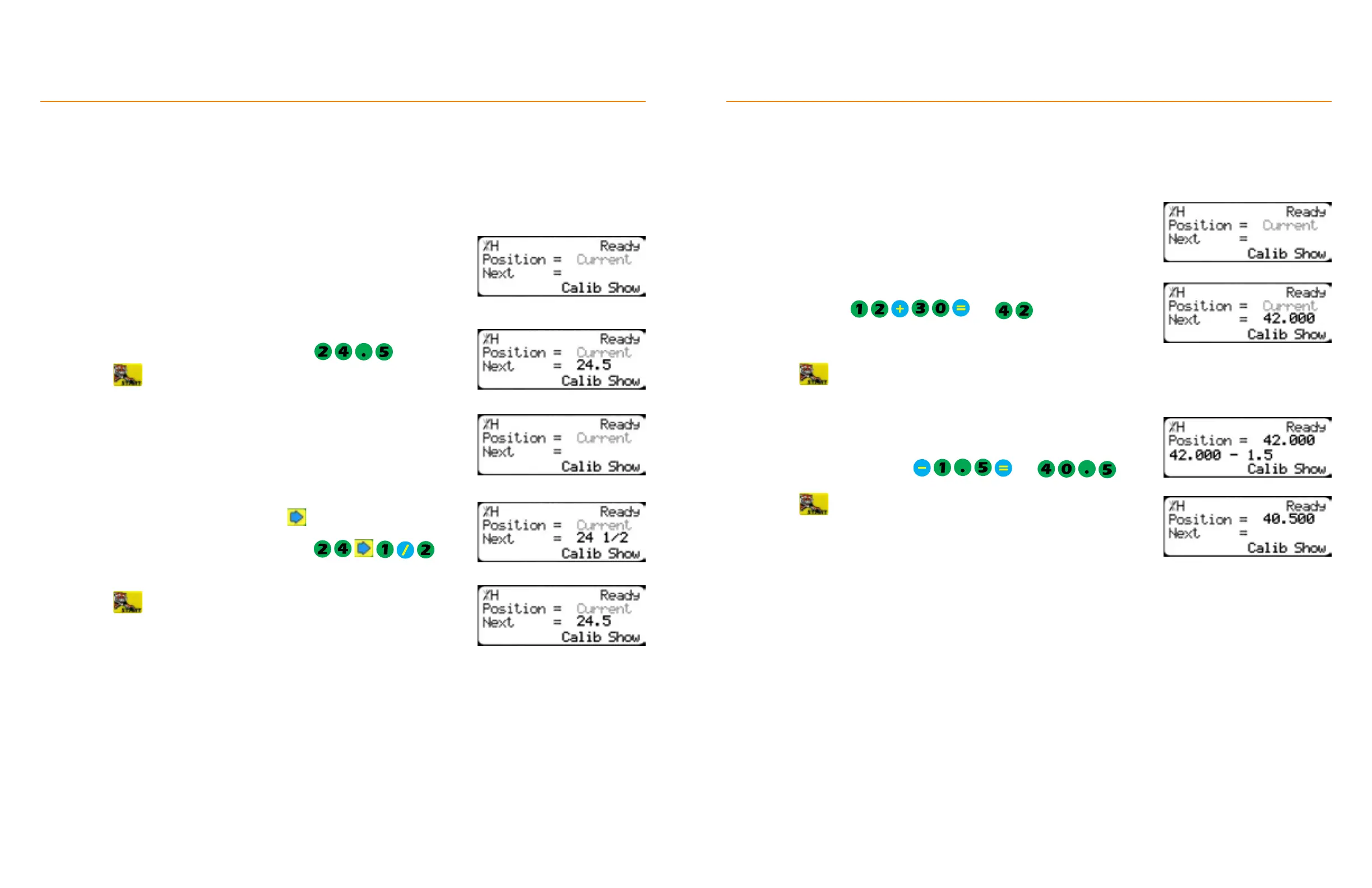
1. Start at the Ready Screen.
2. Enter a length at the controller. Use the to put a space between the
whole numbers and the fractional numbers.
Example: To enter 24 1/2 as a fraction, enter
Entering Fractions
1. Start at the Ready Screen.
2. Enter a length at the controller.
Example: To enter 24 1/2 as a decimal, enter
3. Press to move TigerFence.
3. Press
to move TigerFence.
TigerFence displays the position as a decimal after it moves. TigerFence
cannot display fractions in the ‘Position’ field.
Calculator
TigerFence has a calculator function for simple math problems.
TigerStop
®
Standard Controller Basic Functions
3. Press and TigerFence moves to the calculated position.
4. Use the math function keys to modify the current position.
Example: To subtract 1.5 inches (38 mm) from the current position of
42 inches (1067 mm): Press
and
appears in the ‘Next’ field.
5. Press and TigerFence moves to the calculated position.
1. Start at the Ready Screen.
2. Use the math function keys to enter problems.
Example: Press and appears in the ‘Next’
field.


 To Next Page