20 21
Increment
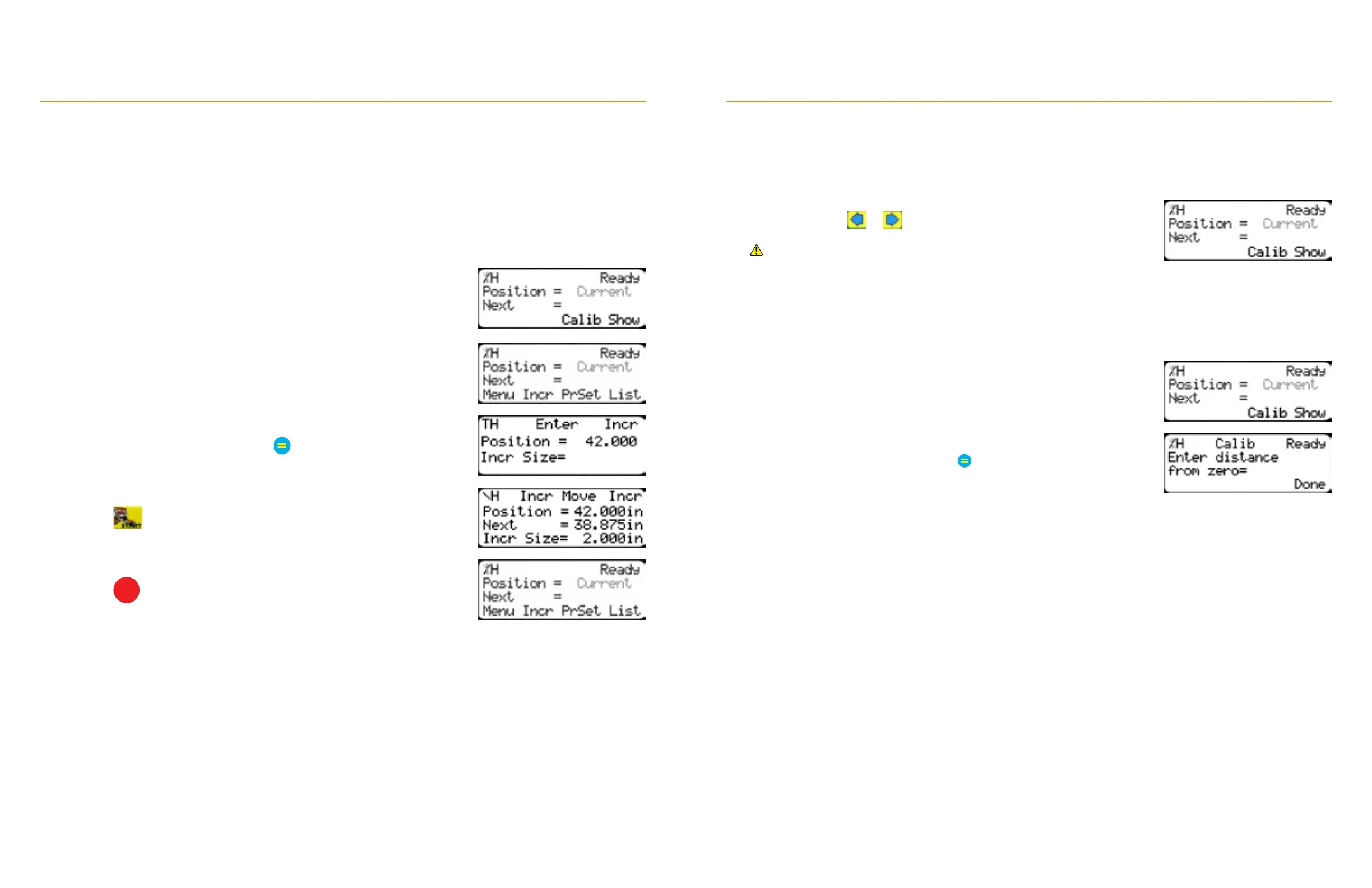
The increment function is a push feed mode that steps TigerFence through a series of movements.
Increment:
• Can be a positive value that will move TigerFence towards the tool.
• Can be a negative value that will move TigerFence away from the tool.
• Will compensate for kerf automatically using the ‘Kerf’ setting in the ‘Setup’ menu.
• Can only store one increment value at a time.
TigerStop
®
Standard Controller Basic Functions
1. From the Ready Screen, press the [Show] soft key.
2. Press the [Incr] soft key.
3. Enter an increment length and press
4. Press to begin incrementing.
5. Press
STOP
to return to the Ready Screen.
Jog
TigerFence can be manually jogged in or out. When activated, TigerFence will move until you let go of the jog
button.
Quick Calibration
A short-cut to the calibration setting.
TigerStop
®
Standard Controller Basic Functions
1. Start at the Ready Screen.
2. Press and hold or .
If the jog buttons move TigerFence in the wrong direction, use the ‘Jog
Reverse’ setting in the ‘Setup’ menu to reverse the movement.
1. Start at the Ready Screen.
2. Place sample material against the fence and cycle the tool.
3. Measure the length of the processed sample.
4. Press the [Calib] soft key.
5. Enter the measured value and press
6. Press the [Done] soft key.
• If desired, disable the quick calibration soft key in the Options menu.
• Disabling quick calibration eectively password-protects the
calibration function.


 To Next Page