9
Adjusting for Square
Operation
After plenty of use, it is possible that the TigerSPC’s moving foot will require re-adjustment.
An ideal adjustment results in a foot that is parallel to the table and perpendicular to the beam
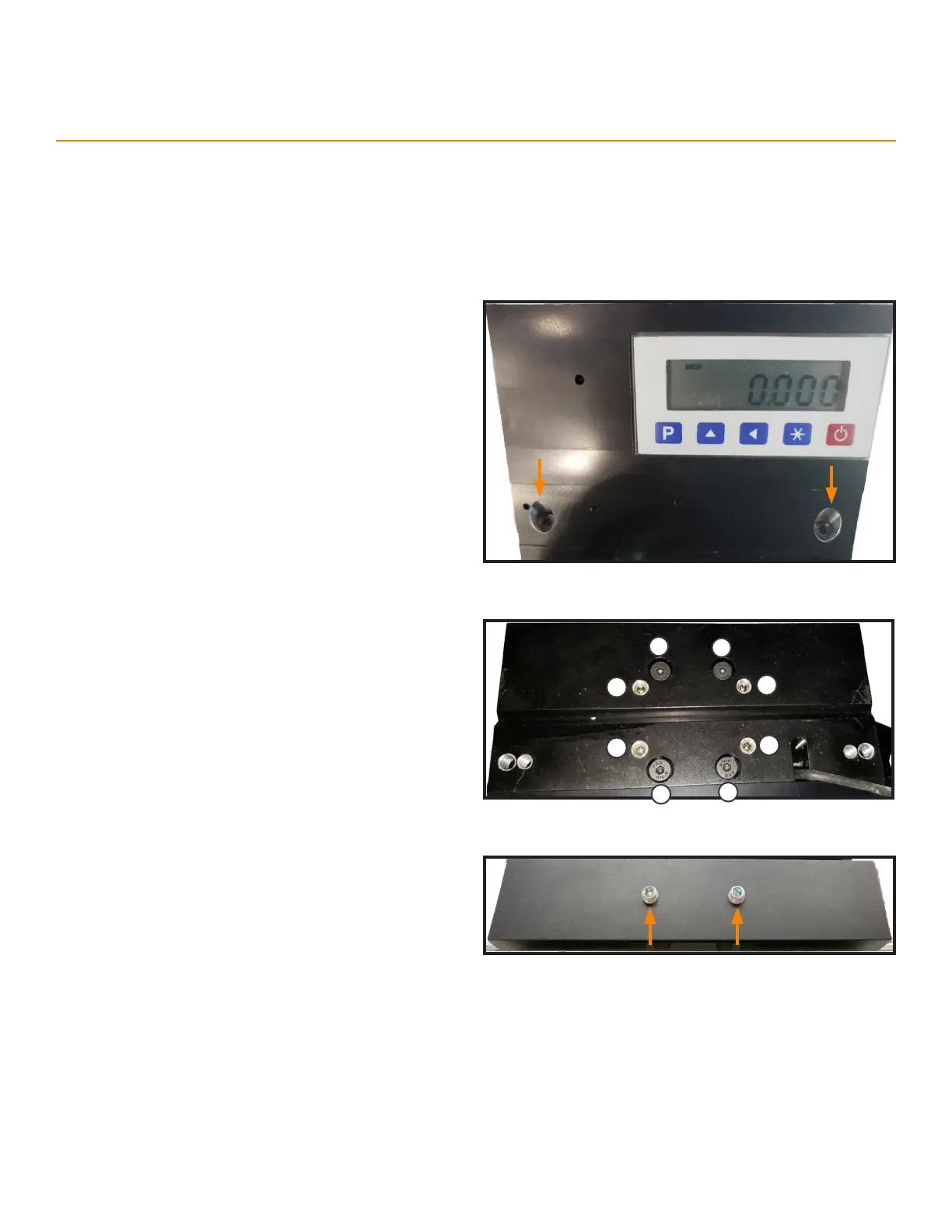
1. Remove the TigerSPC sticker below the display.
2. Hold the display steady while removing the two
screws under the sticker.
• The display will fall if not held in place once you
remove the screws.
3. Set the display aside.
4. Slightly loosen the 4 carriage screws under the
display.
5. Adjust the 4 top set screws to make the foot parallel
to the table.
6. Adjust the 2 back set screws to make the foot
perpendicular to the beam.
7. Re-tighten the carriage screws.
4
5
4
4
4
5
5
5



 To Next Page