24
PART
DESCRIPTION
(NUMBER)
QUANTITY
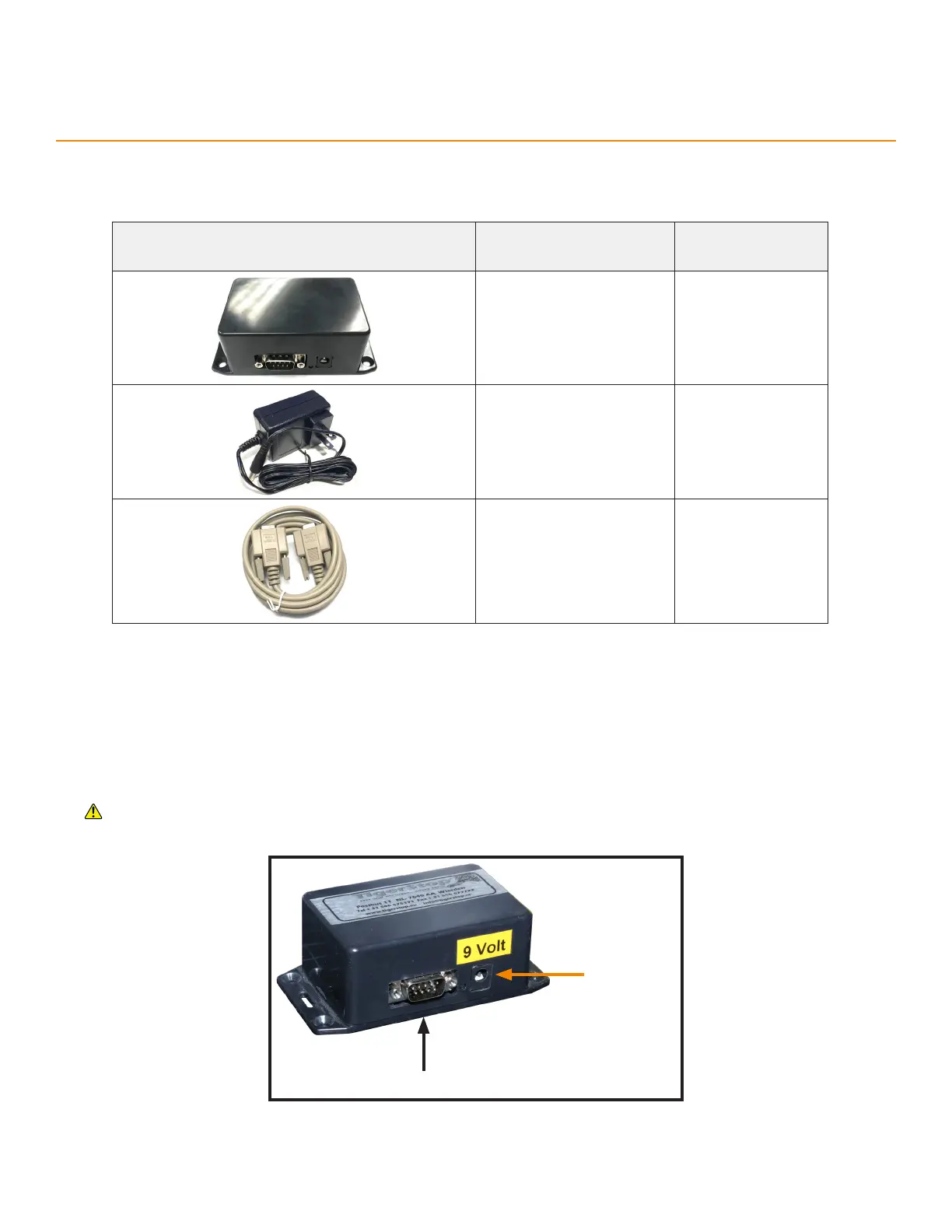
Wireless Receiver
(E9838)
1
9-volt Power Supply
(J0218)
1
Serial Cable
(J8055)
1
Appendix D: TigerSPC Display Software
Installing the Wireless Receiver
1. Connect the 9-volt Power Supply from a 110VAC wall outlet to the Wireless Receiver’s power port.
2. Connect the Serial Cable from the Wireless Receiver to a computer.
TigerSPC display software requires an RS232 serial port.
Serial Port
Power Port
An optional hardware package. Allows the TigerSPC to transmit data to a computer running the TigerSPC Display
Software.



 To Next Page