3
-Tilgin HG320 Series Quick Guide
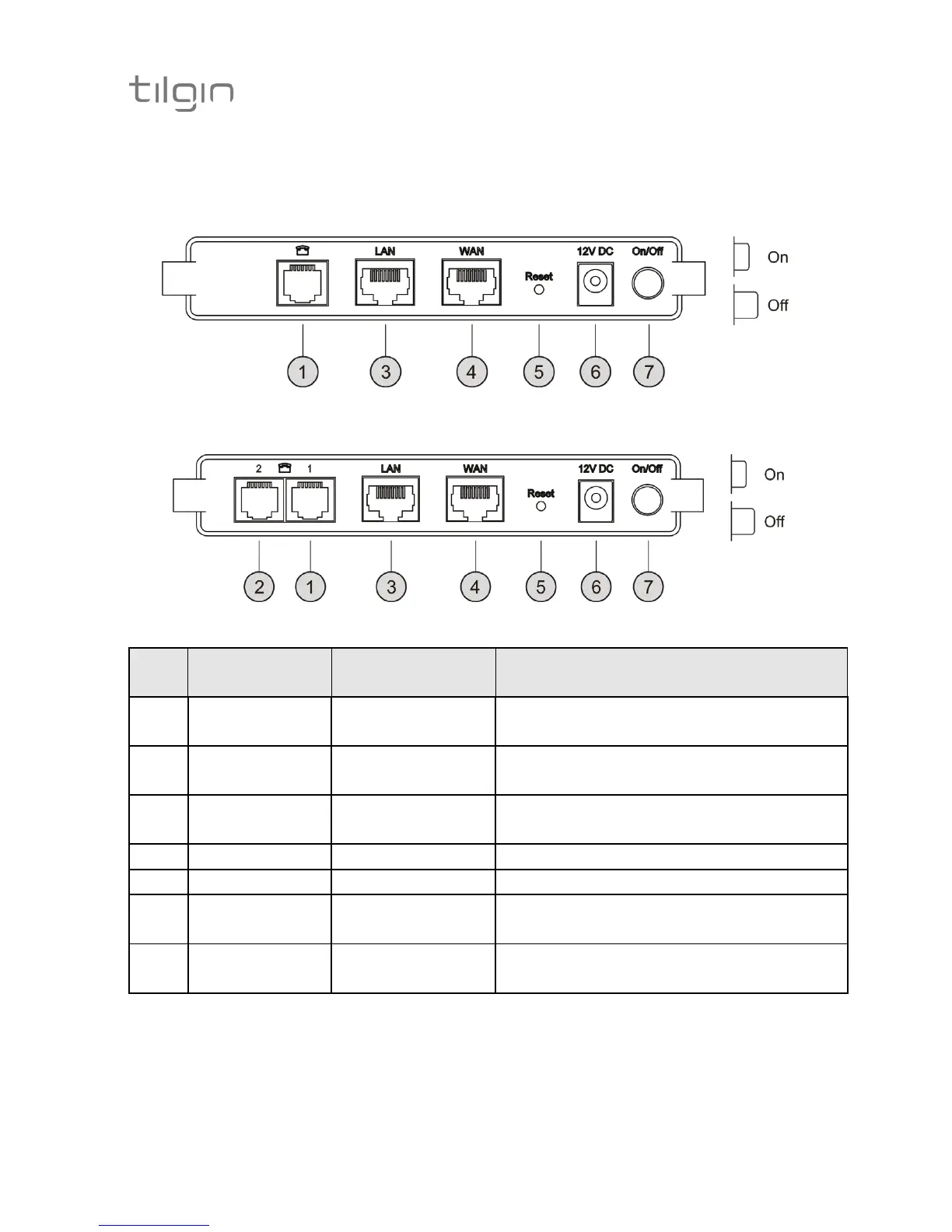
3.2. Home Gateway Interfaces
HG321 Rear Panel
Green Yellow Gray
HG322 Rear Panel
White Green Yellow Gray
Pos Interface Outlet & Cable
Color Codes
Function
1 Phone Port1 Green Connects analogue phones or fax
equipment
2 Phone Port2
(HG322 only)
White Connects analogue phones or fax
equipment
3 LAN Port Yellow Connects to the Local Area
Network
4 WAN Port Gray Connects to WAN (Internet)
5 Reset Button for factory reset
6 Power / DC
Power Input
Black Connects the power adapter
7 On/Off Button for turning the home
gateway on or off


 To Next Page