- 2 -
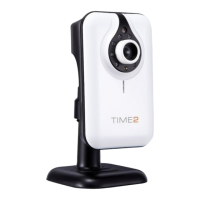
Thank you for purchasing the Time2 MIP11 Surveillance Camera –
this device is a great way monitor any part of your office, home or
warehouse making sure all your valuables are safe and secure
Please keep this manual for future reference and ensure all safety
instructions have been read carefully before using. Applications
and their functions may vary by country and/or hardware
specification.
Contents:
3. Preventive measures and safety instructions.
4. Main components.
4. Connections.
4. Camera installation / connecting the camera.
7. Connecting the camera to your router.
7. Downloading the software.
8. Set-up for Windows PC:
- 8. Downloading the software.
- 9. Connecting to the software.
- 10. Running the camera wirelessly.
- 11. Set up of the Motion Detection.
13. Set-up for Apple Mac PC:
- 13. Downloading the software.
- 14. Connecting to the software.
- 15. Running the camera wirelessly.
16. Focus of the camera lens.
16. Functions of the control Panel.
17. Managing your camera settings.
19. Main Menu features
19. How to turn on the Zoom feature
20. How to save your recordings.
21. Downloading the application to your Android/Apple device.
21. Managing camera settings from your Android/Apple device.
24. FAQ’s (Frequently asked questions).


 To Next Page